

Variable panel not available via menu when project name is allcaps?
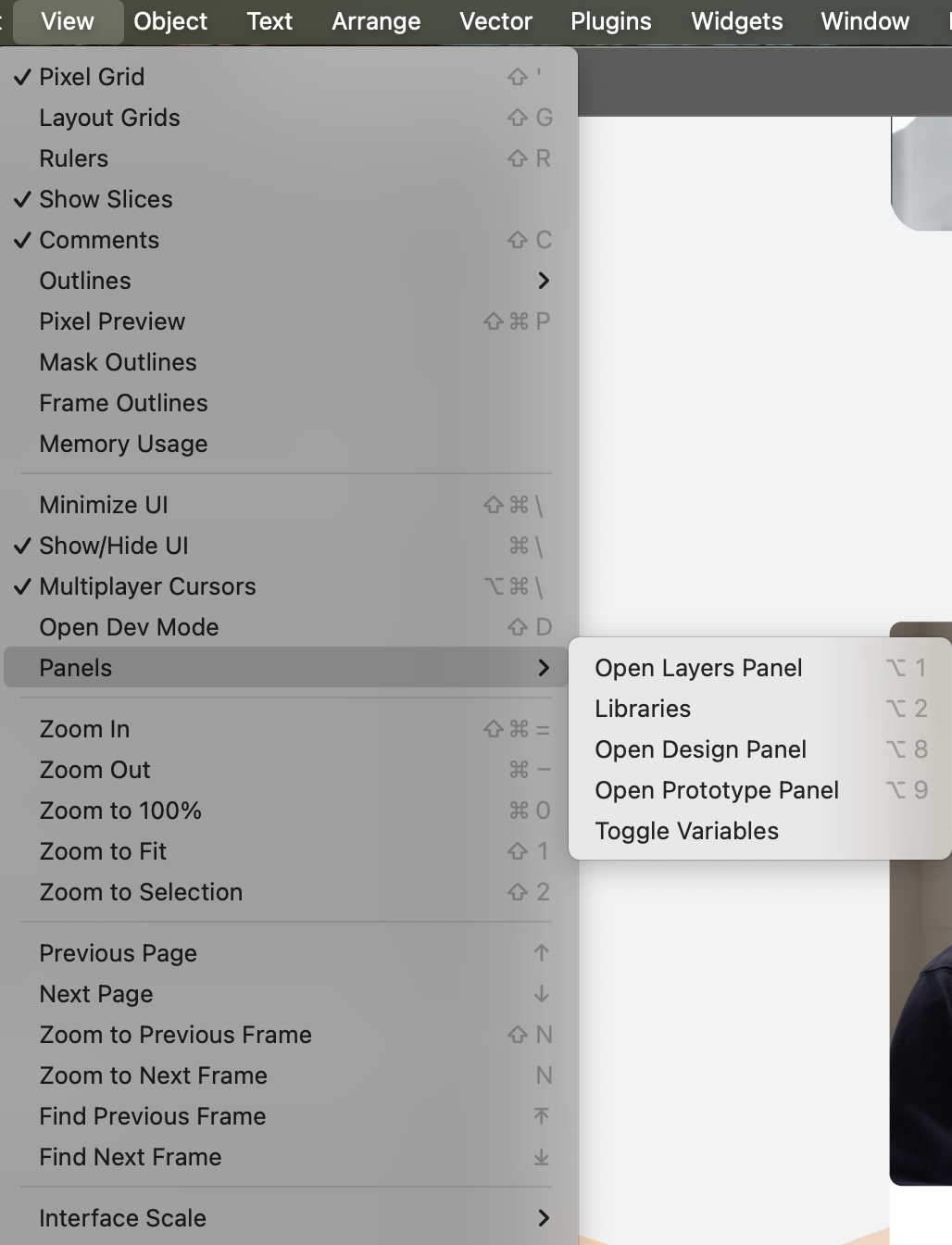
The whole “Panels” sub menu under “View” is sometimes not available. When it happens the Panels menu is not available at all. Search via the Help menu voor Toggle Variables / Variables gives no results
I eventually got the menu back but I was not sure if what I did actually had anything to do with it.
- Open file
- See variables panel missing
- Open an other project (that has the panel in the menu
- Close both projects
- Close Figma
- Relaunch Figma
- Re-open intial file where I encountered the bug.
- The panel is accessible via the menu again.
But then I changes the name (totally unrelated to this issue i thought).
I think I have figured out what is causing this.
My project that I created was in all caps and had a Hyphen. Like this example: CLIENTNAME - PROJECT
My file had the same but I think the project name causes the issue not the file.
When I changed both to lowercase my panel started loading again. this looks like a very wierd bug, why would the naming of a project/file be causing this?
I have tested this multiple times and every time the project/file is in all caps the variables menu / panel disappears. And immediately after changing the names to lowercase my panel for variable toggles appears again.
Maybe changing the name reloads / saves the project in a way that resets something.
But this is definitally a bug.