Question

URGENT: Fonts and components are resized

  • June 2, 2026
  • 2 replies
  • 34 views

Anne Müller

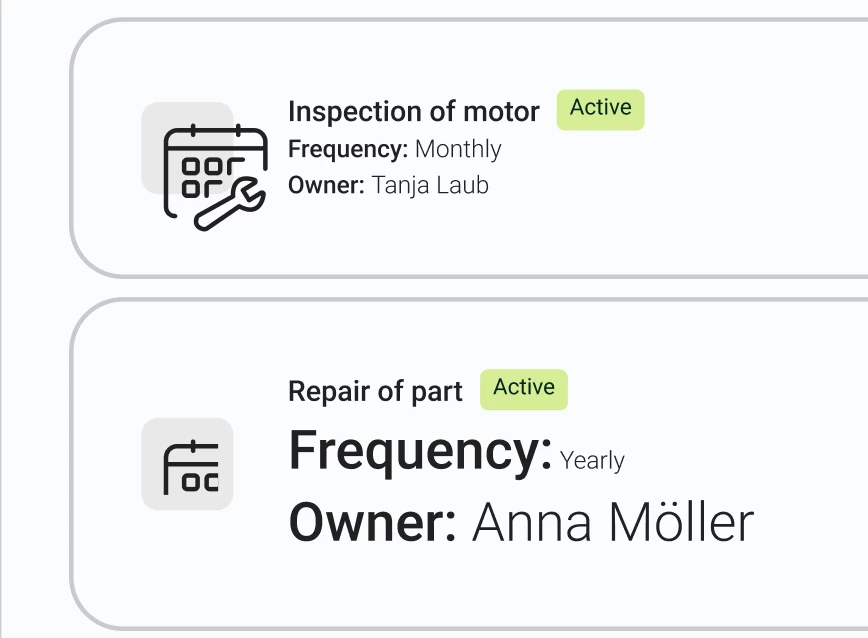
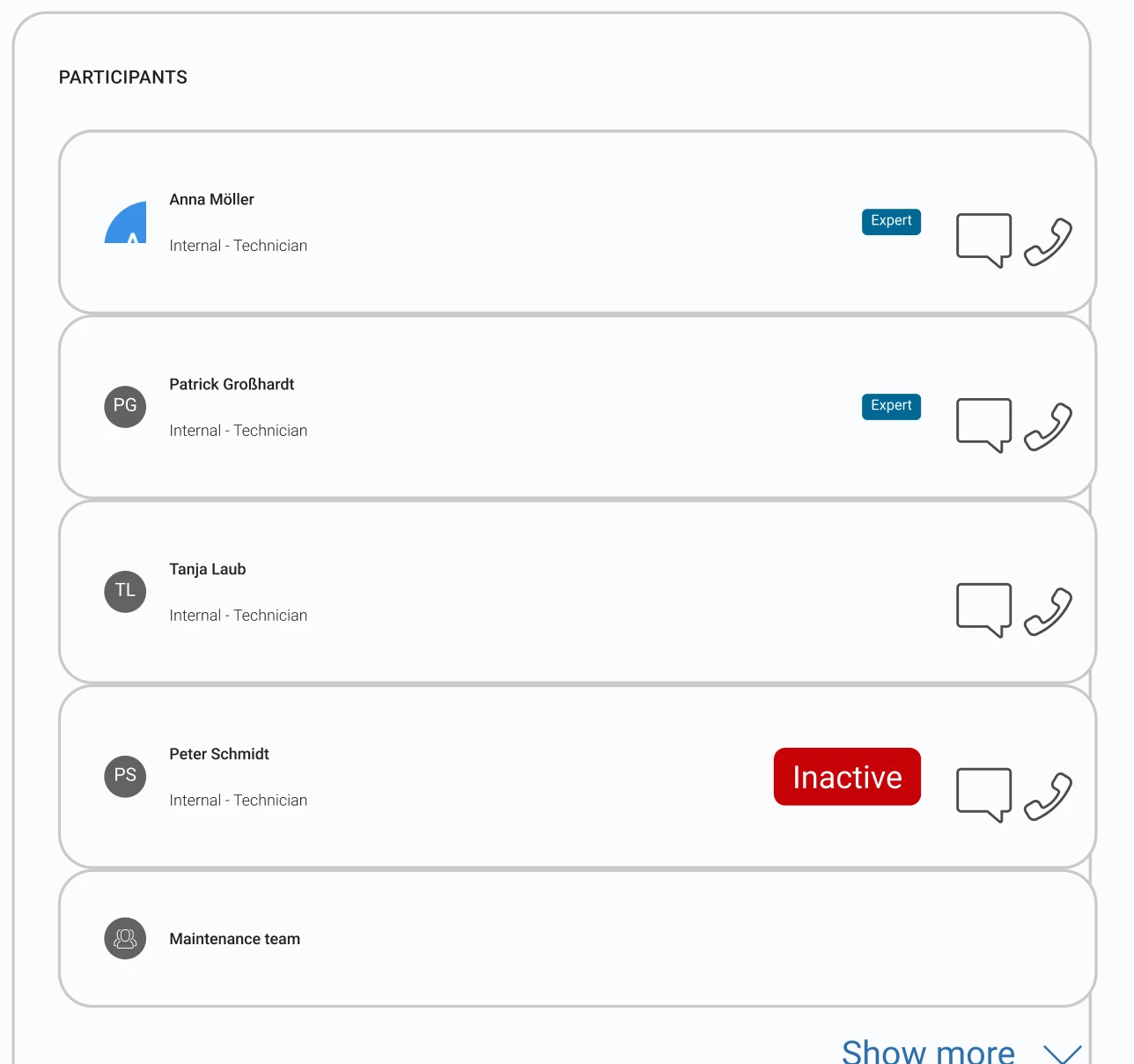
For some days now, a lot of our designs in different files are broken. Fonts are displayed smaller or bigger than expected - also the font style used in the design is detached. Icons or other components are cut or overlapping other elements. As soon as we click inside, it can happen that the design changes even further.

Some details:

  • The issue is reproducable among different users
  • it affects multiple designs with several components
  • the components all use a slot inside
  • it mostly happens with our “Card” component which has a slot inside. In the slot we nest different contents
  • we have deeply nested designs with several components and instances
  • when clicking in the affected design, the sizes change for some people - sometimes in a good way, sometimes in a worse way

This came out of nowhere and we do not know how to solve this issue. It affects us in such a way that we cannot deliver the design anymore to a developer. So, it would be really really great, if we could get help soon!!


Pictures of the issue:


2 replies

Gayani_S
Figmate
  • Community Support
  • June 2, 2026

Hey ​@Anne Müller, thanks for reaching out! 

A few things from your report stand out: the slot-based Card component, deeply nested instances, and the behaviour changing further when you click inside.

To help me narrow this down, could you start with these two things:

  1. Where are you seeing this on? Figma desktop app, browser, or both and which OS and browser version if applicable?
  2. When did this start? Did it coincide with any changes to your component library, a specific file edit, or a Figma update?

If you’re open to is I can create a support ticket on your behalf and escalate this to our Engineering team so they can investigate directly. Are you able to share your impacted file with support-share@figma.com and grant "Can view" access? this lets our team reproduce the issue on our end. 


Let me know if you're happy to proceed with that and I'll get it moving straight away.


Anne Müller
  • Author
  • New Member
  • June 2, 2026

Hey :) 

Thanks for replying so fast!

  1. We are working with the desktop app, but tested it as well in the browser - same issue.
    1. Browser Version 148.0.7778.179
    2. macOS: 26.5 (25F71)
  2. We noticed the bug on Friday, 1 of June. It did not coincide with any changes or something we know of. The only thing that is new, is a new team member who worked in an affected figma file one week before. Since it was not on the same page, we could have missed the bug for that time. BUT the components of the broken designs are in another file - so he couldn’t really mess it up by himself. I can also reproduce the bug in other files he did not work in. 

I would be happy if you could create the support ticket! I have the feeling that the display of the design changes from time to time, which is even worse when we want to give it over to devs.

I will sent some example files to the mentioned email.

Thanks a lot,
Anne