I had increased the number of seats to calculate total cost, but accidently increased the number of seats and now being billed for it. how do i reduce it? my company won't allow me the budget for increased seats and thus we are not able to go ahead with the payment
Hey Anuj! If you accidentally increased the number of seats, you can reduce them by downgrading any unnecessary Full seats to View seats, to do that:
From the file browser, click Admin in the left sidebar.
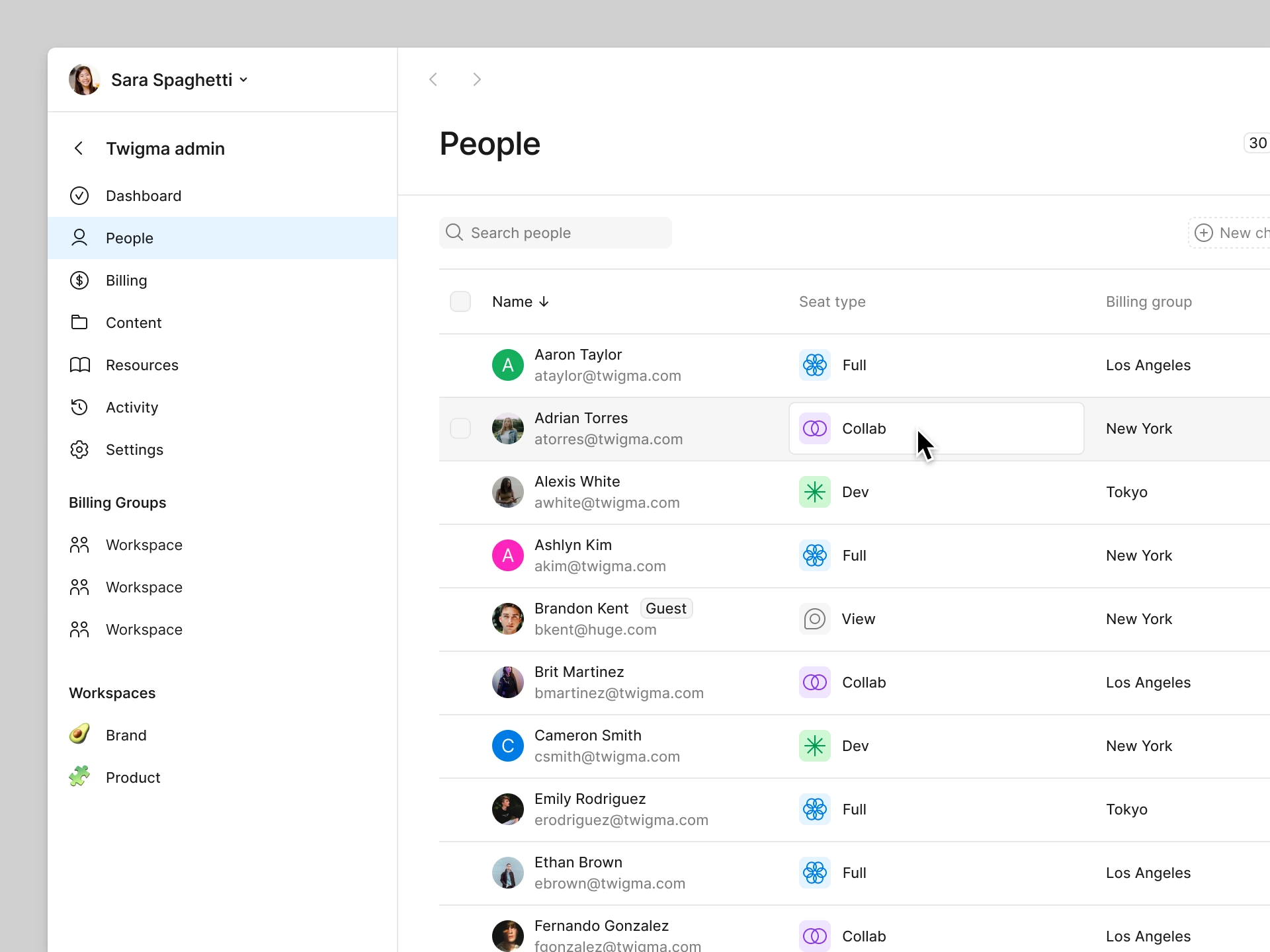
Select the People tab.
Click a person’s seat in the Seat type column.
In the popup modal, select and confirm the View seat.
(Please note downgrading a user back to a Viewer seat stops future charges, but it doesn't automatically trigger a refund for the current period. The seat stays available for someone else to use until your billing cycle ends.)
That said, I can see you've already reached out to our Support team. Since this involves billing for seats that were already added, I've gone ahead and added a follow-up note internally to the team.
Update: The team is reviewing your case regarding the accidental seat increase, please continue the conversation through your existing support ticket. They'll be best equipped to review your billing details and discuss any available options with you. Thanks for your patience, I’ve gone ahead and closed the topic here.
Hey Anuj! If you accidentally increased the number of seats, you can reduce them by downgrading any unnecessary Full seats to View seats, to do that:
From the file browser, click Admin in the left sidebar.
Select the People tab.
Click a person’s seat in the Seat type column.
In the popup modal, select and confirm the View seat.
(Please note downgrading a user back to a Viewer seat stops future charges, but it doesn't automatically trigger a refund for the current period. The seat stays available for someone else to use until your billing cycle ends.)
That said, I can see you've already reached out to our Support team. Since this involves billing for seats that were already added, I've gone ahead and added a follow-up note internally to the team.
Update: The team is reviewing your case regarding the accidental seat increase, please continue the conversation through your existing support ticket. They'll be best equipped to review your billing details and discuss any available options with you. Thanks for your patience, I’ve gone ahead and closed the topic here.