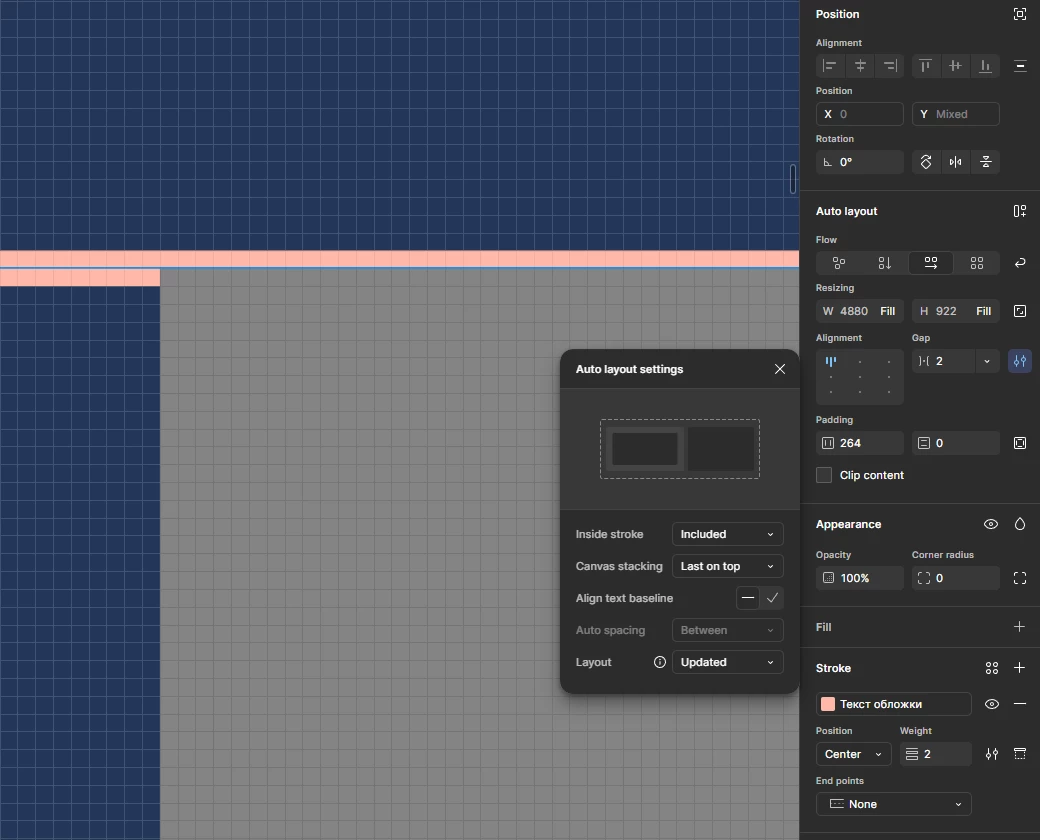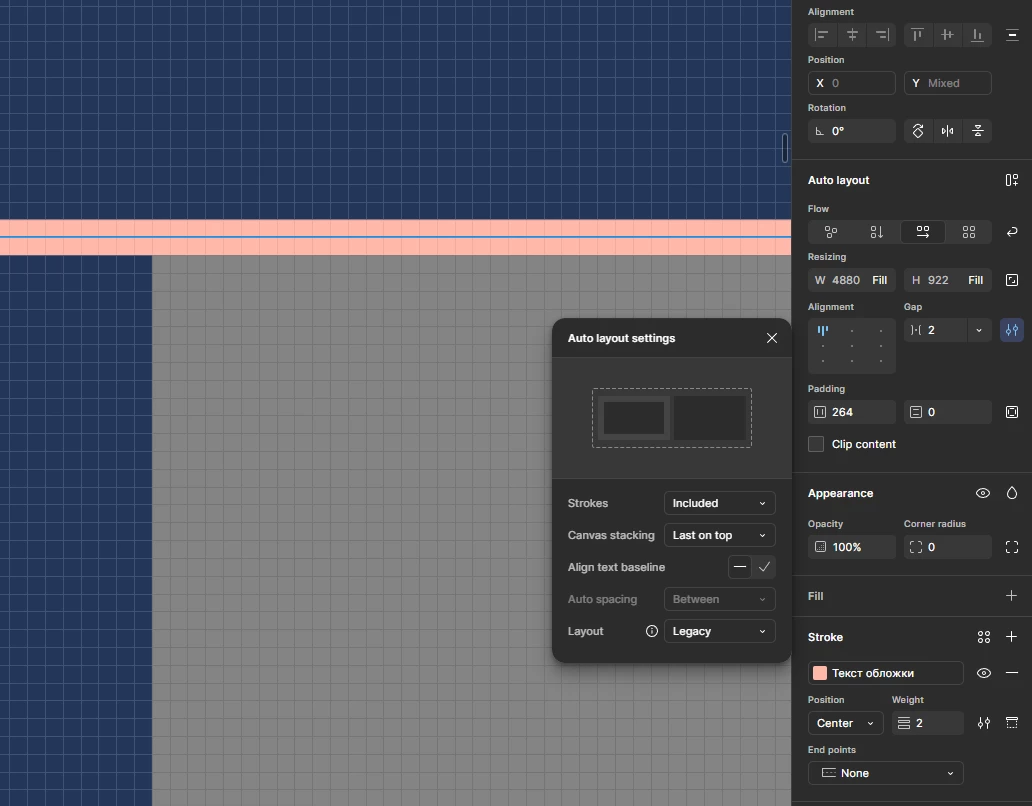
"Updated" auto-layout breaks center strokes
I have a brutalist style design that involves lines and strokes and depends on a specific relationship between different elements with strokes. To achieve that, I have been using centered strokes since they run perfectly centered on the element’s edges, and adjacent touching/tangent elements’ strokes meet up perfectly without doubling - simple and straightforward, no extra work needed to adapt the physical dimensions of the elemens for the stroke or choose different stroke positions for different elements.
But recently I noticed that the elements get overlayed on top of their parent’s stroke, and to “fix” that I have to enable “Clip content” - which in turn breaks a lot of other elements within the stroked element that depended on out of bounds design elements, like frame edge/corner decorations.
Let me know whether this is unintended behavior, and whether I can expect it to be fixed. Otherwise let me know whether there’s any way for this to be remedied while maintaining stroke position consistency.