

Unicode character (e.g. curly quote) not rendered properly
It seems like Figma is not rendering a Unicode character correctly according to the font family we chose.
The character is “Right Single Quotation Mark” and the font family is “Mona Sans,” which features a quotation mark that is rounded. The one that is rendered by Figma is different - it has square edges.
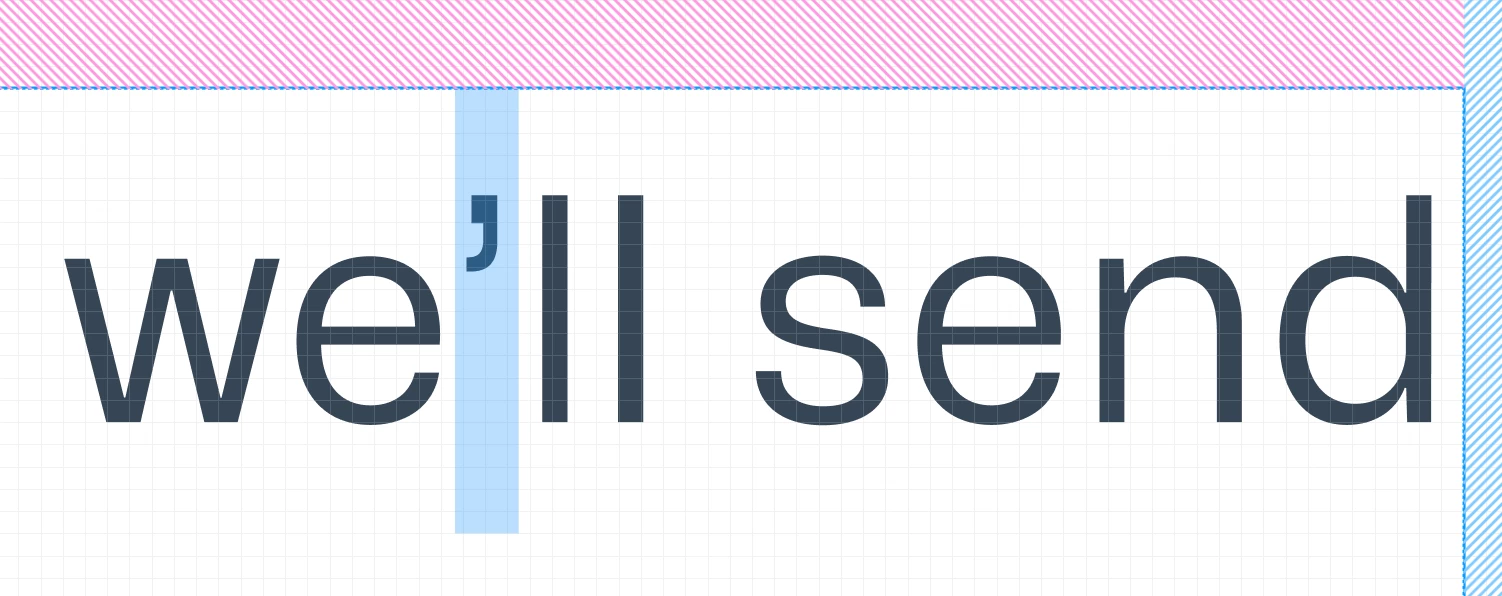
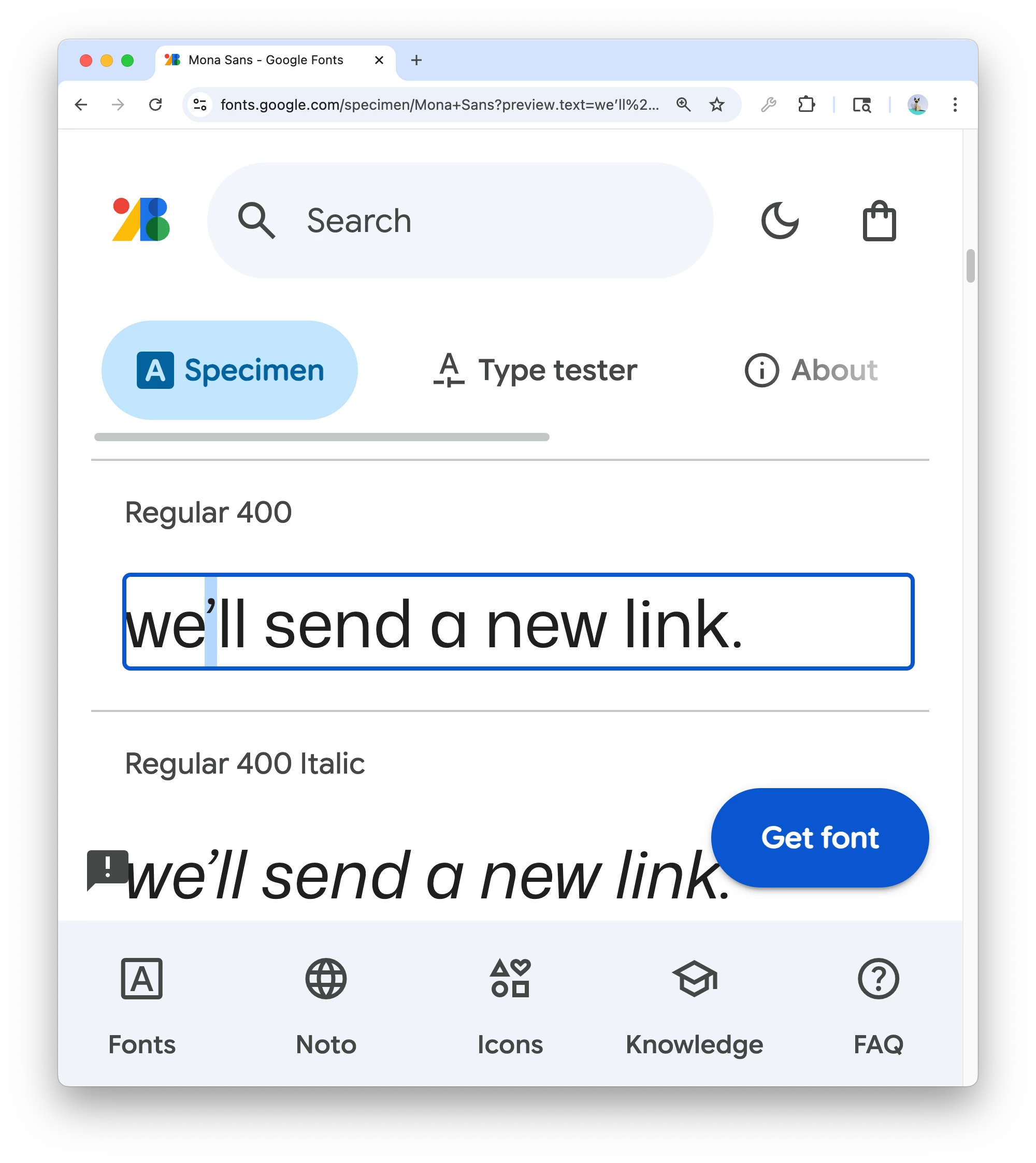
Displaying a different character can cause slight differences in the width of the screen’s content, such that the line-breaking point in the design will not match the line-breaking point in an implementation (with the implementation rendering the Unicode character in the font correctly).


It would be much appreciated if you could look into this, as we aspire for pixel-perfect implementation of our designs, but a bug like this can confuse us during QA.