

Question

Unexpected behaviour: Variables not updating in nested variants.

  • August 6, 2026
  • 1 reply
  • 7 views

Bauke_Schildt

I have a button (Component A) that uses variables in a nested component (Component B).

Padding and Min-height in the nested component are variables, because we have more than one brand and they use different paddings and button heights
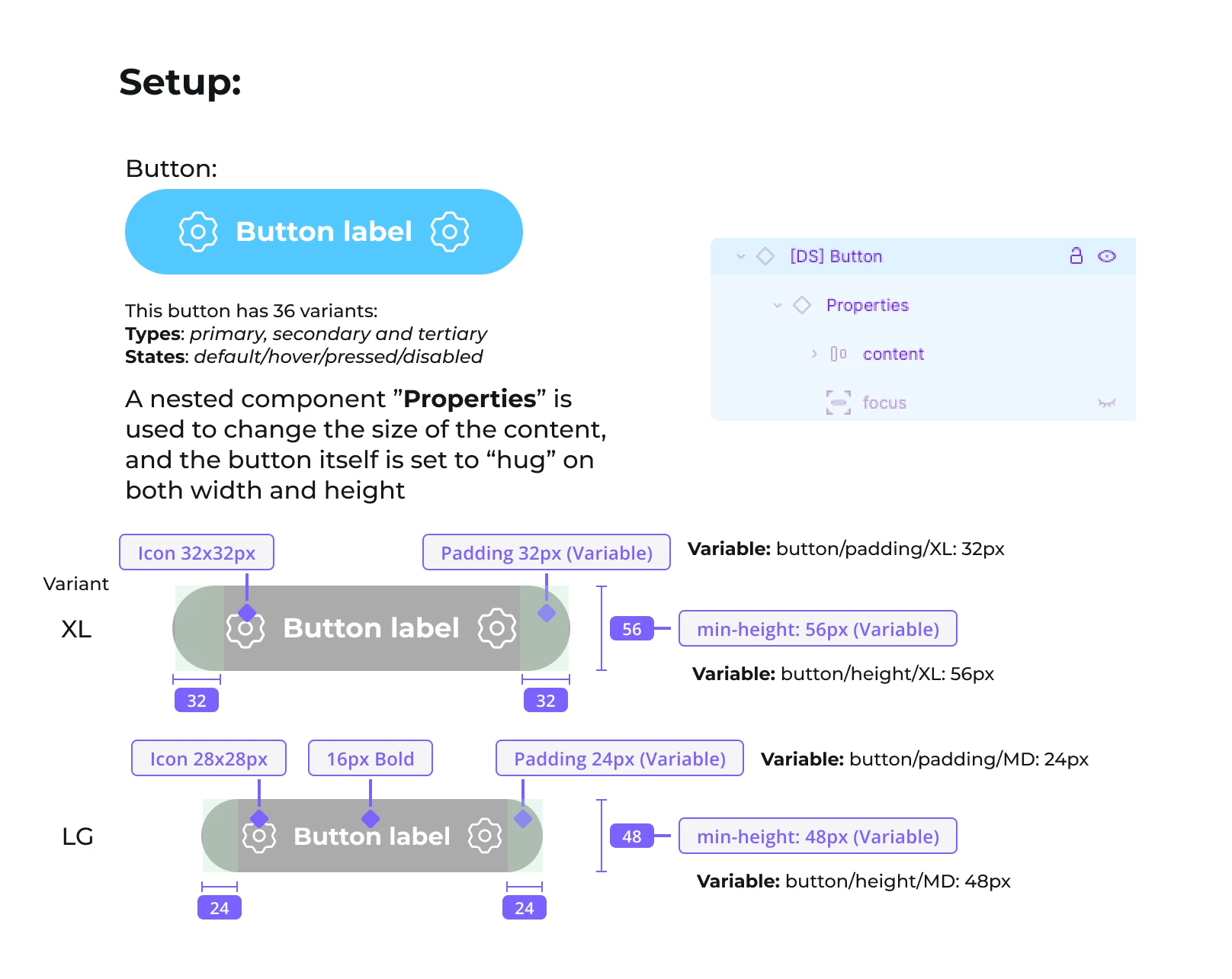
 

The button has 36 variants; 3 Types (Primary, Secondary, Tertiary), 4 States (default/hover/pressed/disabled) e 3 surfaces (default/inverse/brand).

Issue: When I change the Variant of the Nested Component, it completely ignores the variables used in the variant:
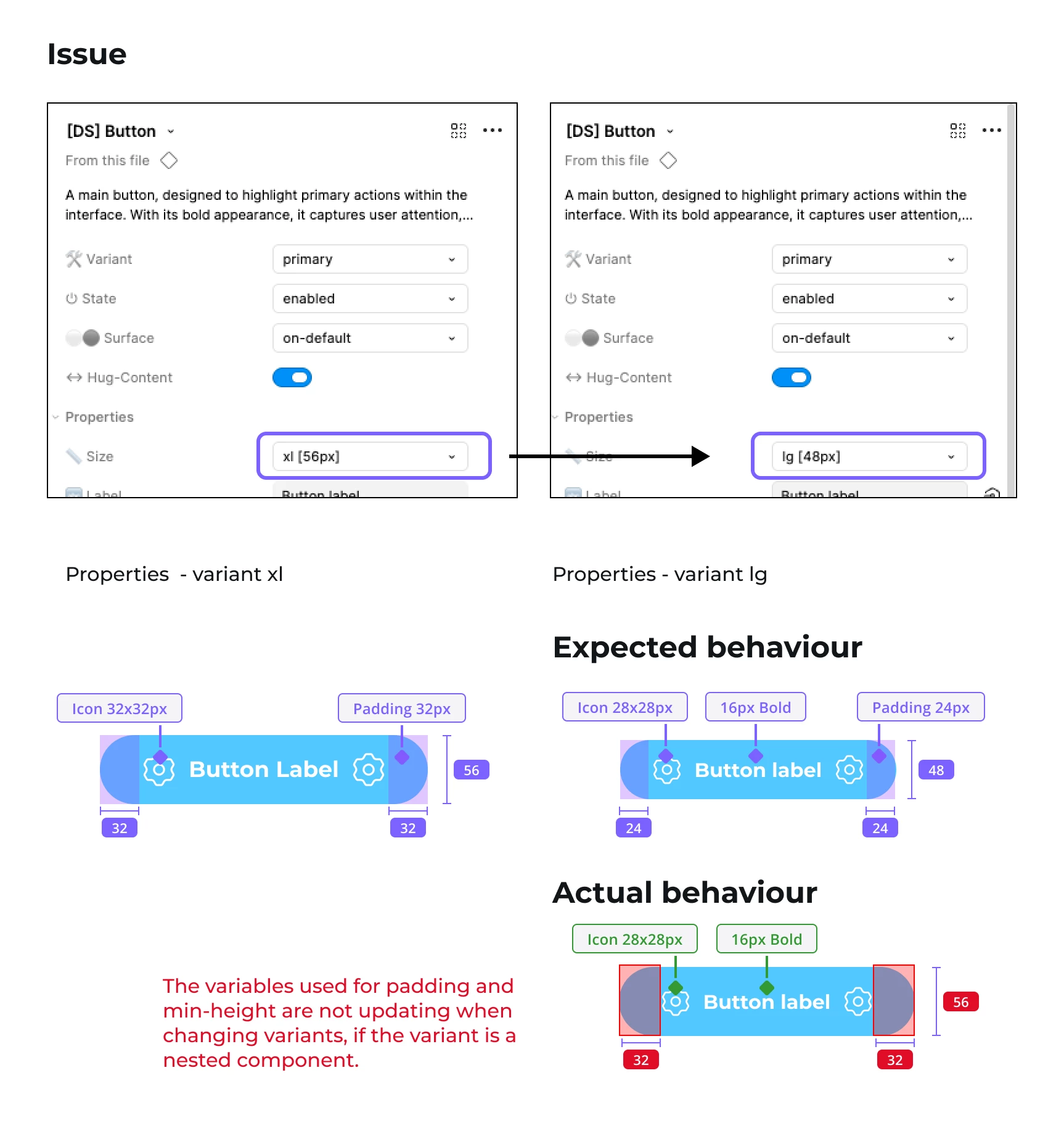


This only happens when it’s a nested component. Otherwise it works as expected.

I really don’t want to add variants for every size (XXL, XL, LG, MD, XS & XXS) , because that would be 216 variants to keep track of, instead of 36.

1 reply

Jaycee Lewis
Figmate

Hey ​@Bauke_Schildt 👋 Thanks for the post and for including your details. I have a few questions to help narrow things down:

  • Could you try building a brand-new parent component in the same file, nest a fresh instance of the button inside it, and cycle through the Size property there? If a fresh parent behaves correctly while your existing one doesn't, that’s a useful clue
  • On a nested instance showing the wrong padding, does right-click > Reset all changes bring it back to the values you'd expect for that size?
  • Are padding and min-height in each size variant bound to separate variables (one per size), or to the same variable resolving through different modes? If it's the latter, can you check if a mode has been set explicitly on the instance or on a parent frame?

Thank you! – Jaycee