Unable to View Color Styles in Library – Issue Persisting for Several Weeks
Hi Figma Support Team,
I hope you’re doing well. I’m reaching out to report an issue we’ve been experiencing for the past couple of weeks related to our design system libraries.
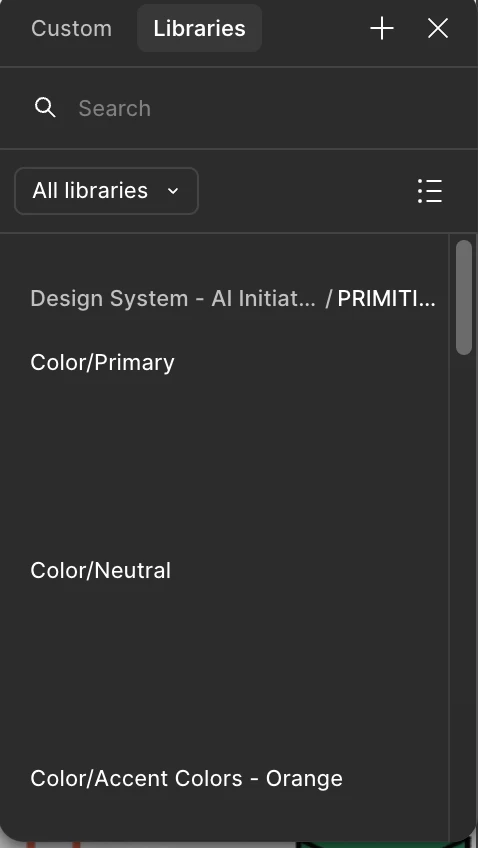
Despite having our color styles clearly defined and published in our design system, the color tokens are not visible or loading correctly in the Libraries panel. The color categories (e.g., Color/Primary, Color/Neutral, Color/Accent) appear in the list, but the actual color swatches are missing, and we’re unable to apply them to components or frames.
I’ve attached a screenshot that shows how the library panel appears on my end.
We have already verified:
- The design system is published and up to date
- The relevant libraries are enabled
- Other styles (typography, components) load correctly
This issue has been consistent across multiple files and has been happening for the last couple of weeks.
Could you please look into this and advise on next steps or potential fixes?
Happy to provide additional details, share file links, or hop on a quick call if needed.
Thank you for your support.
Best regards,
Aditya