

Hi Figma Support team,
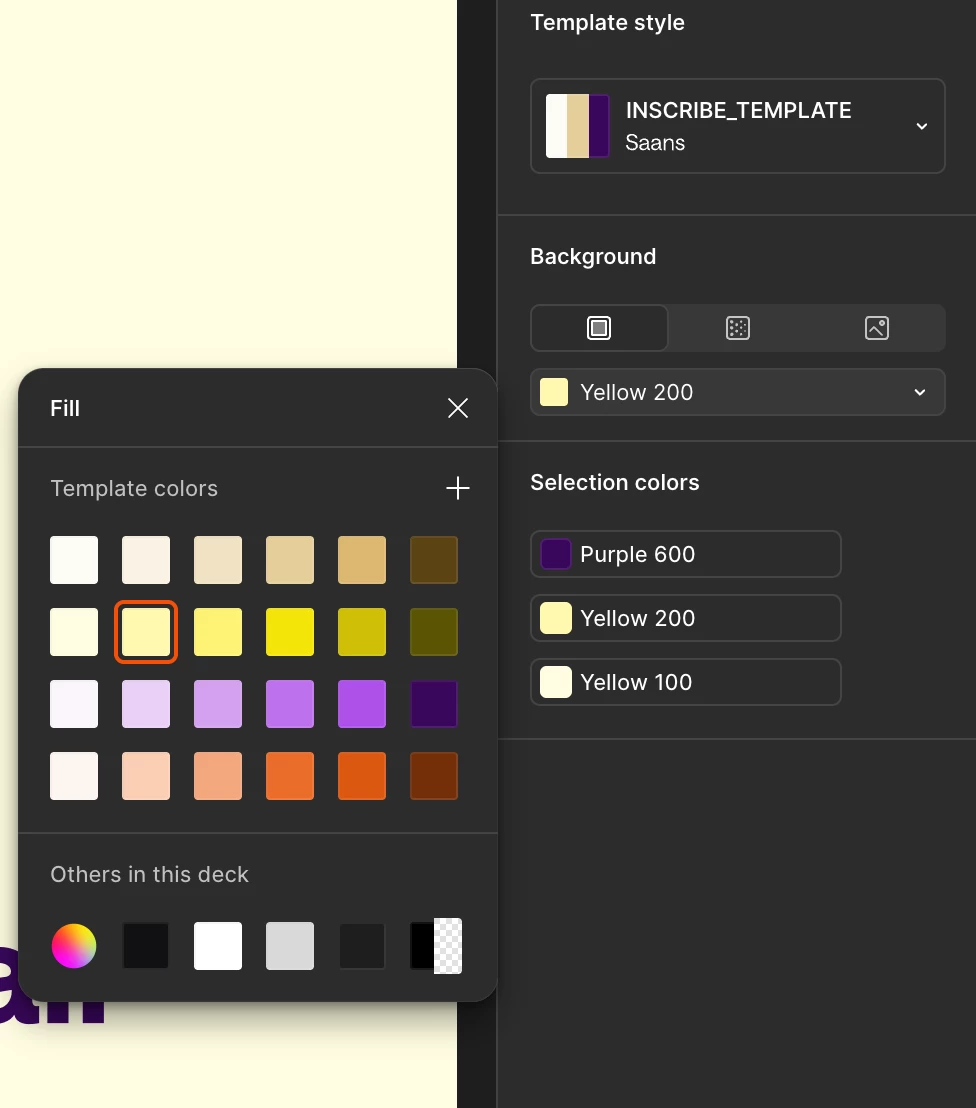
I’m running into an issue with unwanted colours appearing in the Design-mode colour picker in Figma Slides, and I’m hoping to understand whether this is expected behaviour or a limitation.
Summary of the issue
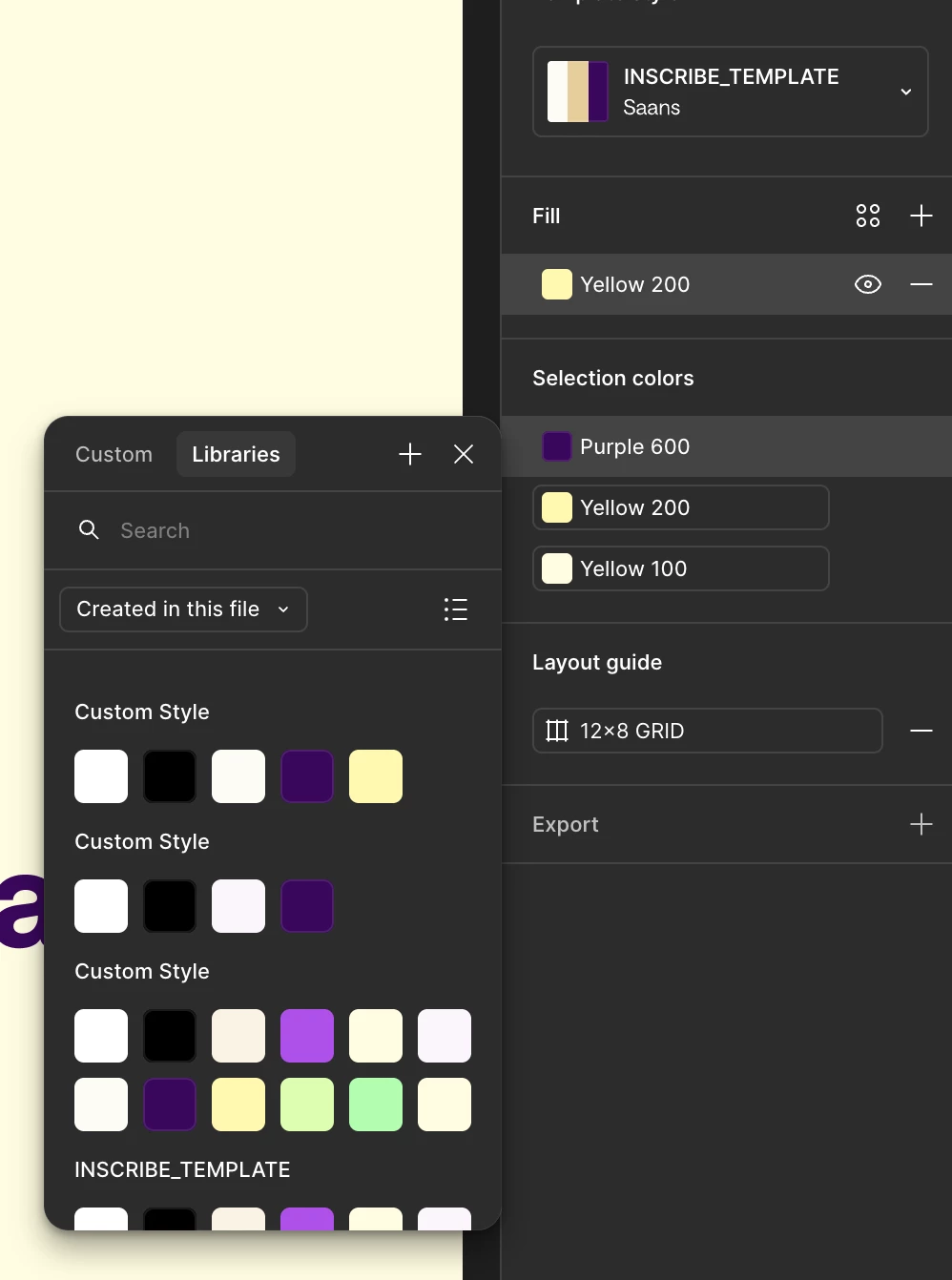
Even after fully cleaning my Slides template so that every element uses only my defined template colour variables, the colour picker in Design mode still shows many extra custom colours that are not used anywhere in the file. These appear to be leftover colours that were automatically created when pasting designs from regular Figma Design files into a Slides file.
What I’ve tried
-
I replaced all existing colours with my new template colours
-
I verified that none of the stray colours are used in any layer, component, or style.
-
I also confirmed that this only affects Design mode, not Slides mode, where only the correct template variables appear.
The core problem
These extra colours appear to be orphaned, auto-generated colours with no UI to remove them, even when they’re completely unused. They clutter the colour picker and make it difficult to maintain a clean colour system inside a Slides template.
Expected behaviour
-
If a colour is unused and not part of a Slides theme, it should be possible to delete it.
-
Or at least, unused colours should not appear in the Design-mode colour picker.
Current behaviour
-
Stray colours persist indefinitely.
-
They appear only in Design mode, creating visual clutter.
-
They seem to originate from copy/paste actions from Design files.
Impact
This makes it difficult to maintain a clean colour system for a shared Slides template. These lingering colours introduce confusion and inconsistency when designing inside Slides.
Questions
-
Is there currently a way to delete or reset unused or auto-generated colours in Slides?
-
Is this behaviour expected, and are there plans to give users more control over colour management in Slides?
-
Is there a recommended workflow to avoid these stray colours appearing in the first place?
Thanks so much!