

Question

Unable to publish library to figma make

  • October 24, 2025
  • 6 replies
  • 376 views

Hanara Nam

Hello!


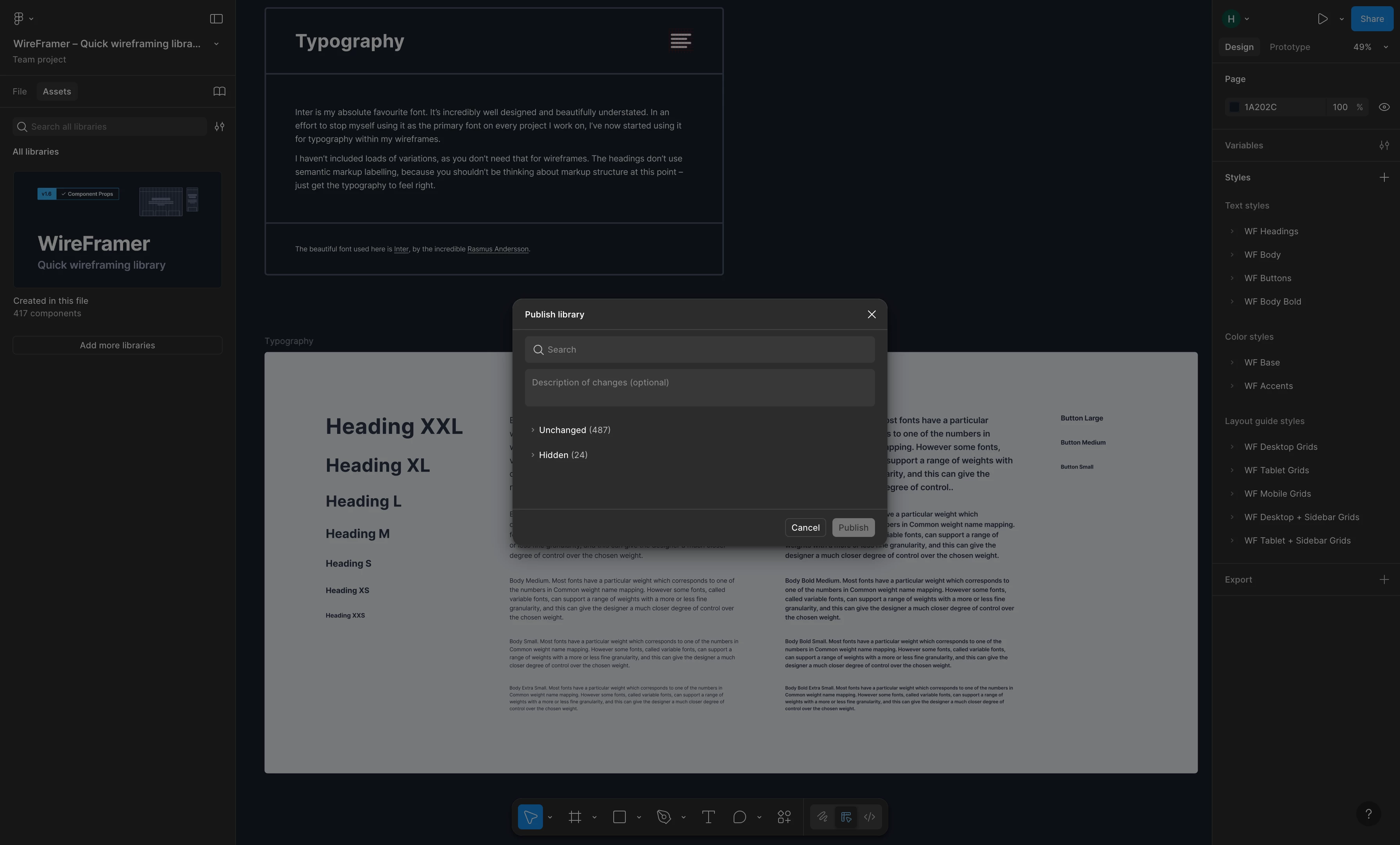
I’m trying to publish a library to Figma Make, but the “Export to Figma Make” option isn’t appearing. I also tested this with other libraries, and the option never showed up for any of them. Is there a way to resolve this? Thank you!


This topic has been closed for replies.

6 replies

  • Figmate
  • October 27, 2025

Hi ​@Hanara Nam,


I understand that you’re experiencing an issue where the “Export to Figma Make” option doesn’t appear in the library publishing modal.


I checked on my end, and the “Export to Figma Make” button appears as expected.

It looks like you’re a verified Education team user under a Higher Education plan — just to confirm, is this issue happening within your Education team?


Once you confirm, I’ll reach out to our internal team to check whether this feature is available for Education team under a Higher Education plan currently.

For reference, here’s the related help article: Bring style context from a Figma Design library into Figma Make


Thanks,


Hanara Nam
  • Author
  • New Member
  • October 27, 2025

Yes this issue seems to be happening within my Education team. Thank you!


  • Figmate
  • October 27, 2025

Thanks for following up. I’ve reached out to the appropriate team and will get back to you once I hear back.


  • Figmate
  • October 28, 2025

Hi ​@Hanara Nam,


I’ve confirmed with our team that this feature is also available for files within Education teams.


Could you please double-check if this file is located within your Education team and not in your Starter team?

Also, just to cover the basics, could you please try the following quick fixes to see if there’s any change?

Close any Figma tabs that you’re not using.  
- For the browser: Force-quit your browser and open Figma in a new window.  
- For the desktop app: Force-quit the Figma Desktop app and restart it.

If the issue continues, it seems the tool may not be functioning as expected, so I recommend contacting our team directly by filling out this quick form:Submit a request

In the form, please include:

  • The URL of the file where you’re seeing this issue, and please grant can edit access to support-share@figma.com (Rest assured, granting this access won’t affect your billing.)
  • The URL of this forum post for context.

Providing this access will help our team reproduce and investigate the problem more effectively.


Thanks,


berfin
  • New Member
  • December 10, 2025

Hello!


I’m trying to publish a library to Figma Make, but the “Export to Figma Make” option isn’t appearing. I also tested this with other libraries, and the option never showed up for any of them. Is there a way to resolve this? Thank you!


Same thing happened to me also can you please help. I am on the education plan as a student and I am  the only member of my team


Celine_
Figmate
  • Community Support
  • December 18, 2025

Hey ​@berfin , sorry for the delay in getting back to you here. I can see that you’ve already reached out to our Support team, and they’ve reviewed your specific account.

For your case, after checking with our product team, they confirmed that for users on the Figma for Education plan, most AI features (including bringing style context from a Figma Design library into Figma Make) aren’t currently available due to plan-level limitations on AI permissions. (Our Help Center article: Who can use AI tools?)

For additional context, there was a period when some Education teams had access to certain AI features as part of an early rollout. Unfortunately, your team wasn’t included in that group, which may be why you’re seeing differences in availability. Apologies for any confusion this may have caused.

If you need any further assistance or have questions specific to your account settings, please reply directly to your existing support case via the secure form — the team there will be best equipped to help. I’ve gone ahead and closed the topic here, thank you!