
September 9, 2026
Question

Unable to delete newly created account to change email address

  • September 9, 2026
  • 1 reply
  • 16 views

I accidentally created a new Figma account with my school email while trying to change the email address of my existing Figma account.

I need to delete this newly created account so that I can use the school email for my existing account.

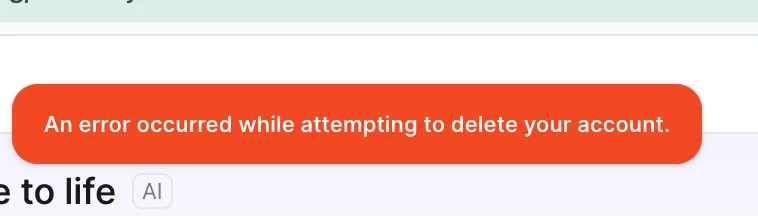
However, when I go to Settings → Account → Delete account and confirm the deletion, I receive the following error:

“An error occurred while attempting to delete your account.”

I have tried multiple times and the error occurs every time.

Could a Figma Support Specialist please help delete this account and release the email address so I can use it for my existing account?


    1 reply

    djv
    Figmate
    Community Support
    September 9, 2026

    Hi ​@bkk030707, thanks for reaching out! 
     

    I understand the urgency here, but there's a security rule that blocks new, repeated account-deletion attempts for the same email within a 24-hour window. And each new attempt restarts that 24-hour clock. Since you've tried several times, every attempt has likely been rejected for that same reason rather than anything wrong with your account.

    Could you try this:

    1. Don't attempt the deletion again for a full 24 hours.
    2. After that window, sign in to the school-email account and go to Settings → Account → Delete account once.
    3. Once it goes through, you can add the school email to your original account.

    If it still errors after a clean 24-hour wait, reply here and let us know the exact date/time of your last attempt. We can escalate to have it removed manually. Please don't post the email address publicly; we'll follow up privately if we need it.
     

    More on deleting accounts: https://help.figma.com/hc/en-us/articles/360039820134