

Develture
New Member
September 19, 2026
Solved

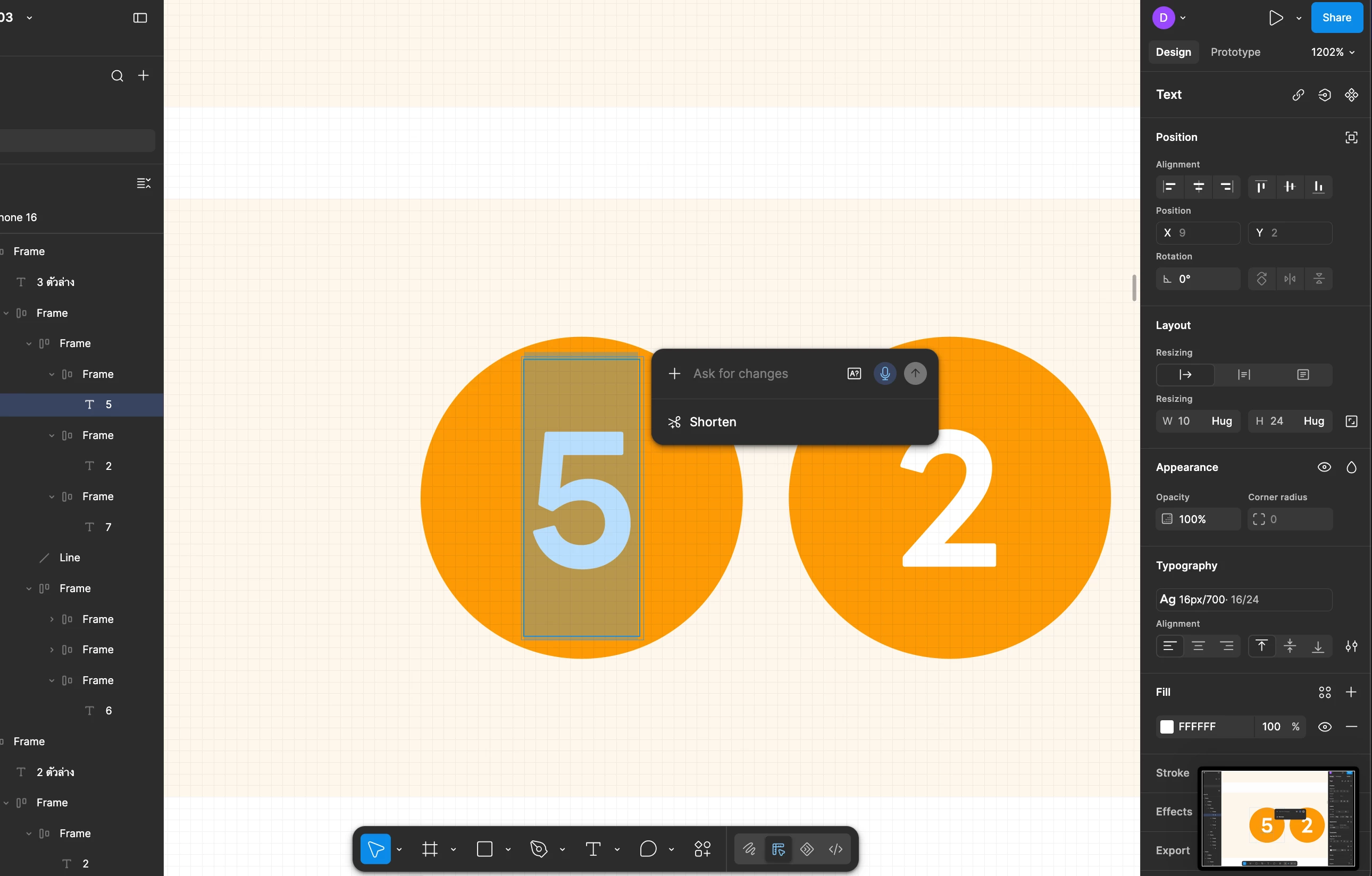
Unable to Close the Agent Popup

I accidentally clicked the Agent icon, and now I can’t figure out how to close or dismiss it. The popup is very intrusive and gets in the way of my workspace, which makes it quite frustrating to use Figma.

Could you please provide an easy way to close the Agent popup or prevent it from appearing unintentionally? Thank you!



adamsmasher
adamsmasherSolution
Figmate
September 19, 2026

Thanks for your post, ​@Develture - I can appreciate how this is frustrating you when you can’t dismiss it.


Did you try clicking on the canvas or another layer? Usually, all you need to do is click somewhere else other than the layer you were selected on already and that will dismiss the popup. You can also press the ESC key and it will dismiss the popup. Does that not happen for you? If that’s the case, can you let me know if you’re using the desktop app or web browser?


Regarding hiding it entirely, go to Figma menu > Preferences and then disable the Show agents on canvas option - that will hide the agent entry point on the canvas entirely (you can still access via the left side nav, though). 

5 replies

adamsmasher
Figmate
adamsmasherSolution
Figmate
September 19, 2026

Thanks for your post, ​@Develture - I can appreciate how this is frustrating you when you can’t dismiss it.


Did you try clicking on the canvas or another layer? Usually, all you need to do is click somewhere else other than the layer you were selected on already and that will dismiss the popup. You can also press the ESC key and it will dismiss the popup. Does that not happen for you? If that’s the case, can you let me know if you’re using the desktop app or web browser?


Regarding hiding it entirely, go to Figma menu > Preferences and then disable the Show agents on canvas option - that will hide the agent entry point on the canvas entirely (you can still access via the left side nav, though). 

Nadeeja
New Member
October 10, 2026

Hey bro, I found a easy way to remove it. on your laptop or desktop, when agent bar pop up, just click Esc button on the keyboard. after you see the agent bar is gone. thanks me later……..😎😁😍

adamsmasher
Figmate
Figmate
October 10, 2026

Thanks for sharing that tip, ​@Nadeeja! I can confirm that pressing ESC also closes the agent popup. I’ll add that to my post. Cheers!

Stav Tobin
New Member
October 16, 2026

This issue is persistent for me. Clicking outside of the popup or pressing Esc doesn’t work. I don’t want to disable this feature, because I do use it, but it would be great if you could fix this bug. 

adamsmasher
Figmate
Figmate
October 17, 2026

Thanks for the reply, ​@Stav Tobin. I’m surprised none of those work for you - I’m sure that’s frustrating. Are you using the desktop app or a web browser, and if it’s the former, what operating system do you use? Also, does this happen in any design file you try, or just one in particular? Thanks!