

Question

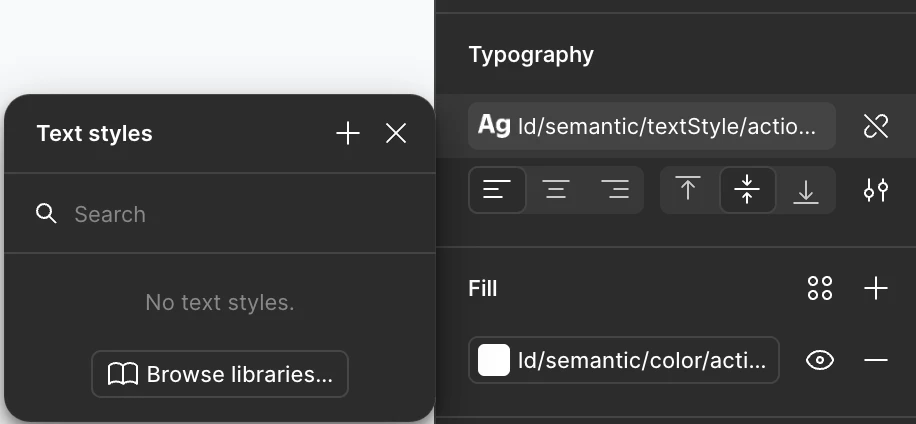
Typography Variables | Text Styles Not Showing

  • September 9, 2025
  • 3 replies
  • 65 views

Ryan_Phillips

I imported variables from one design file to another and remapped the variables. For some reason none of the ‘text styles’ show up when I select any text, as if they do not exist in the local variable collection even though they do. I do have the font installed on my local computer, so why would this be happening?

I am encountering this problem on both the Figma app and browser versions. Also, the Figma app is the latest version.


3 replies

Rich Ross
  • New Member
  • November 24, 2025

I’m having this issue too. Please help.

The user experience for publishing and managing design systems is horrible!


Dominic
  • Active Member
  • February 4, 2026

You need to make sure the variable Scope options are selected for the properties where you want to use that variable.

Open your variables, select Edit variable on the far right, then click the Scope tab and choose which properties you want that variable to appear in (as an option to select).

Different variable types (text, string, etc.) have different scope options that you can check/uncheck. Visual below shows String scope options..


Dominic
  • Active Member
  • February 4, 2026

Or right click - Edit variable