

Solved

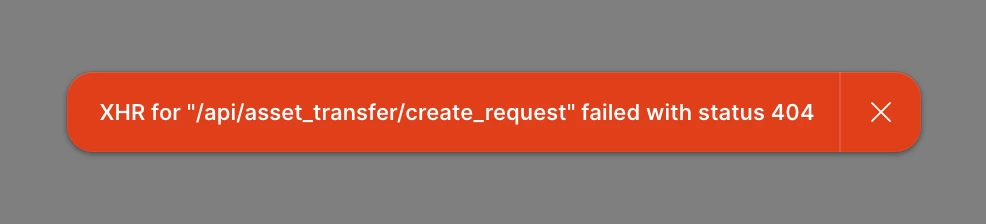
[Transferring Copy of Project] XHR for "/api/asset_transfer/create_request" failed with status 404

  • June 4, 2026
  • 1 reply
  • 14 views

conornolan

Trying to transfer a copy of a Project to a client and getting the error — XHR for "/api/asset_transfer/create_request" failed with status 404
 

Project Dropdown > Settings > Send a copy > Step 1 > Step 2 [destination team link / recipient / message] > Send

  • Step 2 – Destination Link gets verified successfully
  • Step 2 – Recipient (Destination Admin) email address is correct
  • Step 2 – Plain text message

I get the error after hitting Send.

I get the same error when attempting to “Transfer” rather than “Send a copy” in the Settings.

Thanks, Conor

Best answer by Celine_

Hey ​@conornolan , Celine from the Community Support at Figma here, thanks for the detailed report!

Since this looks like a technical issue with the project transfer/send a copy flow that needs further investigation, I've gone ahead and created a support ticket on your behalf. Your case number is #1943871, sent to your email address: coxxxan@dexxxe.ie. Please check your inbox when you get a chance and reply directly with the additional details requested, the team will dig into the 404 error and get back to you as soon as possible. Thanks for your patience! 🙏


Update: I see in the backend that your issue has been resolved! I’ll go ahead and closed the topic here, thank you!

This topic has been closed for replies.

1 reply

Celine_
Figmate
  • Community Support
  • Answer
  • June 4, 2026

Hey ​@conornolan , Celine from the Community Support at Figma here, thanks for the detailed report!

Since this looks like a technical issue with the project transfer/send a copy flow that needs further investigation, I've gone ahead and created a support ticket on your behalf. Your case number is #1943871, sent to your email address: coxxxan@dexxxe.ie. Please check your inbox when you get a chance and reply directly with the additional details requested, the team will dig into the 404 error and get back to you as soon as possible. Thanks for your patience! 🙏


Update: I see in the backend that your issue has been resolved! I’ll go ahead and closed the topic here, thank you!