Question
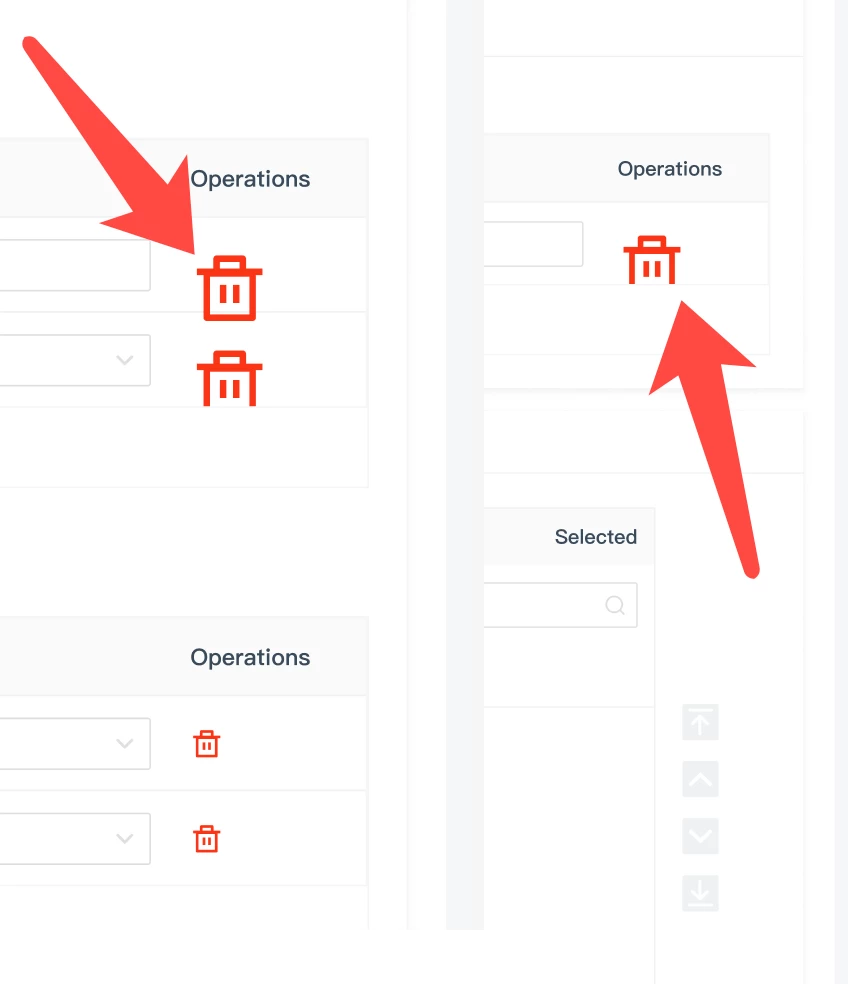
The content on the design draft page is always displayed incorrectly.
1. Icons are consistently displayed incorrectly, requiring multiple page clicks to display correctly;
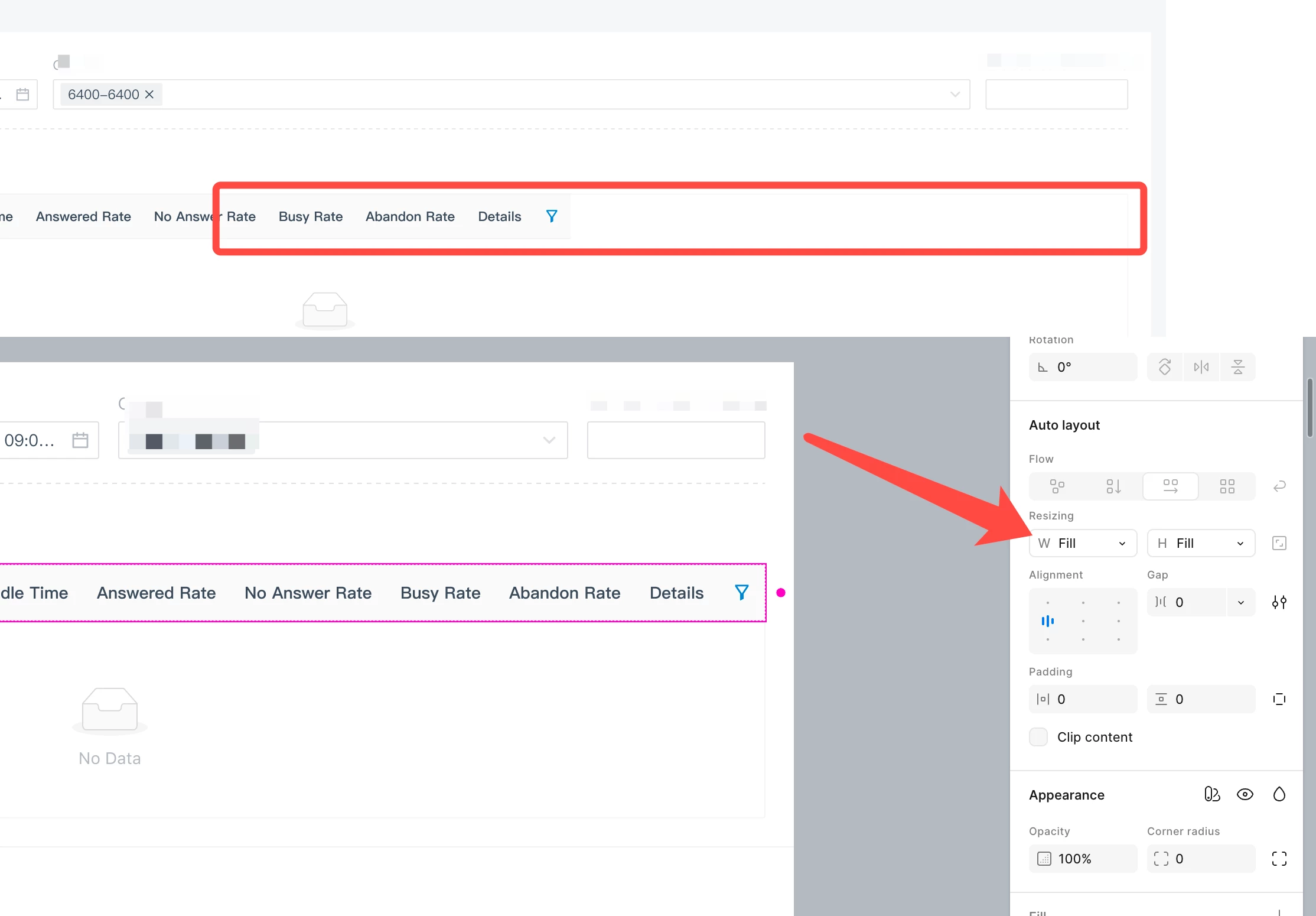
2. The table component also has a similar bug. Although the fill property has been set in resizing and verified within the component, it doesn't fill within the page width when used in the design draft. Multiple page clicks are also required for it to fill and adapt to the page width for proper display.
However, non-designers can easily mistake this for an error in the designer's draft—which is terrible!