ANGELAZOMBIE
New Member
Nov 13, 2026 7:56 AM UTC
Question

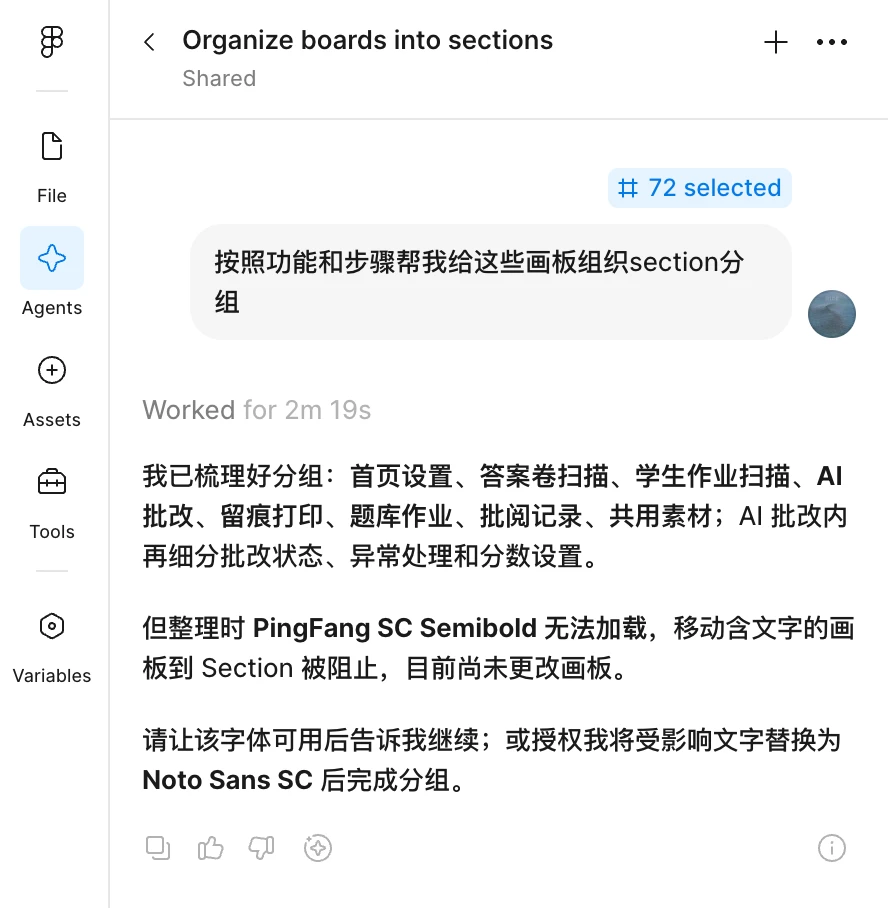
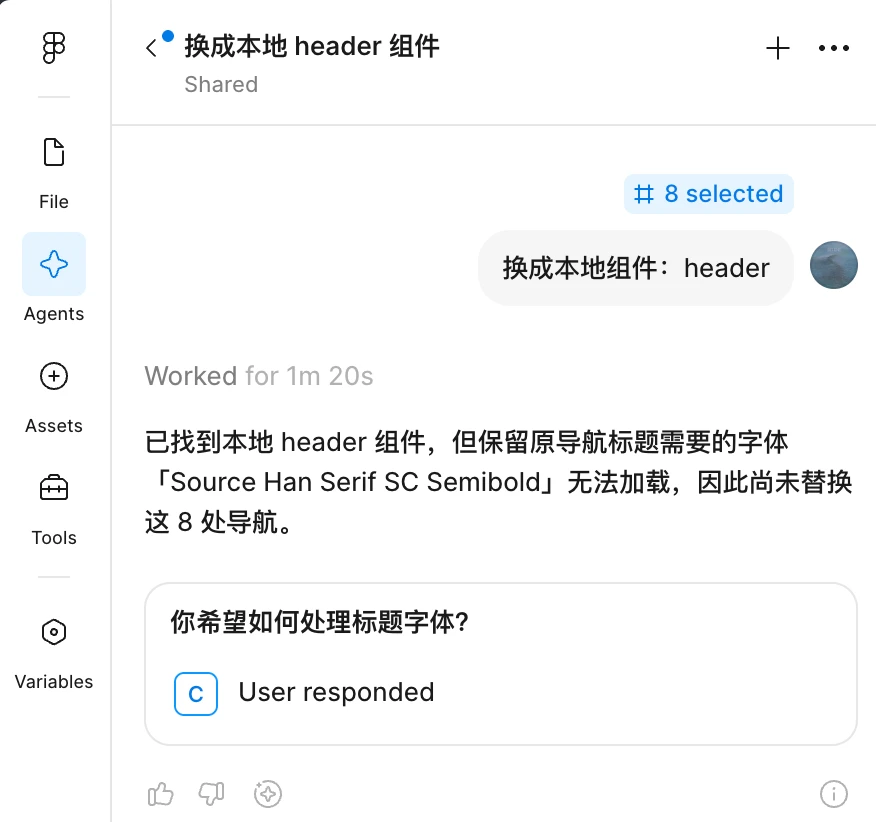
 The Agent is practically unusable because of the FONT ISSUE

 The Agent is practically unusable!


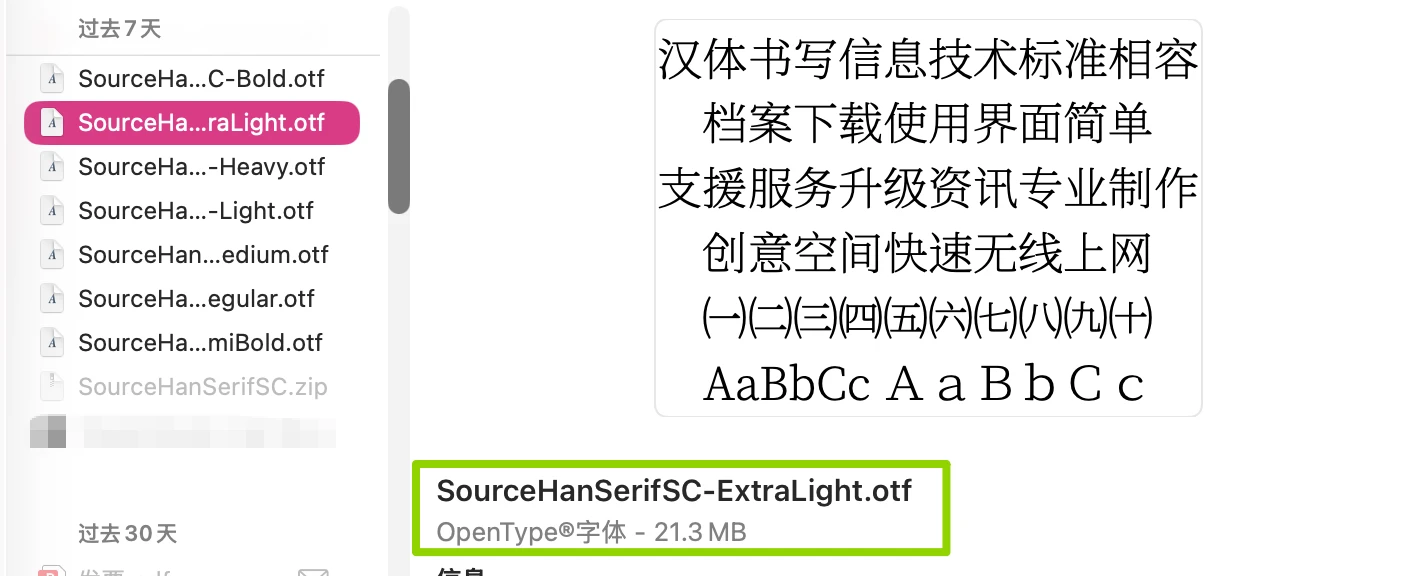
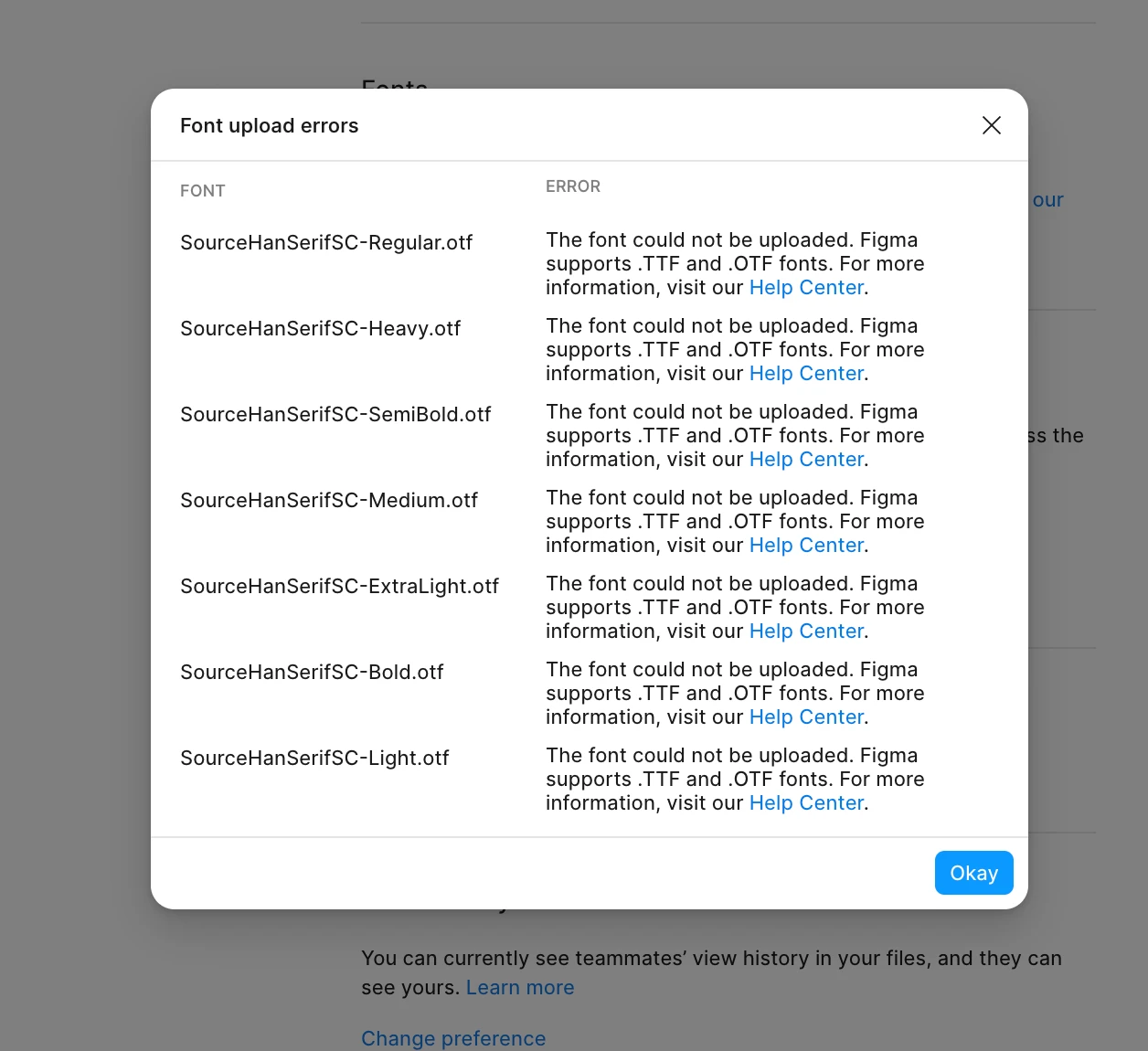
Almost all of my requests are blocked because no font has been uploaded. Yet when I try to upload a font, Figma strictly limits each individual font upload to no more than 20 MB!

This leaves the Agent in Figma completely crippled by layer upon layer of restrictions stemming from a seemingly simple limitation, reducing it to a practically useless feature!
 

3 replies

Jaycee Lewis
Figmate
Figmate
Nov 13, 2026 6:40 PM UTC

Hi ​@ANGELAZOMBIE 👋 Thanks for your post. The screenshots are always helpful. 

One quick note: Agent runs on Figma’s servers, so fonts installed on your computer need to be uploaded separately—even if they already work when you edit manually. This limitation is covered in our font documentation.

To help us troubleshoot why your Source Han Serif SC uploads are failing. I have a few questions:

  • Are you uploading through Agent’s font prompt or through Settings → Account → Your uploaded fonts?

  • Do you see a message specifically mentioning a 20 MB limit, or only the .TTF/.OTF error shown in your screenshot?

  • Are you using Figma in the desktop app or a browser, and on which operating system?

Thank you! — Jaycee 

ANGELAZOMBIE
New Member
Nov 15, 2026 9:47 AM UTC

Hi, Jaycee

  • I am a MacOS user, and I tried uploading my fonts via browsers (Arc and Chrome) and desktop app but both attempts failed.
  • Fonts Uploaded through Settings → Account → Your uploaded fonts.
  • Only the .TTF/.OTF error shown in your screenshot.

Looking for your reply.

Jaycee Lewis
Figmate
Figmate
Nov 16, 2026 10:05 PM UTC

Hi ​@ANGELAZOMBIE 👋 Thank you very much for the additional details. I opened a support ticket for this. The ID is 2266257 and the email subject line is Source Han Serif SC OTF uploads fail across browsers and desktop. Please keep an eye on your inbox (and spam folder if necessary) for the email and any replies from our team. — Jaycee