

Kimmy_Le
March 30, 2021
Question

Texts are either moving by 1px to the left or the font is getting larger/thicker

  • March 30, 2021
  • 13 replies
  • 3749 views

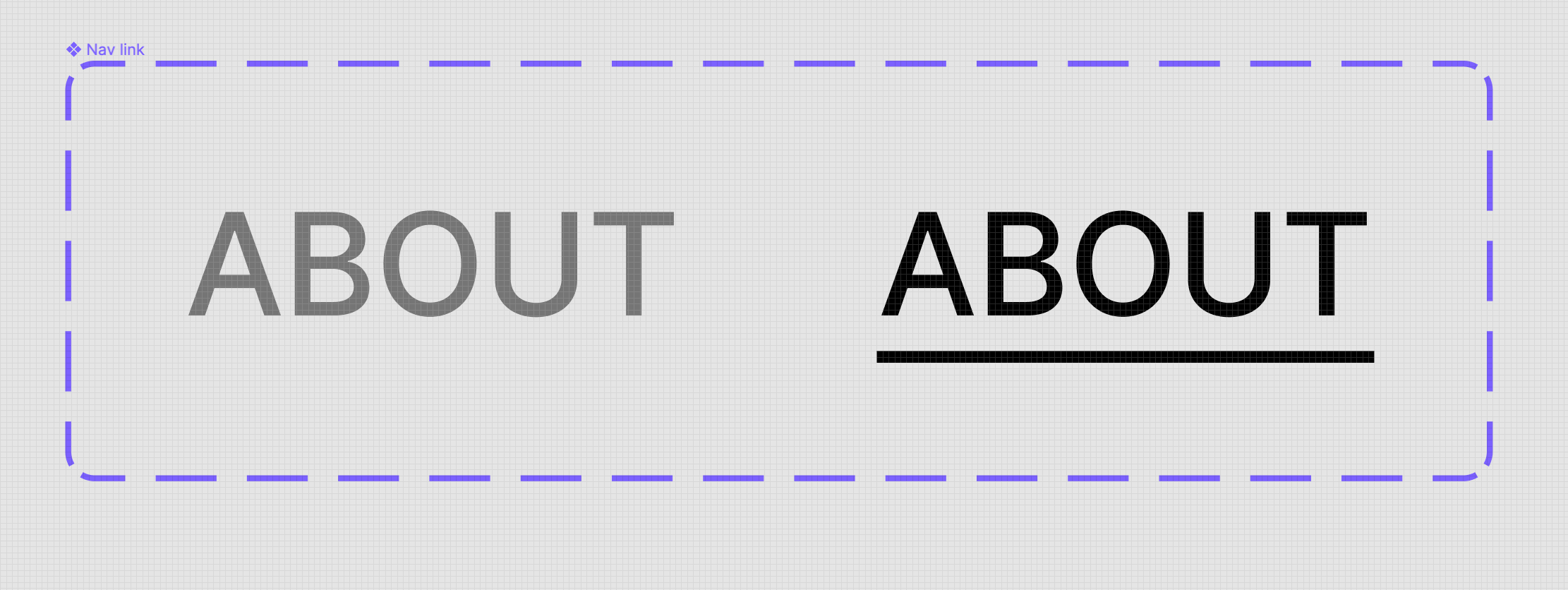
Below is what my interactive component looks like. It’s set from default to hover. All it does is just add a line (a rectangle) underneath and changes the font color to black from grey. When I remove it out of the interactive component and do it manually before this before version. It works perfect. But once I use the interactive component feature, on hover it moves a bit. Really slight but it bothers me. It’s weird because it only does that for 1 out of 3 of the links that I have.

Ex) Link 1 (navigates to another page once clicked on), Link 2 (navigates to another page once clicked on), Link 3 (opens an external link)
Link 1 & 2 interactive components work fine. But Link 3 has the weirdness to it. It doesn’t stay in the same place.
This topic has been closed for replies.

13 replies

Daniela29
December 13, 2024

Hi there,
this topic is quite old, but recently I started having the same problem: In “Fit to screen” scale, my prototype is displaying some of my components with some pixels missing and other components are moving a bit while hovering. It took me A LOT of time to figure out, that there is no problem with my components but with figmas rendering: In the 100% view everything looks and works exactly as it is supposed to! The problem is visible in Firefox and Chrome.

Is there anything I can do to solve this issue? The 100% view is ugly with my prototype and I need to use the fit to screen view.

dennsi
Active Member
December 13, 2024

Hey @Daniela29 I suspect that the rendering in the “Fit to screen” setting causes elements to be placed on subpixels and Figma has problems with this. Even at 100% I often notice some small rendering errors, especially with interactive elements (hover animations etc.).
There is probably no direct way to solve this issue.

Edit:
Oh wow I just saw that I basically wrote the same already before in April 2023 😅
nevermind then…

Janis Neumann
New Member
February 4, 2025

Found the issue.

Apply a style to the font, and/or make line height fix ( remove auto)

It’s so calming when it doesn’t wiggle anymore and just works.

Edit:
Kinda wierd, seems like it doesnt fix it for too long. restarting figma help for a moment.