

Text styles linked to Variables Modes are not correctly propagated to library instances after publishing
I recently migrated my typography system from raw text style values to Variables-based values using breakpoint modes.
Previously, all text styles were defined with fixed values (font size, line height, font family, font weight, etc.). I then replaced those raw values with variables connected to typography modes for responsive breakpoints.
The migration appeared successful inside the Foundation library file. All components correctly inherited the updated typography values and display the expected styles.
However, after publishing the library, many instances in consuming files did not update correctly. Instead, they seem to retain stale typography metadata.
I am seeing two different issues:
Issue 1 — Old style names remain visible
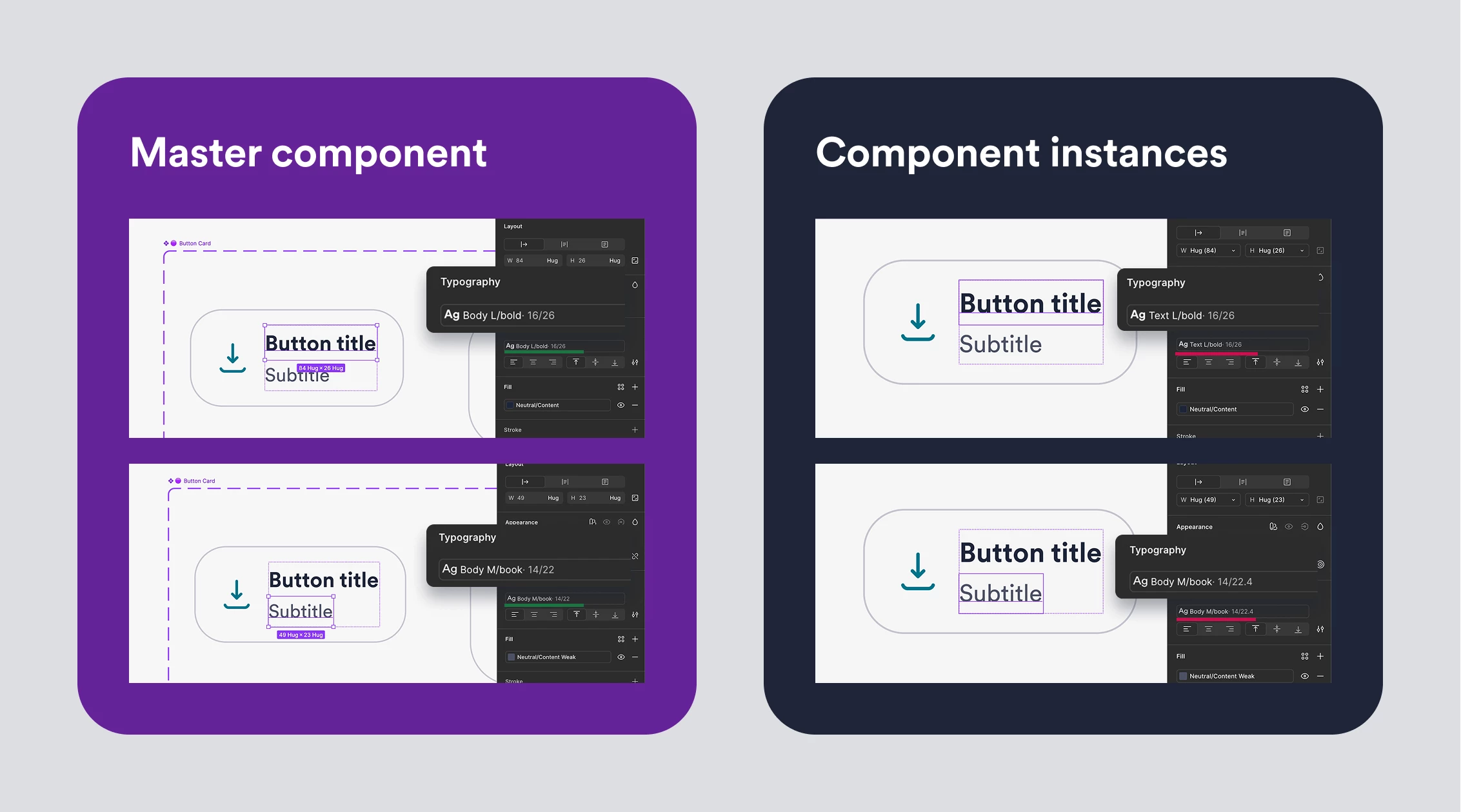
In some text layers, the instance still displays the old style name even though the main component uses the new style.
Example:
- Main component: Body L Bold
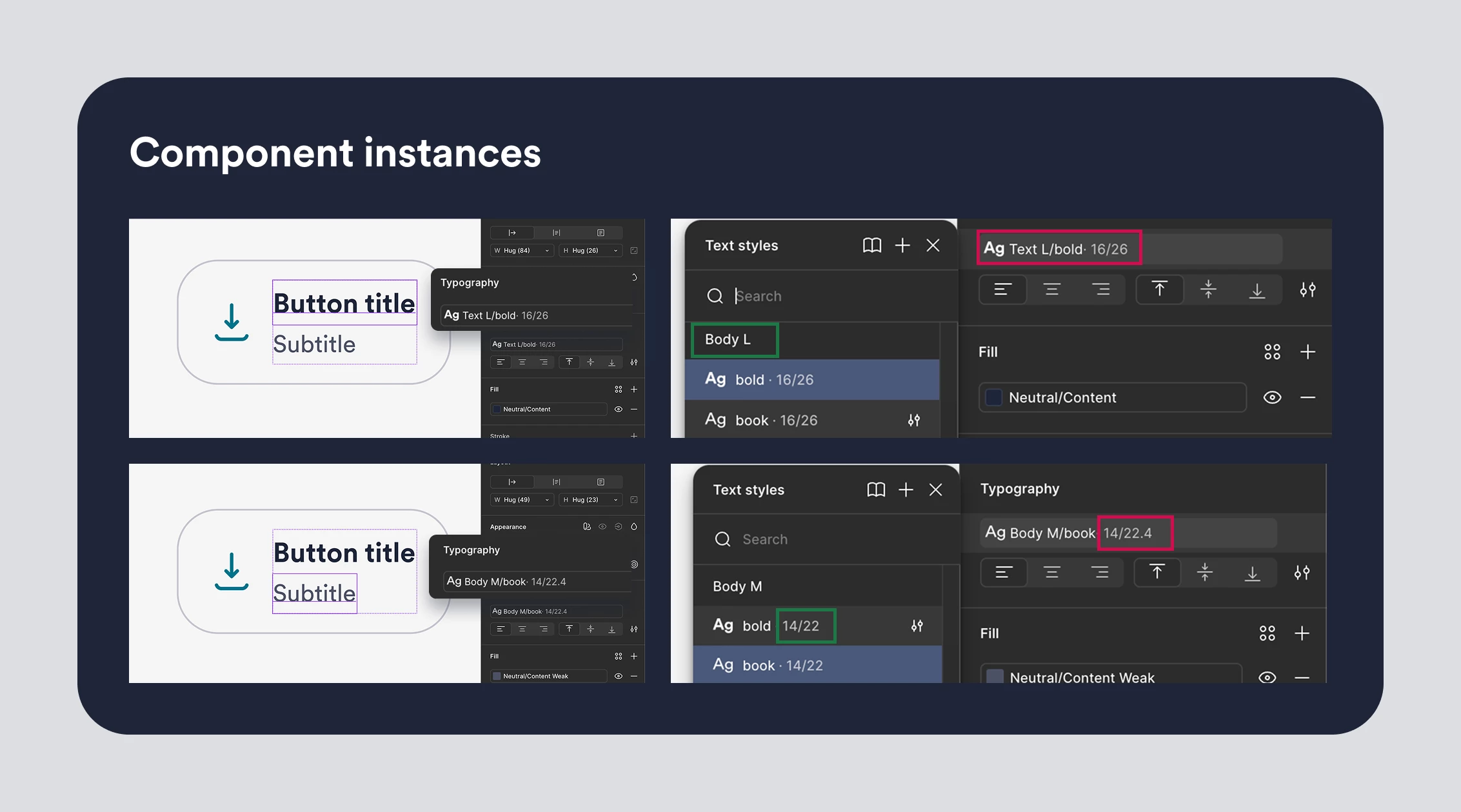
- Instance: Text L Bold
The instance is clearly showing the old style name, despite being linked to the updated style.
Issue 2 — Old typography values remain attached
In other cases, the style name appears correct, but the actual typography values shown are outdated.
Example:
- Main component: Body M 12/22
- Instance: Body M 14/22.4
The instance appears to retain previous values that no longer exist in the library.
The most confusing part
When selecting the affected text layer, the Text Style dropdown shows the correct style as selected.
In other words:
- The layer appears linked to the correct style.
- The dropdown confirms the correct style is selected.
- Yet the style name and/or values shown in the UI remain incorrect.
This creates a situation where the layer appears both correct and incorrect at the same time.
Troubleshooting already attempted
None of the following resolved the issue:
- ❌Creating temporary modes, publishing, then removing them and publishing again
- ❌Renaming text styles, publishing, restoring original names, and publishing again
- ❌Repair Instances
- ❌Updating library dependencies multiple times
The only workaround I found is: ✅
- Open the main component
- Change the text content to something different
- Immediately restore the original text
- Publish the library again
After doing this, the affected instances update correctly.
However, this requires manually touching every affected text layer across more than 100 components, which is not a realistic workaround for a production design system.
Is there a supported way to force a complete refresh/rebuild of text style metadata in library instances after migrating typography styles to Variables and Modes?