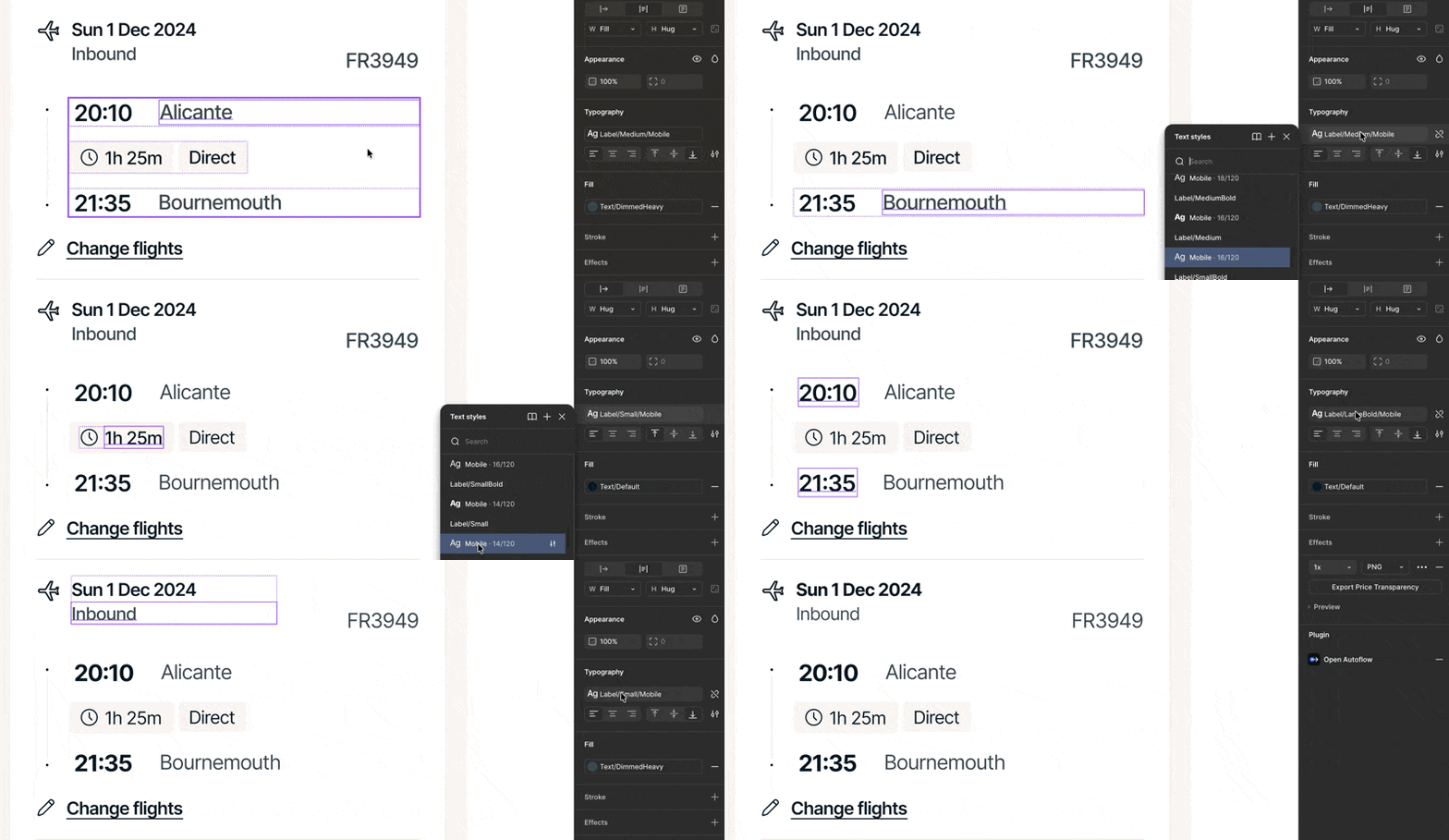
Text is rendered with incorrect font formatting until style is reapplied
Text layers are displaying the wrong font formatting in my designs. The font style shown in the right panel is correct, but the visual rendering on the canvas is wrong.
The only fix is to select the text layer and reapply the same style. Once reapplied, the text renders as expected.
Steps to reproduce
-
Open a Figma file that uses shared text styles.
-
Select a text layer.
-
Notice the text appears in the wrong font despite showing the correct style in the inspector.
-
Reapply the same text style.
-
The text updates to the correct visual font.
Expected
Text should render with the correct font on load without needing manual reapplication.
Actual
Text renders with the wrong font until the style is reapplied.
Impact
Slows workflow and causes incorrect typography across design files. Designers must manually restyle layers, which increases errors and inconsistency.