

Question

Text inside slots not resizing correctly

  • February 3, 2026
  • 2 replies
  • 98 views

Adrián Padilla

I’m trying the new Slots feature provided by figma.
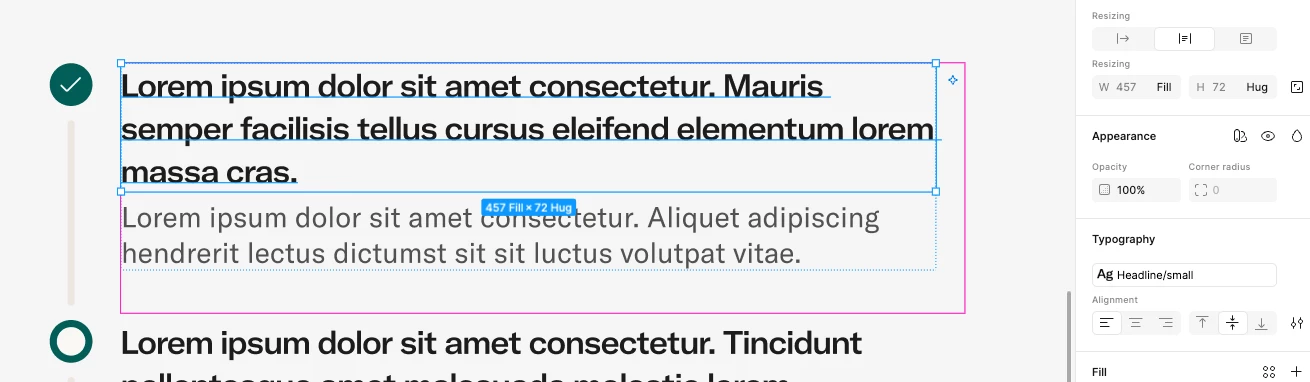
I created a slot with auto-layout in a component and set default text inside (width=fill, height=hug)
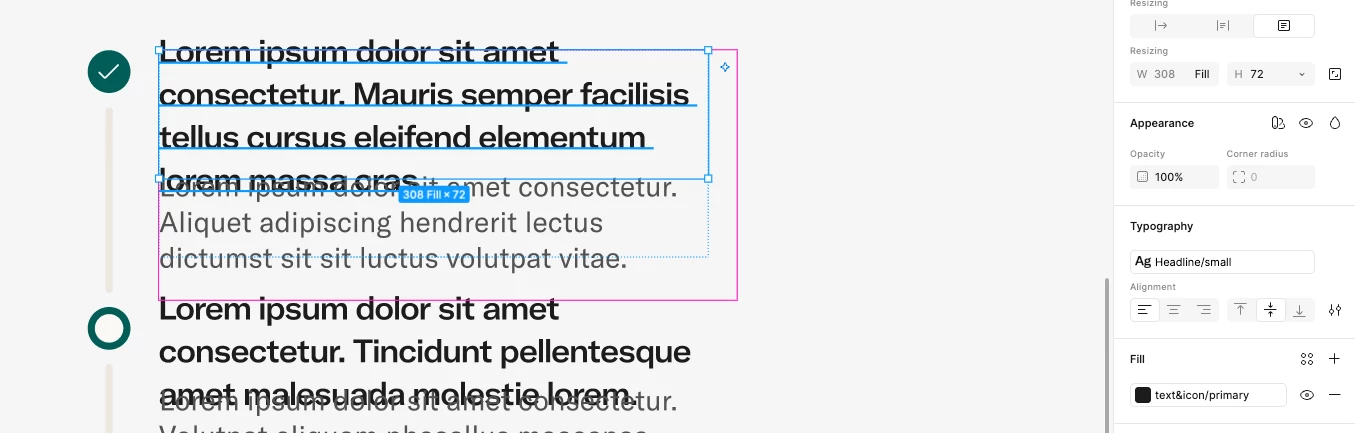
The issue happens when I instance this component and resize it to other width, the text inside that slot not resizes well, instead it has fixed properties in the height.

Correct resizing by default:

Problem when resizing the component:
 

2 replies

Christian Muntean

(Sorry, misunderstood the problem and can’t delete my comment for whatever reason)


Johnbravo
  • New Member
  • February 22, 2026

In Figma Slots with auto-layout, text set to width=fill and height=hug won’t resize properly when the parent component’s width changes, because height hug fixes the text’s height. To fix this, try using height=fill, adjust auto-layout settings, or let the parent control resizing. Slots can behave unintuitively, so careful setup is needed.