

Akaalroop Singh
New Member
October 27, 2026
Question

Text input not working (MacOS / Safari)

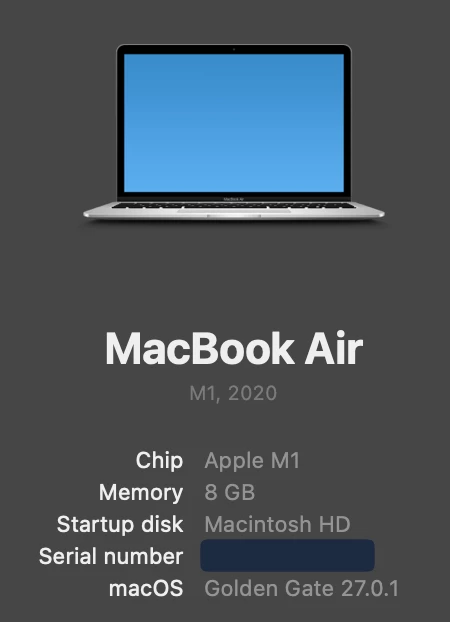
Hi, I have not been able to type text into a textbox in Figma in Safari for ages now. I have attached a screen recording demonstrating the problem. You can see me trying to type as the toolbar changes tools based on the letters. My specs are shown below (serial number redacted for privacy).
 

1 reply

Tom Reem
Figmate
Figmate
October 27, 2026

Hey ​@Akaalroop Singh, welcome to Figma Forum!

Appreciate you flagging this and providing the screen recording of what’s happening. I tested this on my end but wasn’t able to reproduce the same behavior. To help narrow this down a bit more, can you give the following a try?

  1. Restart Safari, check that you’re running the latest version, and keep only one Figma tab open. Close other Figma tabs, quit Safari completely, then reopen the file in a new window and retry text editing. Could you also share the Safari version listed under Safari → About Safari? More details here: Troubleshooting checklist.
  2. Try the same text layer in Chrome or the Figma Desktop App. This will help us understand whether the behavior is specific to Safari. More details here: What to share in a bug report to Figma Support → Share more context or what steps you've already taken.
  3. Temporarily hide the on-canvas agent and close its sidebar, then retry. To hide it, go to Main menu → Preferences and turn off Show AI Chat on canvas. Any change in behavior will help me investigate further.


Let me know how it goes. If you’d like a team member to investigate the affected file, you can submit a report through the Support Hub. Include the file URL and share the file with support-share@figma.com with view access granted. 🙏🏻