Question

Text contents not available for Figma Slides component properties

  • February 25, 2026
  • 1 reply
  • 17 views

jcr

Currently, when I make a local component inside of Figma Slides that contains a text layer, even though I can create a text property on the component itself, I cannot link the text contents from the text layer to its parent component.


What I am trying to replicate (from Figma’s official Youtube channel)
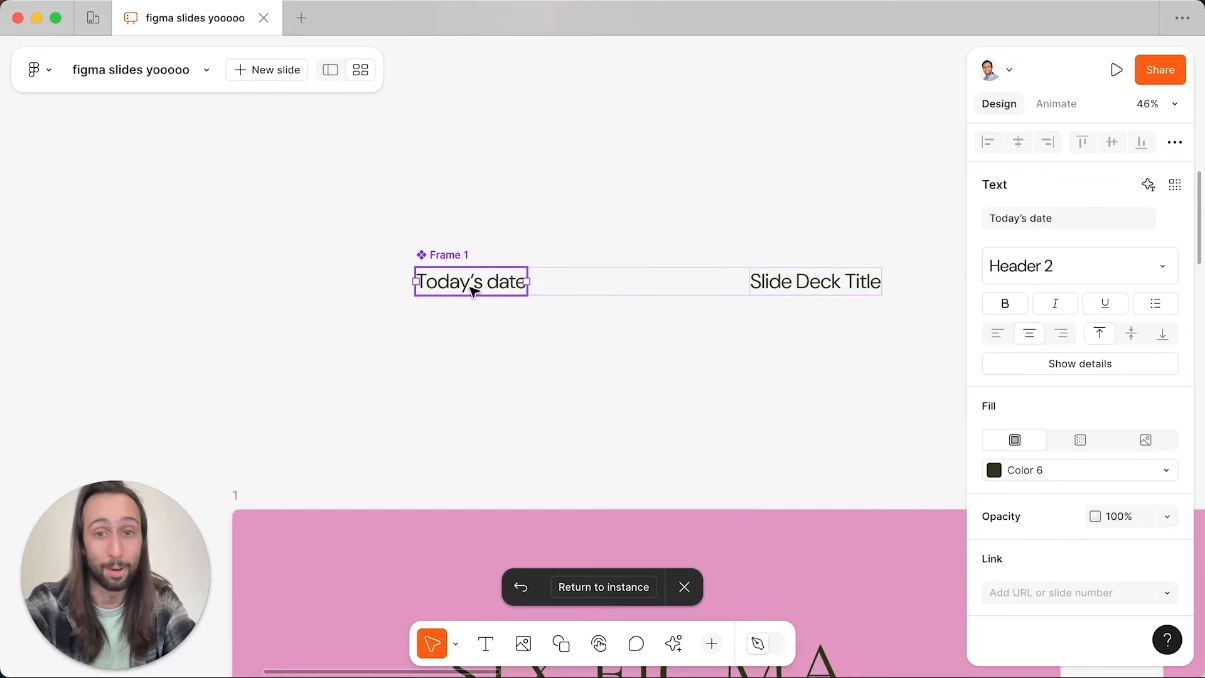
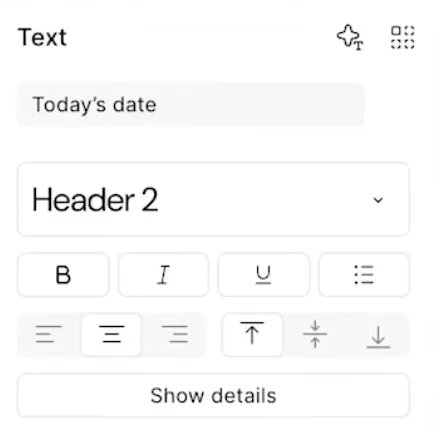
Note how in the text field, it reads “Today’s date”, the contents of the text layer nested in the component.​​​
A closer look.


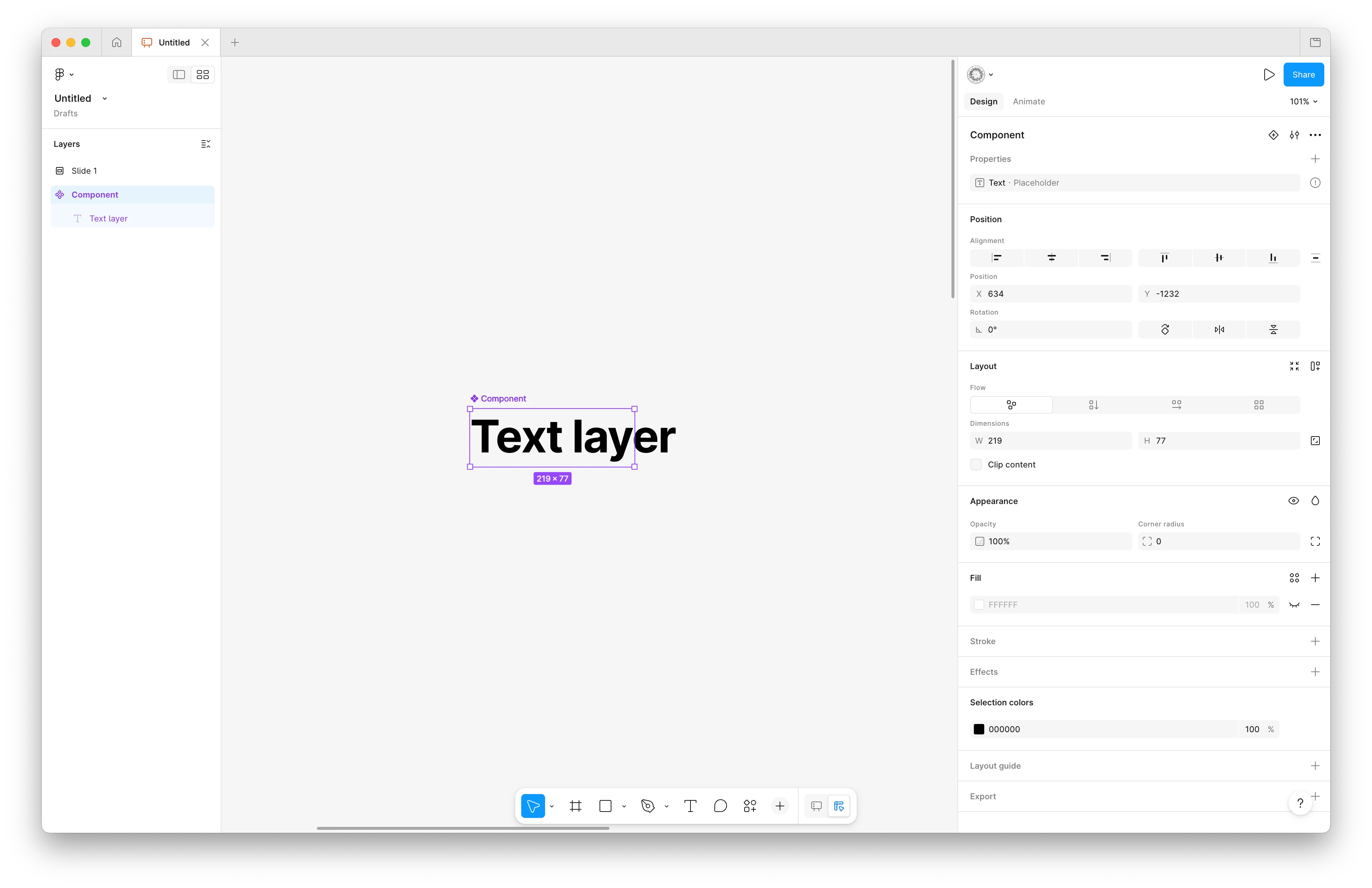
What I see in Figma Slides (Design Mode)
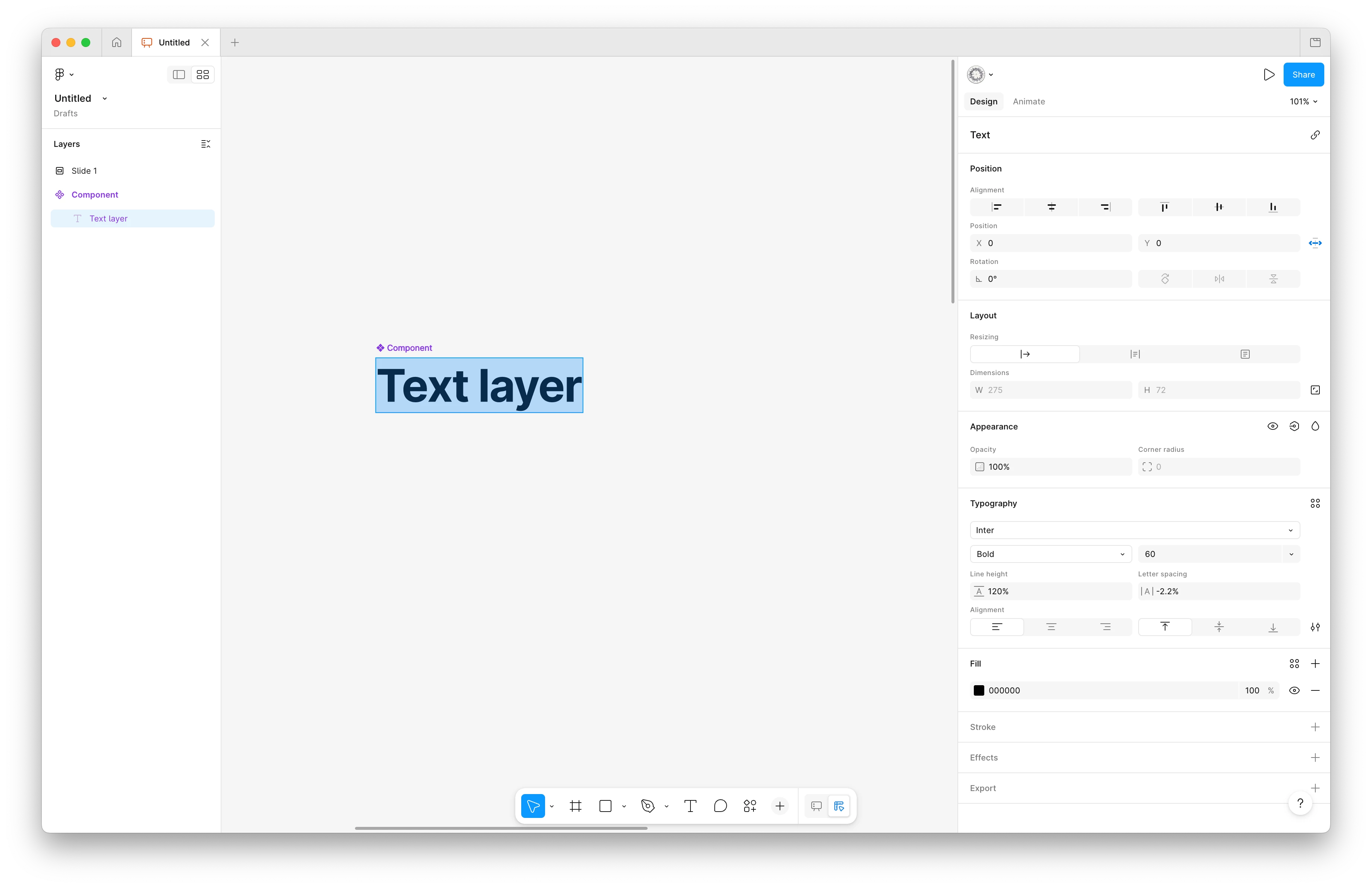
Selecting the text layer.
Selecting the component.Note how I am able to create a text property on the component itself, but not reference that property in the component’s children.


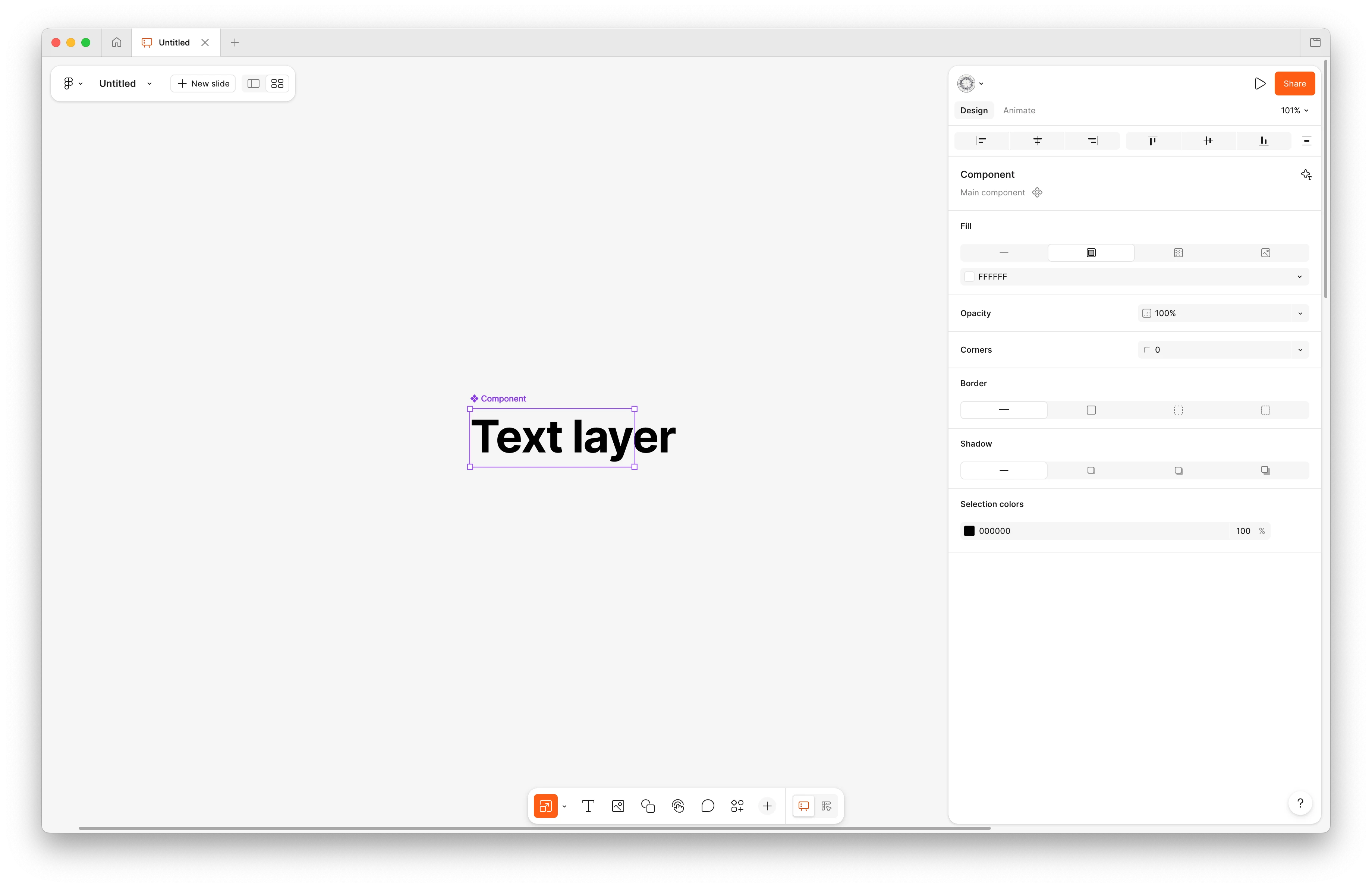
What I see inside of Figma Slides (Slide Mode)
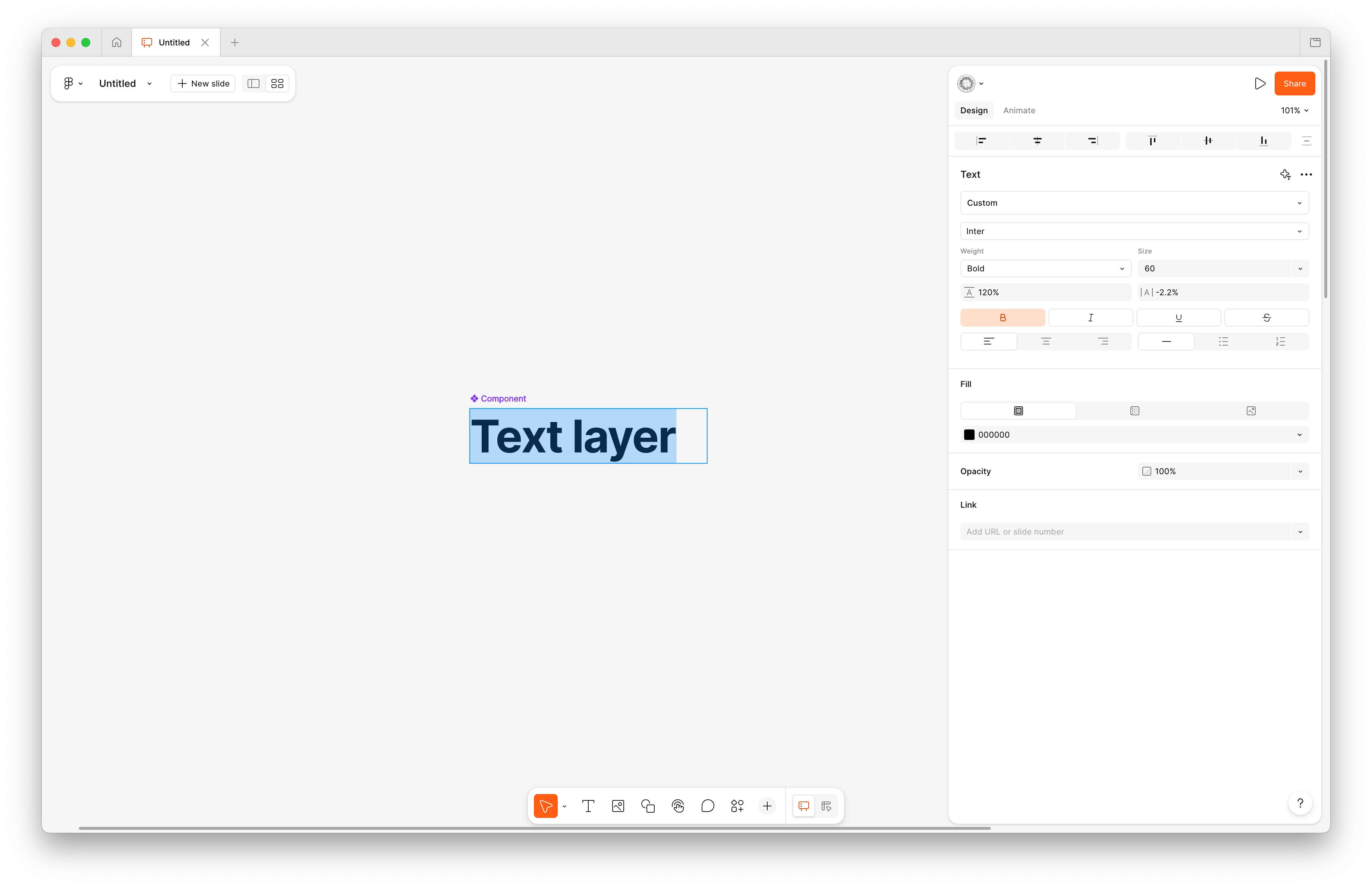
Selecting the text layer.
Selecting the componnet.


Conclusion


I tried to be as thorough as possible 😭. Maybe it’s something on my end, but I am not sure where I might be going wrong here.


It would be great to figure this out ASAP because this deck template is due tomorrow EOD </3

Thanks so much!

1 reply

Kael_Gustin_Hiron

I have the exact same bug.

I was able to create one proper component with text property linked to the text block, and never again…

I tried everything, sharing the file to collegs having the same problem on other computers, desktop app, web app (firefox, chrome, safari), bug is still here.

My first component having text property, note that you cannot see the link when text is selected (screen n°2):


My second component where I cannot link the text:


As Organisation we have due dates and the bug is here for more than a week now, it will be very appreciated if it can be fixed.
Thanks