

Text content and positions change after reopening file — positions and text error
Hello Figma Support,
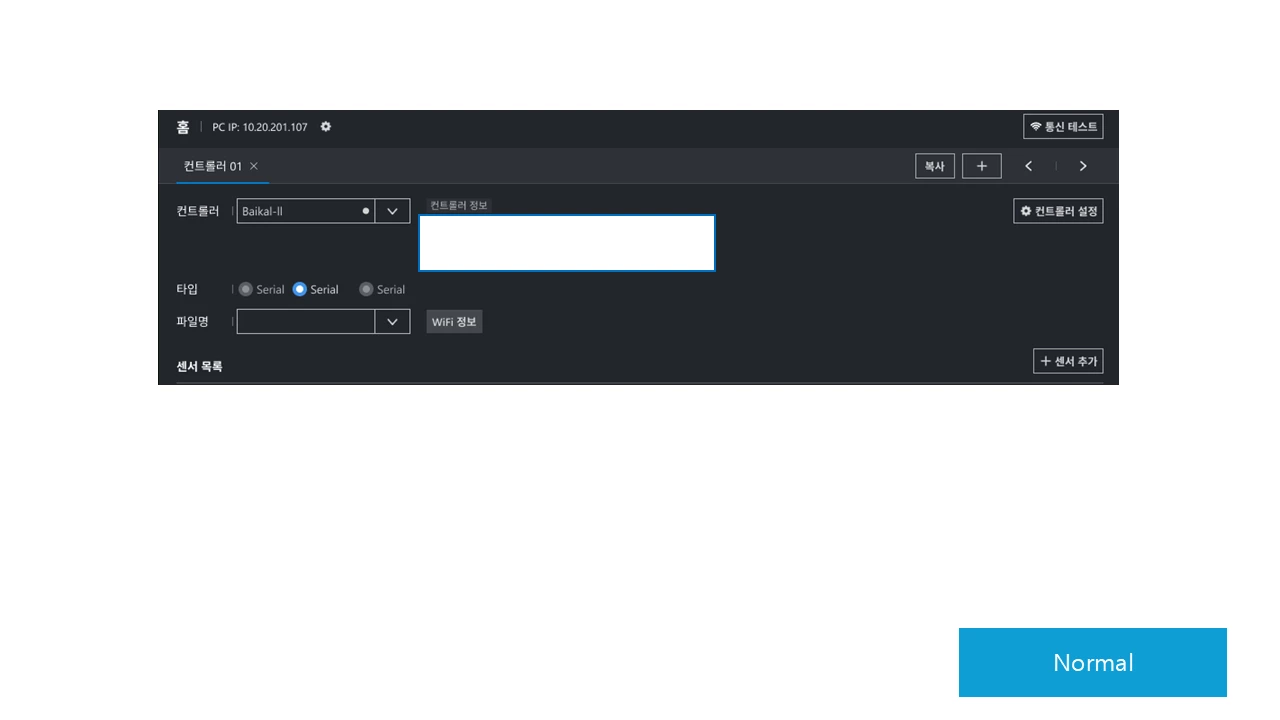
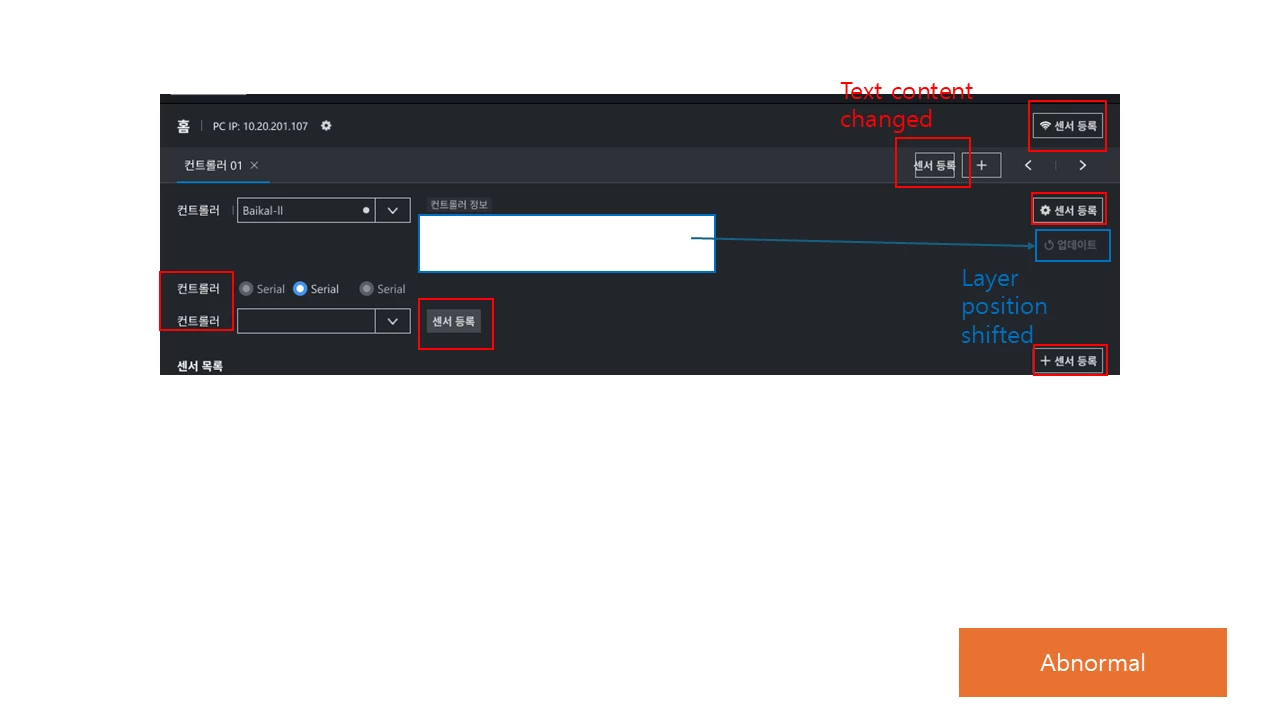
After working on a file and reopening it the next day, I encountered the following issues. Please advise why this is happening and how to fix it.
-
Some text layers show different content or have moved to different positions.
-
If I double-click a text layer, the visible text immediately reverts to the original content I had entered. However, the layer’s position remains changed and does not return to its original location.
-
-
When I drag a layer out of a section and drop it elsewhere, the text also reverts to the original input (same as item 1), but the position still does not revert.
Steps and observations:
-
I saved and closed the file after editing on yesterday.
-
When I reopened the file on today, the problems appeared.
-
Double-clicking restores text content but not layer position.
-
Dragging elements out of a section triggers the same text-content revert behavior, while positions stay incorrect.
Could you please let me know:
-
What might cause text content and positions to change like this?
-
Is there a known bug related to sections, layer transforms, or caching that would cause these symptoms?
-
How can I restore the original positions of the affected layers?
-
Recommended troubleshooting steps (version history/use of restore, clearing cache, switching browser/desktop app, etc.)?
Thank you.