

Question

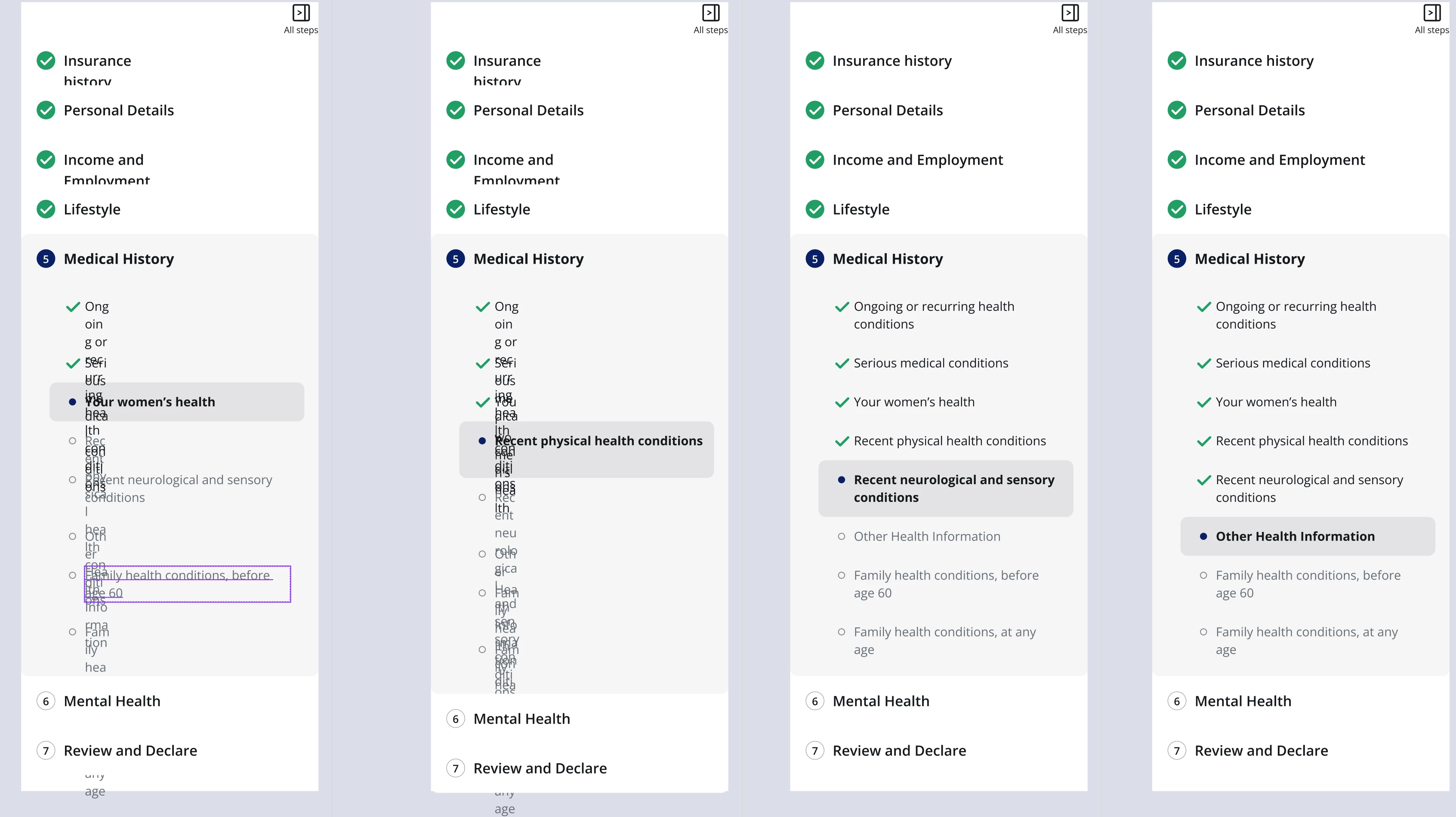
Text box with fill container keeps automatically changing width.

  • July 24, 2026
  • 1 reply
  • 16 views

Kyle6

Text box with fill container keeps automatically changing width. 
Then when you click in the text area it resets to the fill container width. 

I am getthing this alot and its very frustrating. 

Seems like the fonts load and the fill container isn’t triggered maybe? 

These are the same components, but some are not reseting fill continer
 

and here.. same form elements. 
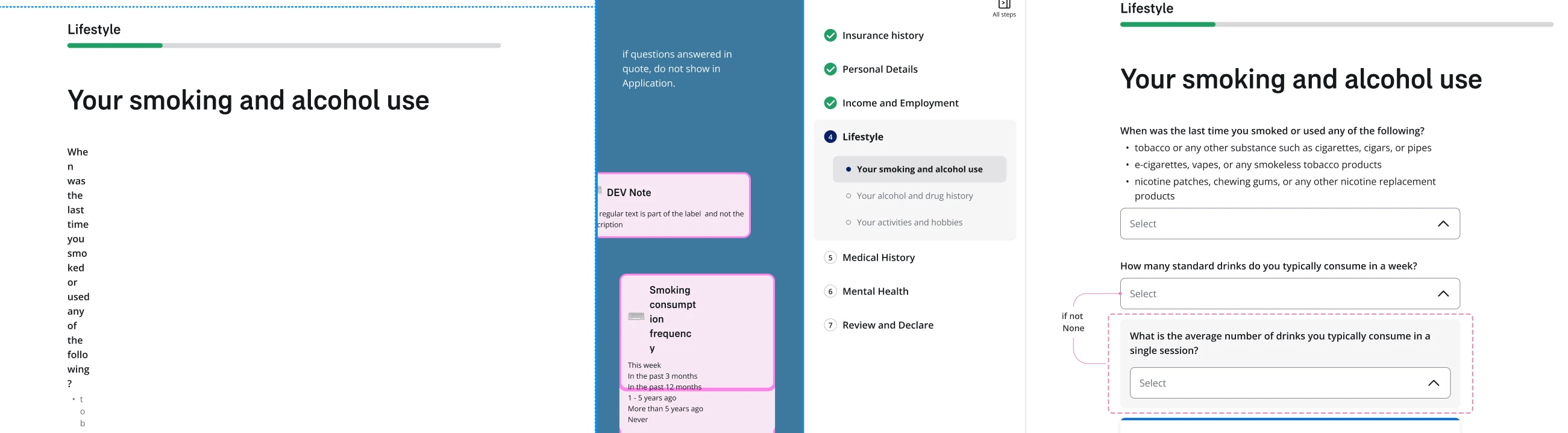

I am selecting all and pressing K and transforming everything, which triggers the fill container, then undoing and it seems to clear it.

There are no console errors

1 reply

Jaycee Lewis
Figmate

Hey hey ​@Kyle6 👋 Thanks for your post. I think we need a bit more info to narrow this down.

I have a few questions:

  • Is this happening in the design editor itself, or in published output (a Site / Make)?
  • Are the affected layers set to "Fill container" width, and are they inside an auto-layout frame?
  • What triggers it — reload, first open, switching pages, or does it drift on its own?

One quick test if you can: open the file fresh, grab a not-zoomed-in screenshot the wrong width, then just nudge the affected frame 1px and back (no Scale, no undo) and screenshot again. If that alone fixes it, it tells us it's a layout-recalc-on-load thing rather than the Scale transform doing something special. Thanks! — Jaycee