Shah_Smit
New Member
Nov 24, 2026 3:57 AM UTC
Question

Terminal font in Make code editor rendering issue

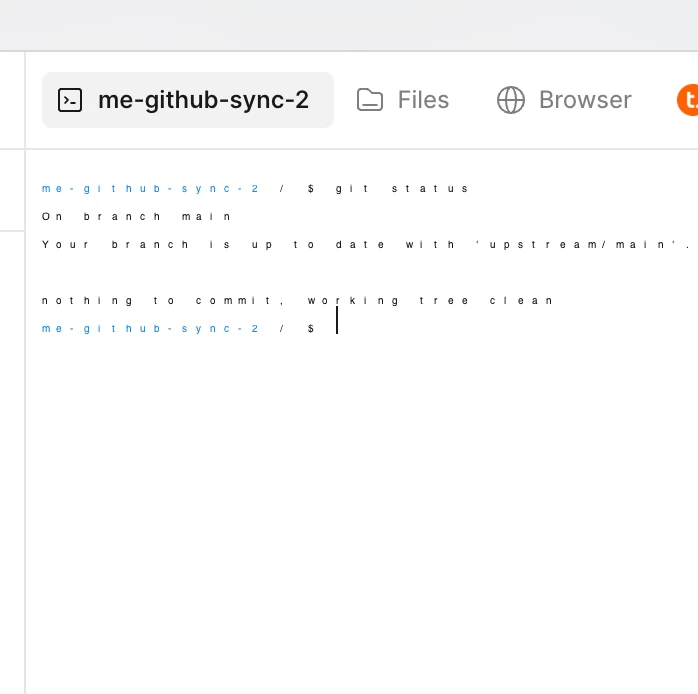
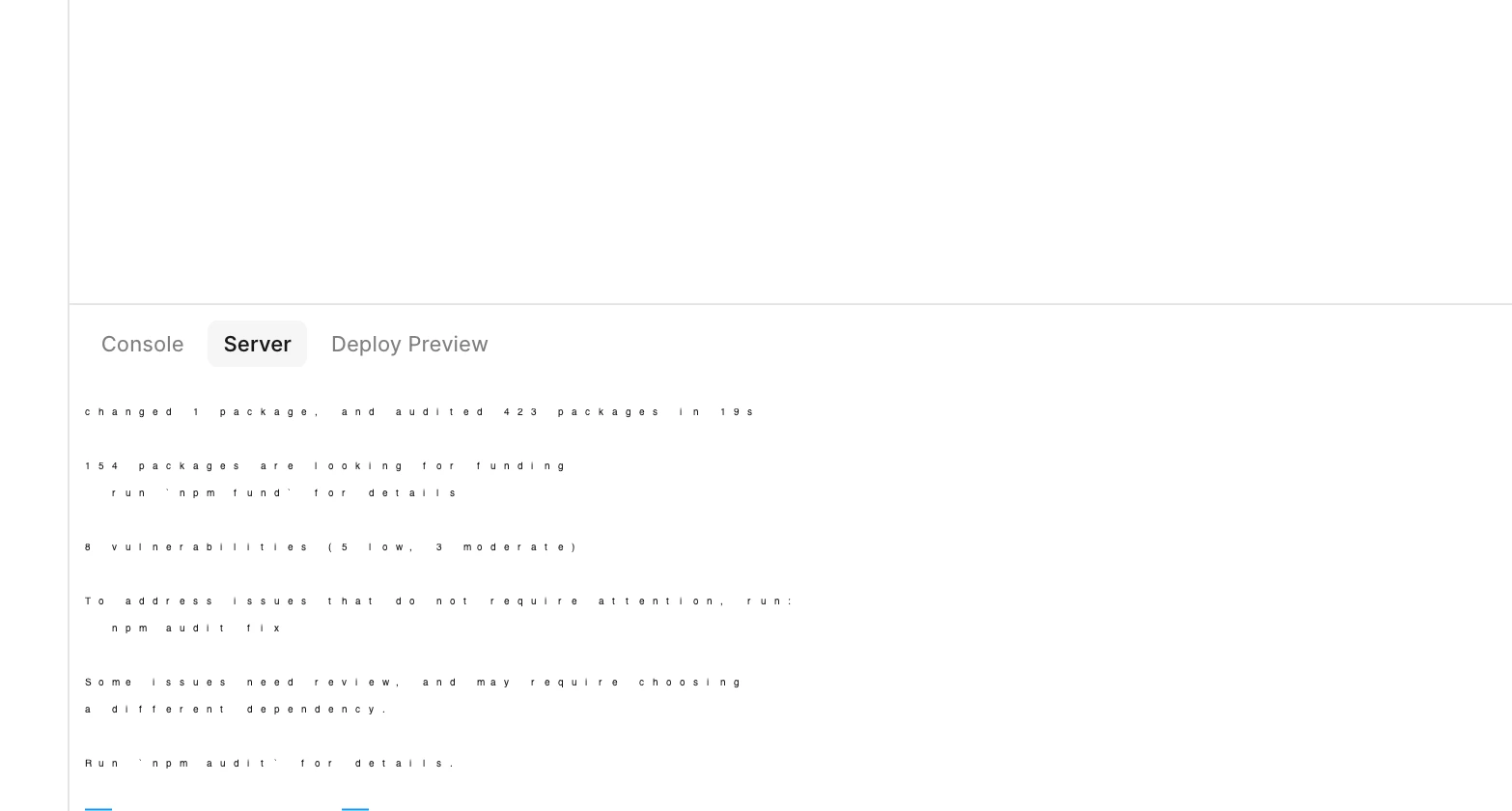
I started porting my vibe coding work to Figma make with github integration. Recently while doing so and iterating in make, the terminal font changed something illegible and I did initial RCA, and tried restarting figma, reset settings of figma and also enabling disabling hardware acceleration. 

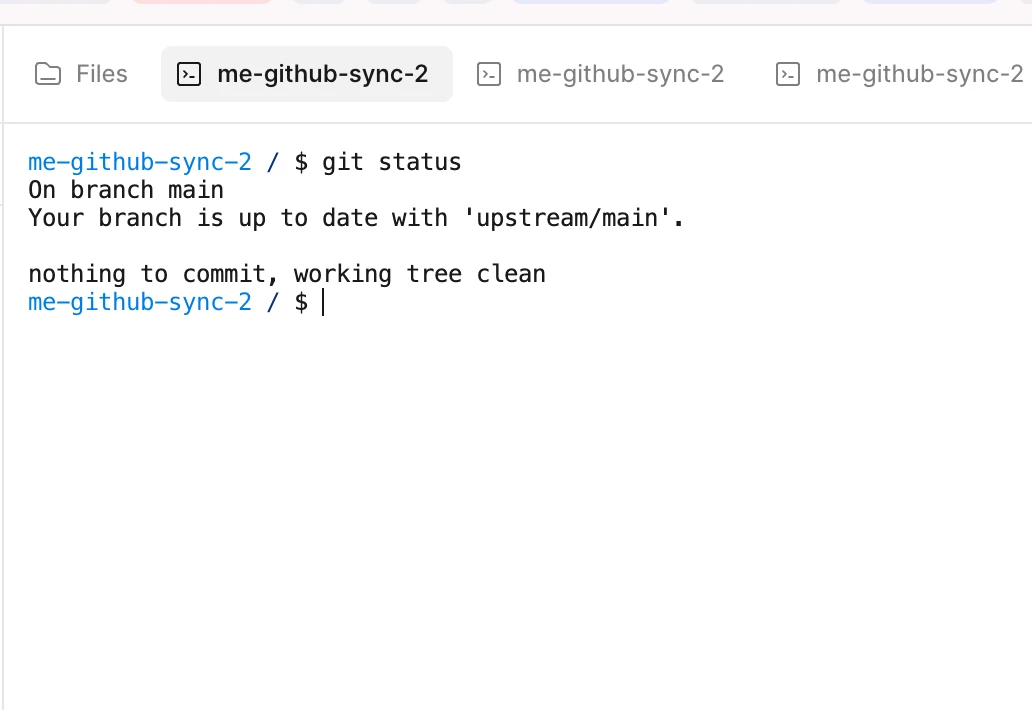
This issue is happening in Figma desktop app, in web the same make file terminal renders fine. 

I even checked if my MacOS monospace fonts went corrupt ? But Menlo font was fine. 


Ideally - it should come like this - this is how it shows in web app for the same make file
 

1 reply

Tom Reem
Figmate
Figmate
Nov 24, 2026 5:20 PM UTC

👋🏻 Hi ​@Shah_Smit, welcome to Figma Forum!

Thanks for reporting this and including the screenshots — I see what you mean. The desktop vs. browser comparison is especially helpful and I appreciate the troubleshooting you’ve already done.

The widely spaced text in the terminal and Server output indeed looks unexpected. One quick setting worth checking is View → Interface Scale → Reset to Default in the Figma Desktop App, then reopening the terminal. More on this here: Adjust the scale of the Figma UI.

If that doesn’t clear things up, could you share the following to help me look into this further?

  • Your Figma Desktop App and macOS versions, and whether any updates are pending.
  • Whether you’re using the regular Figma Desktop App or beta app.
  • Whether this also happens in another Make file or a newly opened terminal tab.
  • When you first noticed the issue.


Finally, when you mention resetting settings, was that through Help → Troubleshooting → Reset Figma and Restart?

Thanks again for checking and helping me rule a few more things out. These details will help narrow down the next step. In the meantime, I’m glad to hear the browser is working as expected.