Chestxr
New Member
August 19, 2025
Question

Supabase Connection Error

  • August 19, 2025
  • 10 replies
  • 434 views

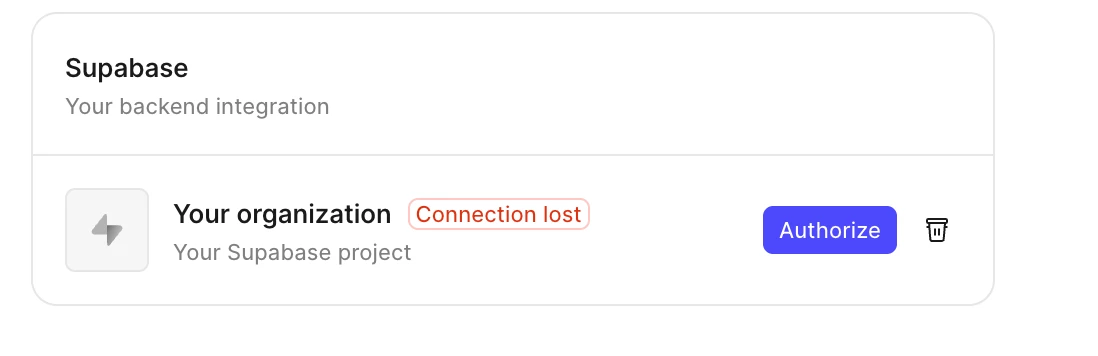
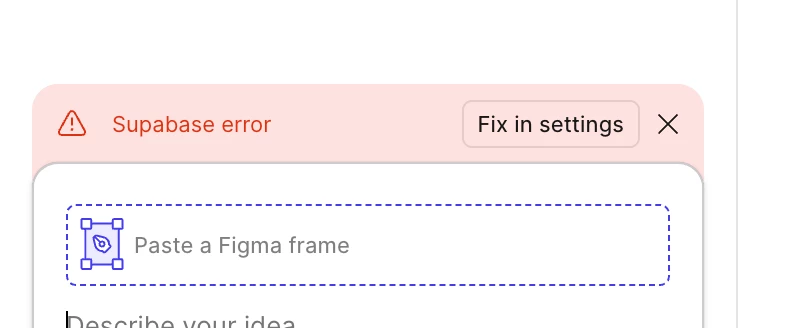
Running into an issue where I tried to connect to supabase through figma make. However now it’s saying connection lost(attachment 1) and the delete button does not work (attachment 2), will only let me authorize, however authorize only takes me to this page(attachment 3)  with no changes. 

Any help with this would be much appreciated! Thanks
 

This topic has been closed for replies.

10 replies

noah block
New Member
August 27, 2025

same issue


Figmate
August 27, 2025

Hi there,
 

Thanks for flagging this! It looks like you’re running into a known issue with removing an existing Supabase connection in Figma Make.
Our engineering team is currently tracking this. I’ve gone ahead and added this post to the open bug report, and we’ll keep you updated as soon as we have any news to share.
 

In the meantime, we've seen that duplicating the file can sometimes help reset the Supabase connection. Could you try duplicating your file and see if the issue resolves in the duplicated version?
 

Thanks so much for your help and patience while we continue investigating!

Sophia Dengo
New Member
August 29, 2025

I’m having the same problem, and it’s rendering Make pretty useless to me.

Brian Creatorland
New Member
September 8, 2025

I’m having the same issue

Adriel O.S.
New Member
September 9, 2025

me too. All projects was in the same problem.

noah block
New Member
September 9, 2025

you have reset the cache in your browser And retry authentication(Please give me stock in figma )

Adriel O.S.
New Member
September 10, 2025

you have reset the cache in your browser And retry authentication(Please give me stock in figma )

Yes, I have. I’ve tried both the Figma desktop app and the browser version. I also cleared the cache, but the Supabase integration in Figma still freezes.


noah block
New Member
September 10, 2025

Give it a day and it will give u an option to reauthenticate that worked for me too also delete any apps u might have made on figma other than that Make duplicate the file and retry too 

Figmate
September 10, 2025

Hi there,


Thanks for reporting this!

As I mentioned earlier, our engineering team is currently looking into the issue. While we don’t have a confirmed timeline for a fix just yet, I’ve added this thread to our internal bug report to help bring more visibility to the problem.

In the meantime, could you please try the following alternative solutions that a few other users have reported success with?

  • Duplicate your Figma Make file and see if that clears the Supabase state, allowing you to reconnect from scratch.
  • Create a new Supabase account and project, then try clicking “Authorize” again in Make.

Thanks so much for your patience while we continue investigating this!

Adriel O.S.
New Member
September 14, 2025

Success!

Two days later, I tried reconnecting to the same supabase account, and it worked. What happened was that during my Figma Make tests, I deleted the supabase project before connecting to another project in Make. I think that was the problem, since I couldn't unlink. But it works now. Thanks!