Vitomir Magjer
New Member
September 22, 2026
Solved

Stroke weight tokens not displaying in Dev mode

  • September 22, 2026
  • 1 reply
  • 26 views

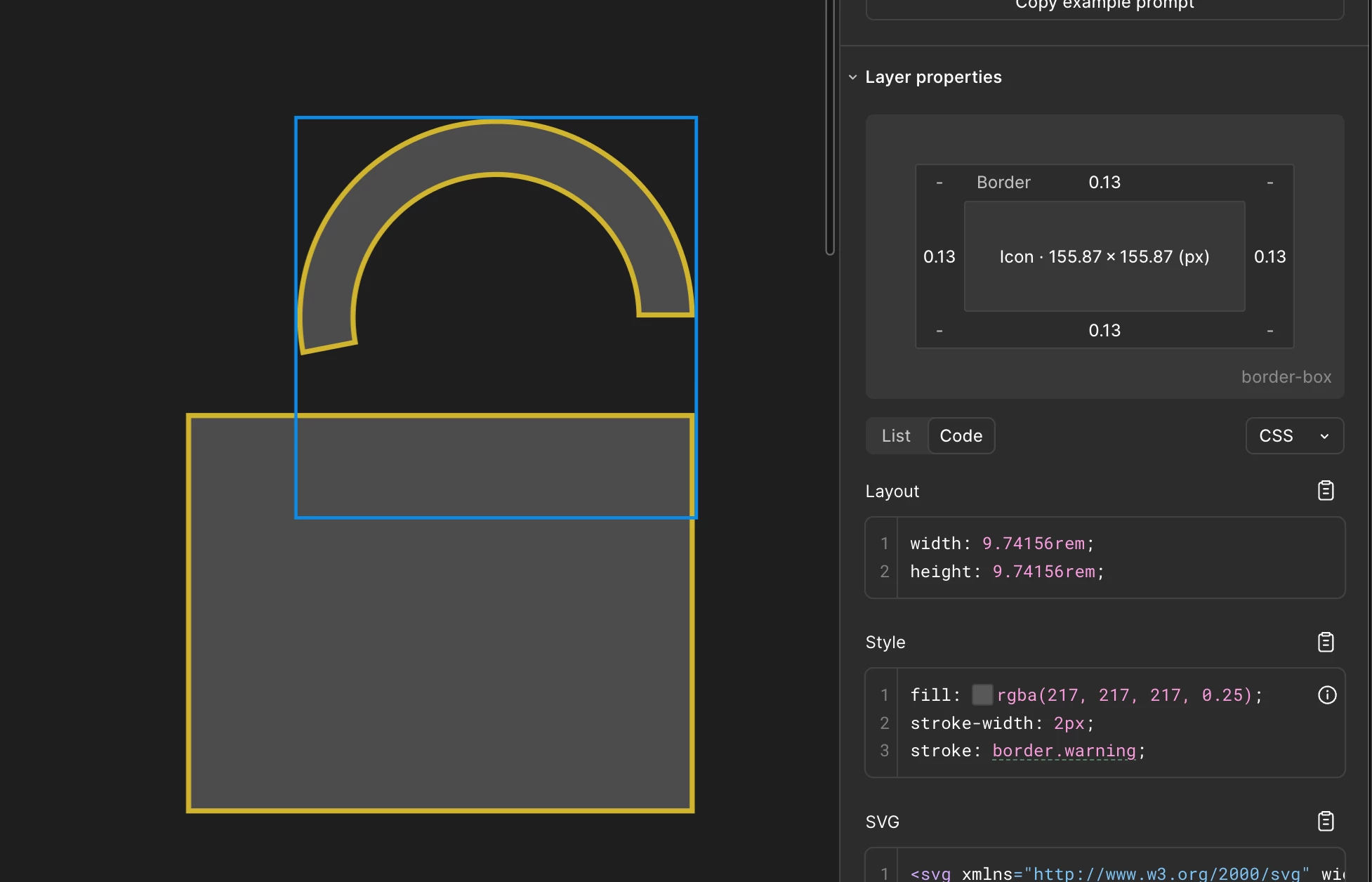
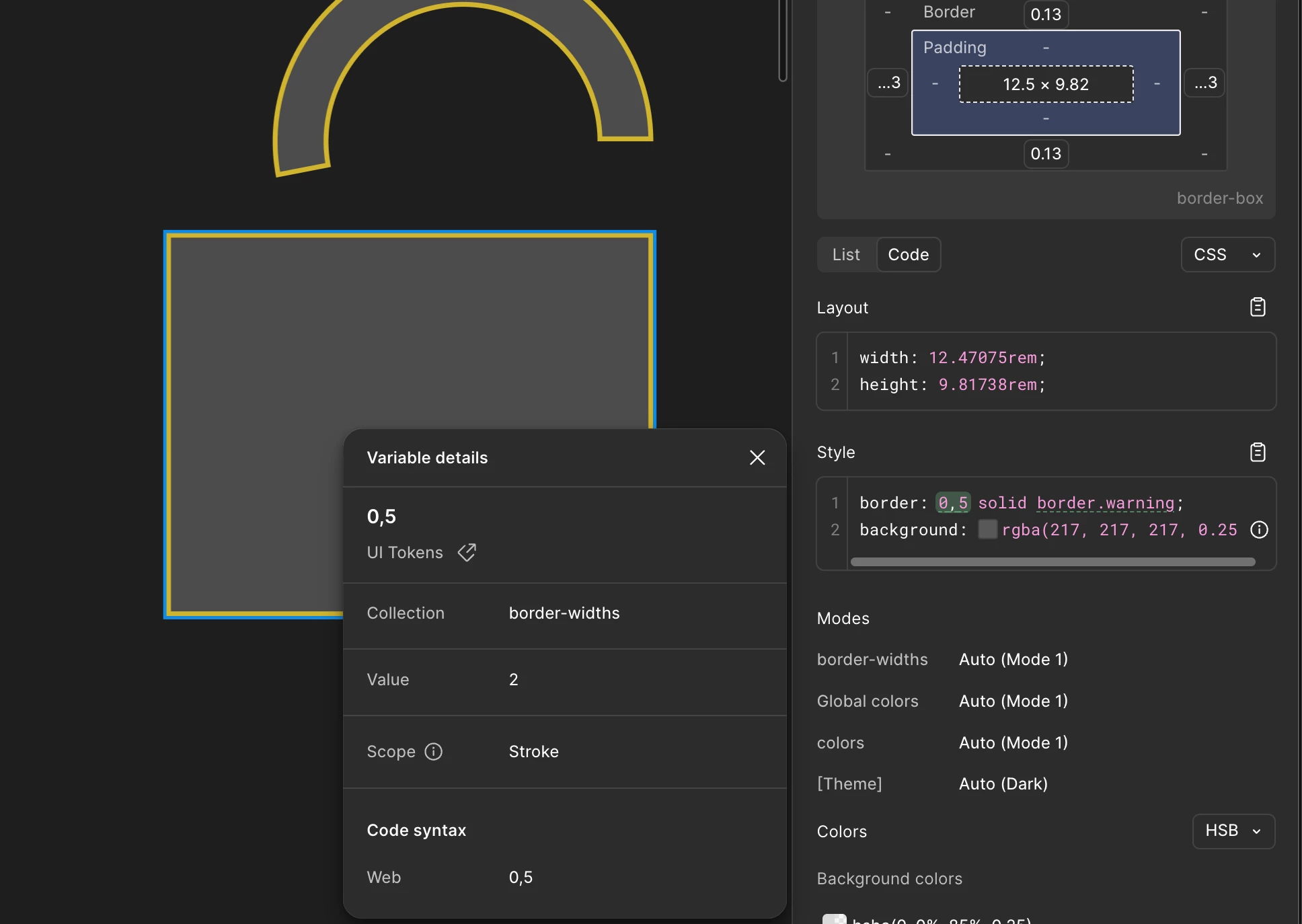
As you can see when we apply a Stroke weight to rectangles and frames the Stroke weight tokens display in dev mode. Wen applied to anything else it displays the pixel value.


If the Design mode allows me to apply a token to an element I would expect for it to be visible in Dev mode

Best answer by Celyn_L

Hi ​@Vitomir Magjer, Celyn from the Figma Community Support team here.

Thanks for flagging this and for including the screenshots. I understand that stroke-weight tokens appear correctly in Dev Mode when applied to rectangles and frames, but other element types display only the pixel value instead of the assigned token.

I’ve opened a ticket on your behalf with our Technical Quality team so they can investigate further. Please check your email inbox for a message from me with your ticket number: #2145923.

Please reply directly to your ticket with a link to the impacted file, and invite support-share@figma.com with “Can View” access (this won’t impact your billing and will allow us to reproduce the issue and investigate further with Engineering).

The team will reach out with next steps and updates as soon as possible. Thanks for your patience while we look into this!


1 reply

Celyn_L
Figmate
Celyn_LAnswer
Figmate
September 22, 2026

Hi ​@Vitomir Magjer, Celyn from the Figma Community Support team here.

Thanks for flagging this and for including the screenshots. I understand that stroke-weight tokens appear correctly in Dev Mode when applied to rectangles and frames, but other element types display only the pixel value instead of the assigned token.

I’ve opened a ticket on your behalf with our Technical Quality team so they can investigate further. Please check your email inbox for a message from me with your ticket number: #2145923.

Please reply directly to your ticket with a link to the impacted file, and invite support-share@figma.com with “Can View” access (this won’t impact your billing and will allow us to reproduce the issue and investigate further with Engineering).

The team will reach out with next steps and updates as soon as possible. Thanks for your patience while we look into this!