

Question

Something went wrong when i open figma motion feature

  • July 12, 2026
  • 5 replies
  • 27 views

Ida_Bagus_Kusuma

I tried to make simple pointing hand animation (as you can see from the picture attached), however the screen change to “something went wrong” when i clicked the motion button. i’ve already tried clear cache both website and desktop app, still didn’t work.

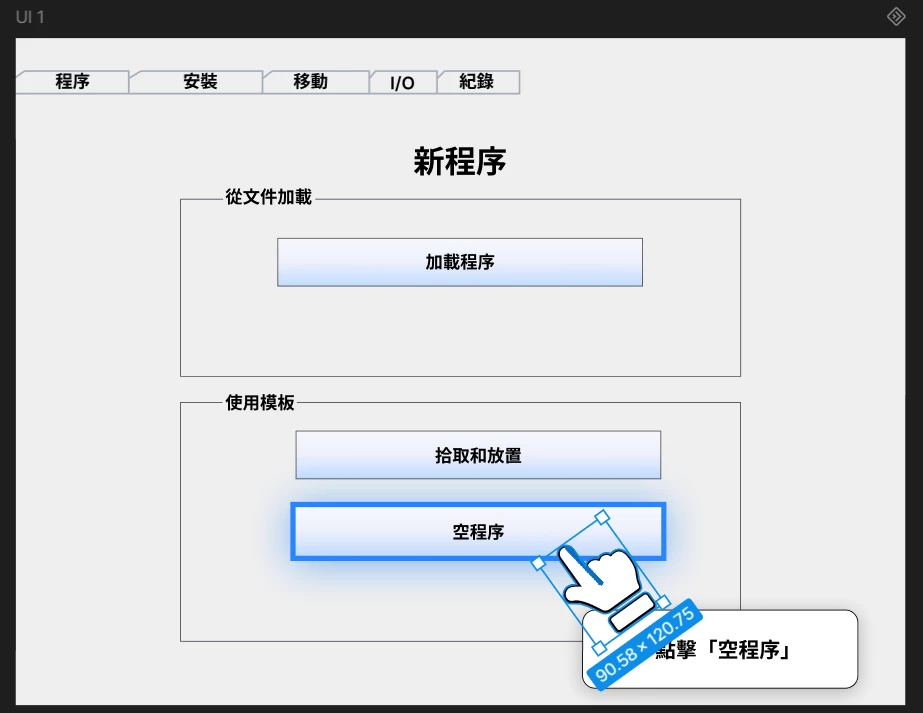
Screen after i clicked the motion button
Hand animation


5 replies

adamsmasher
Figmate
  • Figmate
  • July 12, 2026

Hi, ​@Ida_Bagus_Kusuma. Thanks for trying Motion and for your post! Let’s see if we can narrow down what’s going on so you can make some animations.


First, a few questions to help narrow things down a bit:

  1. If you select a different layer and click the Motion button, does it still give that error?
  2. If you open a different file or create a new one with a simple layer, does it still give the error?
  3. What browser and operating system are you using?


I also recommend making sure that your browser is up-to-date, and I’d also review our system requirements for Figma just to be sure.


Ida_Bagus_Kusuma

Hi, thanks for your response! ​@adamsmasher 

To clarify my problem, the Motion interface works normally if I open it without selecting any component and I’ve tried a simple layer in a new file, no issue. However, the error occurs specifically when I try to open Motion from the component that already contains my animation.

So the sequence is:

  • I select the animated component.
  • I click the Motion icon on the component.
  • Before the Motion interface even loads, it immediately shows "Something went wrong."

    *i’m using windows 10 :D

adamsmasher
Figmate
  • Figmate
  • July 16, 2026

Ok, thanks for clarifying, ​@Ida_Bagus_Kusuma! While our team continues to look into the error code, I have a couple of ideas.


First, what happens if you switch to Motion and then once the timeline is showing select the layer that has a pre-existing animation? I’m wondering if this will make a difference.


Secondly, can you check our system requirements page and verify that you meet those? It’s worth making sure that everything is compatible and configured correctly.


Ida_Bagus_Kusuma

Hi ​@adamsmasher , thanks for the suggestions!

I tried the first instruction you mentioned, but the issue was still happening. However, it seems to be working fine now.

My device is also fully compatible with Figma’s system requirements, so I don’t think the issue was caused by hardware or compatibility.

What I did was create a new component, export one UI as a PNG, then place it back into Figma as an image layer and add the animation from there. My assumption is that the issue might have been caused by a layer/frame containing too many separate components inside it, but this is only my guess.

I’m not completely sure what caused the problem, but for now this workaround seems to work😁


adamsmasher
Figmate
  • Figmate
  • July 19, 2026

Ok, thanks for verifying that you meet all of the system requirements! That’s a reasonable guess, but hard to confirm without our Technical Quality team investigating more closely. I’m glad to hear you found another solution, though! Out of curiosity, did the newly-created component still give the error?


At any rate, let me know if you see this again and I’ll create a ticket for you with the team. Cheers!