

Question

"Something went wrong" error on every prompt + AI credits are still deducted

  • July 7, 2026
  • 3 replies
  • 52 views

Ibrahim Thekkumkara

I've been using Figma Make Kit with published components for my project. Initially, everything worked as expected. I created a few components using the default AI model and then didn't make any changes to the file for 4–5 days.

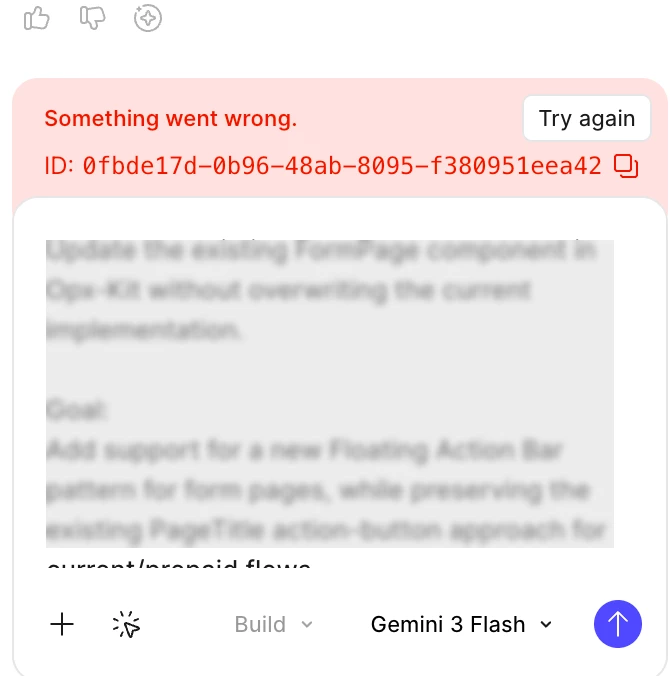
When I came back to update a few components, every prompt I entered resulted in the error message "Something went wrong" along with an error ID.

I raised a support ticket, and the Figma team suggested either duplicating the file or switching to a different AI model in the chat window. Switching from the default model to the Gemini model temporarily resolved the issue, and I was able to continue working.

However, after another few days, the same issue returned. Now the Gemini model also fails with the same "Something went wrong" error. I've tried multiple AI models, but they all produce the same result.

The most frustrating part is that each failed prompt still consumes 200–400 AI credits, even though no output is generated. It simply shows the error message after processing.

Has anyone else experienced this issue? If so, were you able to find a permanent solution? Any suggestions would be greatly appreciated.


3 replies

Celine_
Figmate
  • Community Support
  • July 7, 2026

Hi ​@Ibrahim Thekkumkara ! Thanks for taking the time to share all these details. I'm sorry to hear you're still running into this, especially after trying the suggested workarounds.

Since this is happening across multiple models and each prompt ends with a "Something went wrong" error and an error ID, I'd like our team to take a closer look. I was able to see that you've already submitted a bug report—thank you for doing that! I've also added a follow-up note internally to increase its visibility.

I can confirm that your case has been assigned to our Technical Quality team. They'll review the information you've already shared, including the repeated errors across multiple AI models and the AI credit consumption despite the failed requests.

In the meantime, if you have any additional information to share, please continue the conversation through your existing support case. In particular, it would be helpful to include:

  • The impacted Figma Make file link
  • The error IDs shown after the failed prompts
  • Approximate timestamps of the failed prompts
  • The exact prompts you used
  • Which AI models you tried
  • Screenshots or a short screen recording, if possible
  • Confirmation that AI credits were deducted despite no output being generated

This will help our team investigate the issue further. Thanks again for your patience while the team looks into this!


Ibrahim Thekkumkara

I have added comments in my ticket with all the requested information including screen recording. I also noticed one thing is its happening only with Figma Make Kit, not any other make files so far. 


Celine_
Figmate
  • Community Support
  • July 8, 2026

Thank you for the additional informations! I see in the backend that our Technical Quality specialist has flagged to our internal teams for further investigation. Thanks for your patience while they are investigating it! 
They will reply directly to your support case as soon as they have an update.