Question

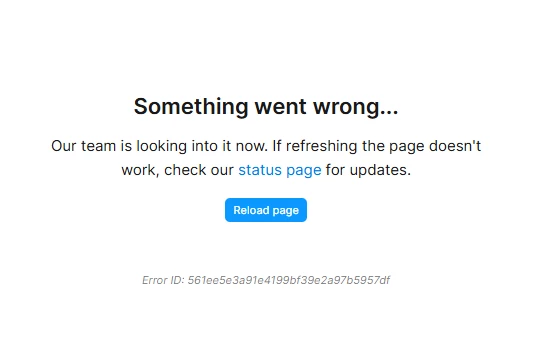
Something went wrong...

  • February 25, 2026
  • 4 replies
  • 50 views

jusit28

Details:
1. This issue occurs on both desktop and web versions
2. Reinstalling the version does not resolve the issue
3. Sometimes it occurs frequently after a few operations, roughly every few minutes
4. Turning on and off the vpn does not solve the problem
5. Duplicating the file does not help

4 replies

Gayani_S
Figmate
  • Community Support
  • February 25, 2026

Hey ​@jusit28, thanks for sharing all those details and for already trying so many troubleshooting steps. 

I’d like to gather a bit more information so we can narrow down what’s causing this:

  • Does this happen in all files, or only certain ones?

  • Have you noticed any pattern at all (for example, larger files, specific actions, or after working for a while)?

  • Are you using Windows or macOS?

  • You mentioned it happens after a few operations, could you share what those actions usually are (e.g. moving layers, editing components, switching pages, etc.)?

Thank you for your help! 


jusit28
  • Author
  • New Member
  • February 27, 2026

I’d like to gather a bit more information so we can narrow down what’s causing this

​​

1. I didn't check all the files directly, but the error occurs in all the files that I tried to open.
2. I tried to work in old files, duplicated files, and newly created ones, but the error occurred in all of them. That's why I didn't notice any patterns.
3. I work on Windows 11
4. Move around the workspace, zoom in, edit text. sometimes it's enough just to zoom in on the frame, and sometimes I zoom in without any problems, but when I try to change the text, everything collapses. yesterday it seemed to me that the problem had disappeared, I worked all day in figma, and the error only popped up twice all day, but today the problem returned and already appeared three times in 15 minutes under the same circumstances (zoom in, edit text...)


jusit28
  • Author
  • New Member
  • February 28, 2026

@Gayani_S
In addition to question 4: the error has now occurred without performing any actions. I opened the file, didn't do anything else, and an error popped up 2 minutes later.


Gayani_S
Figmate
  • Community Support
  • March 2, 2026

Hey ​@jusit28, thank you for taking the time to share all of that detail! 

I’ve gone ahead and created a support ticket on your behalf so we can get this properly investigated. Your ticket number is #1771890, for reference. I’ve included all the context you shared with our team.

When you receive the support email, please reply with:

  • A link to one of the impacted files

  • Share the file with support-share@figma.com and grant “can View” access

That will allow us to try to reproduce the issue and loop in Engineering if needed.

Someone from the team will be in touch as soon as possible. Really appreciate your patience in the meantime!