Question

Slots text fill doesn’t update after changing text and switching variants

  • June 11, 2026
  • 3 replies
  • 19 views

Yaroslav Bilionok

Component structure:

I have an Input component.

Inside Input:

  • Slots

    • Label

The Label component is inserted into the slot.

The Input component has two variants:

  • Default

  • Disabled

The Label component itself does not have a Disabled variant.

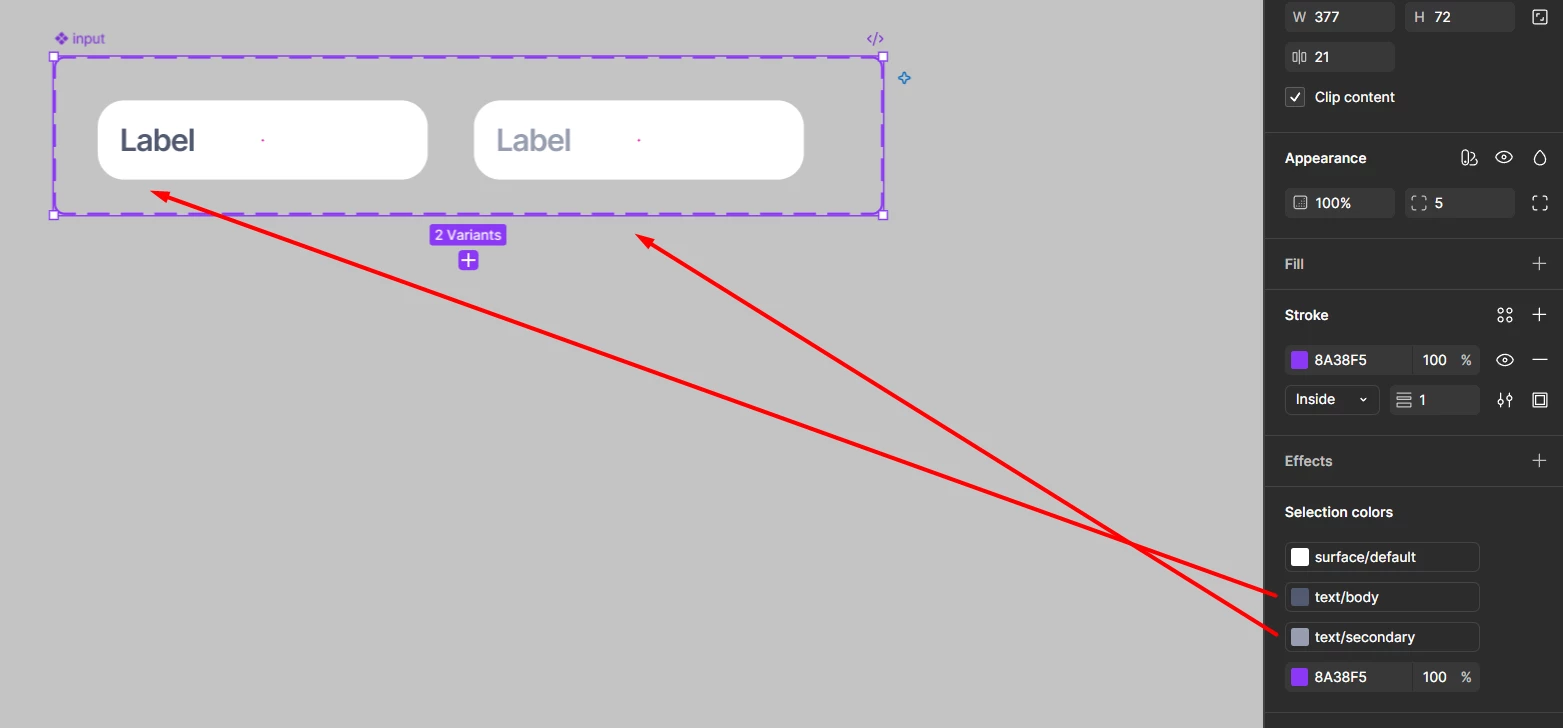
The text color is changed directly inside the Input variants. In the Default variant, the label text uses the default text color. In the Disabled variant, the label text uses the disabled text color.

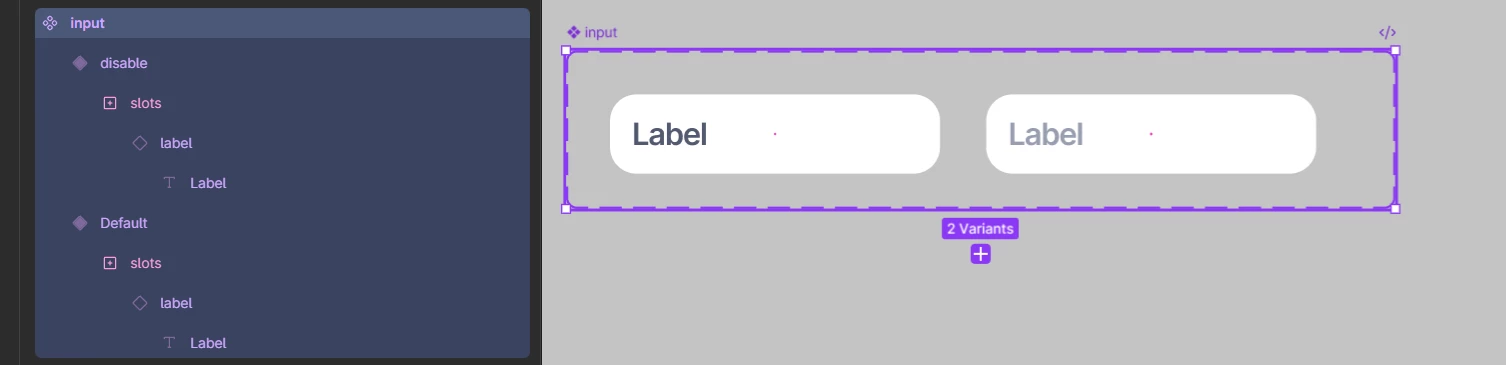


label component
input component
text colors
 

When I insert a copy of the component as a child element and switch variants, everything works fine.

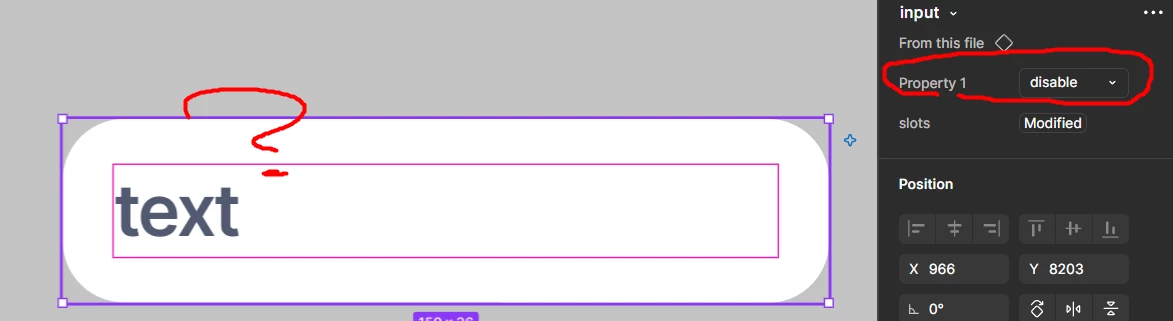
But if I change the text first and then switch the variant to Disabled, the text color does not change.


I tried the same setup without using slots, and everything works correctly. The text color updates as expected.

HELPPPP!!!!

3 replies

Jaycee Lewis
Figmate

Hey, ​@Yaroslav Bilionok 👋 Thanks for flagging. That definitely sounds unexpected. I’d like to get you connected with support. Would you be able to provide support, in a support ticket, with the following?

  • Share the URL of the affected file(s)
  • Grant edit access to support-share@figma.com so our team can attempt to reproduce the issue
  • Include a full-size screen recording of the issue, if possible
  • *NOTE* Sharing file access won't impact your billing — it just allows our team to debug further on their end. Please be sure to use your Figma email account when sharing.

If so, I’ll get it opened for you. — Jaycee


Yaroslav Bilionok

Hey, ​@Yaroslav Bilionok 👋 Thanks for flagging. That definitely sounds unexpected. I’d like to get you connected with support. Would you be able to provide support, in a support ticket, with the following?

  • Share the URL of the affected file(s)
  • Grant edit access to support-share@figma.com so our team can attempt to reproduce the issue
  • Include a full-size screen recording of the issue, if possible
  • *NOTE* Sharing file access won't impact your billing — it just allows our team to debug further on their end. Please be sure to use your Figma email account when sharing.

If so, I’ll get it opened for you. — Jaycee

Thanks, here’s the video. I showed the issue in detail there, with 2 examples: one using slots and one without slots.

Video: https://drive.google.com/file/d/1Wfj-TvHUVMUBIs_mRfx6QSuiET-Iu4I3/view

Figma file: https://www.figma.com/design/dayBUBsNGoPBTG4DdEOr73/test-j-ui-kit?node-id=1015-6627&t=rhmEDxmOVeXDvmaL-1

I’m ready to do anything needed to help fix this, because it’s really blocking me when creating large components.


Yaroslav Bilionok

By the way, I noticed one more thing.

I also tried adding icons into slots. For example, in one variant the icon is lighter, and in another variant it’s darker.

But after changing the text, the icon color also stops updating when switching variants. So it looks like the issue affects slot content in general, not only text fill.