Question

Slot isn't being recognized as used within the component or having autolayout

  • July 21, 2026
  • 3 replies
  • 18 views

chloe.atchuemamlet

I have a slot property called “vertical items” that is used in one variant in a component set and has autolayout applied to it. However there’s a couple problems:

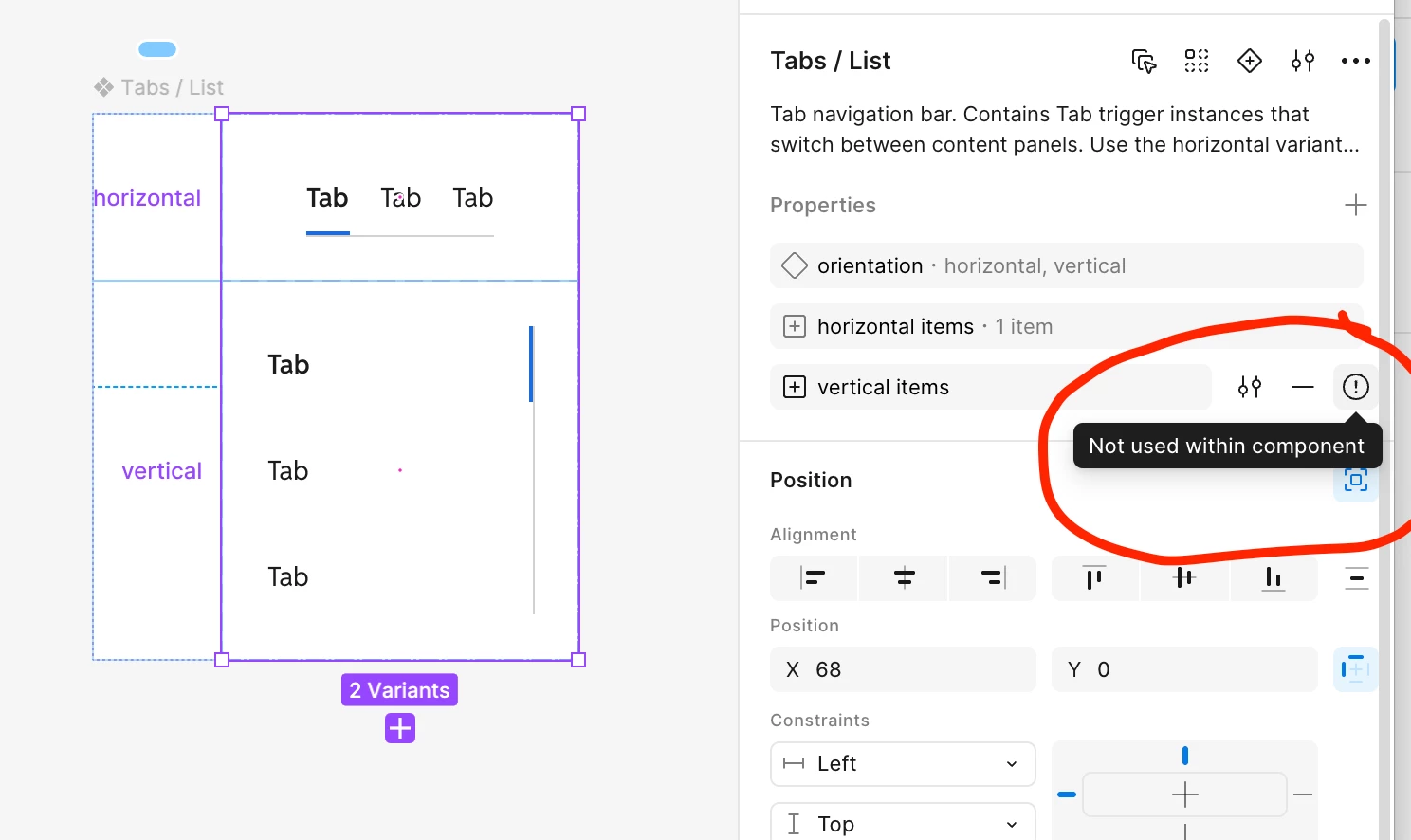
  1. When the component set is selected, the right sidebar shows that the “vertical items” slot is not used within the component (despite the fact that it is)
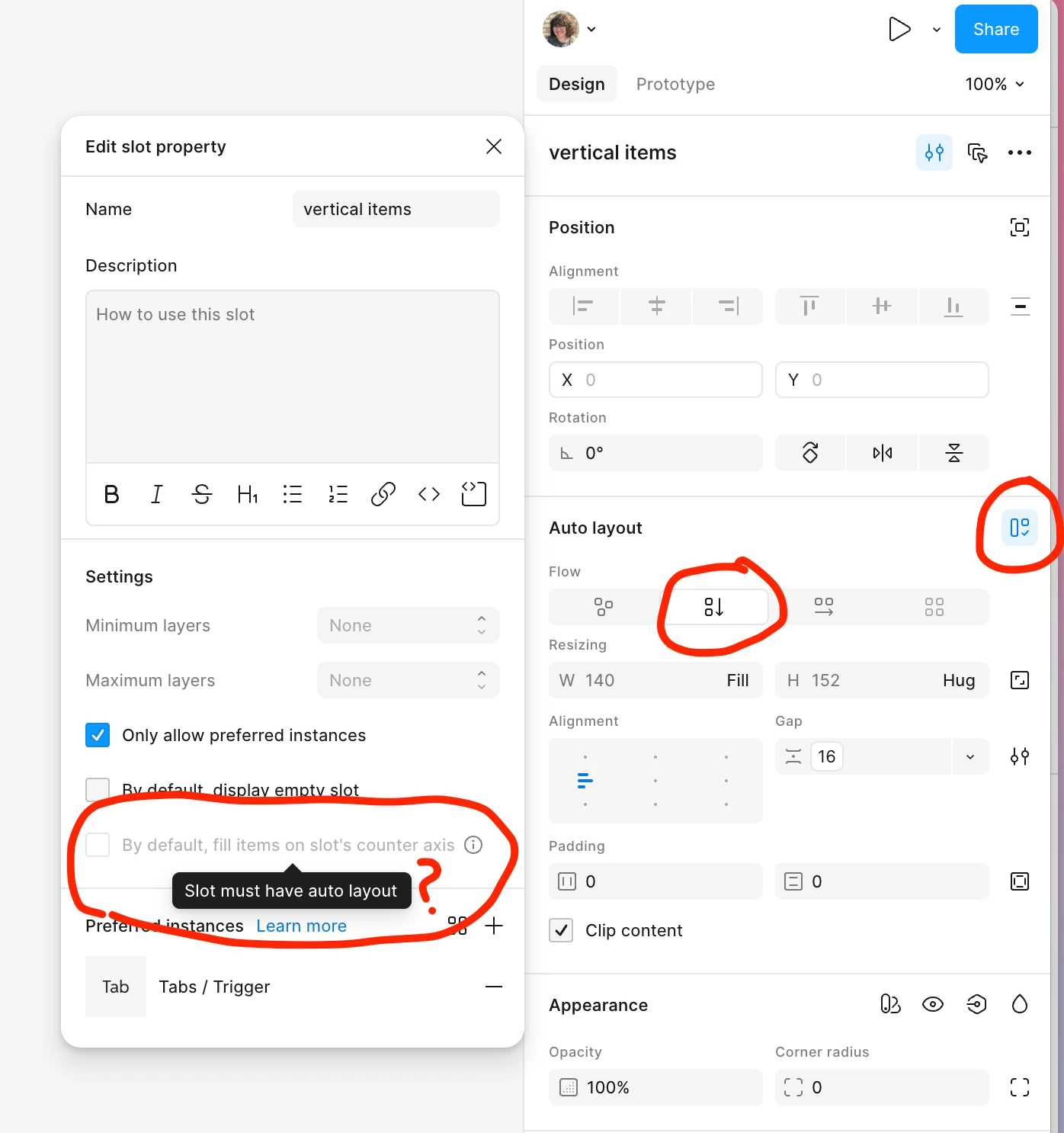
  2. Within that slot’s settings, I cannot check the box to fill items by default. The UI shows a tooltip saying autolayout must be enabled on the slot, but it already is.

Screenshots

The slot “vertical items” is selected in the layers panel and clearly used within the component set


 The “vertical items” slot settings panel is open and you can see that the tooltip claims there’s no autolayout applied to the slot despite also showing that there is.
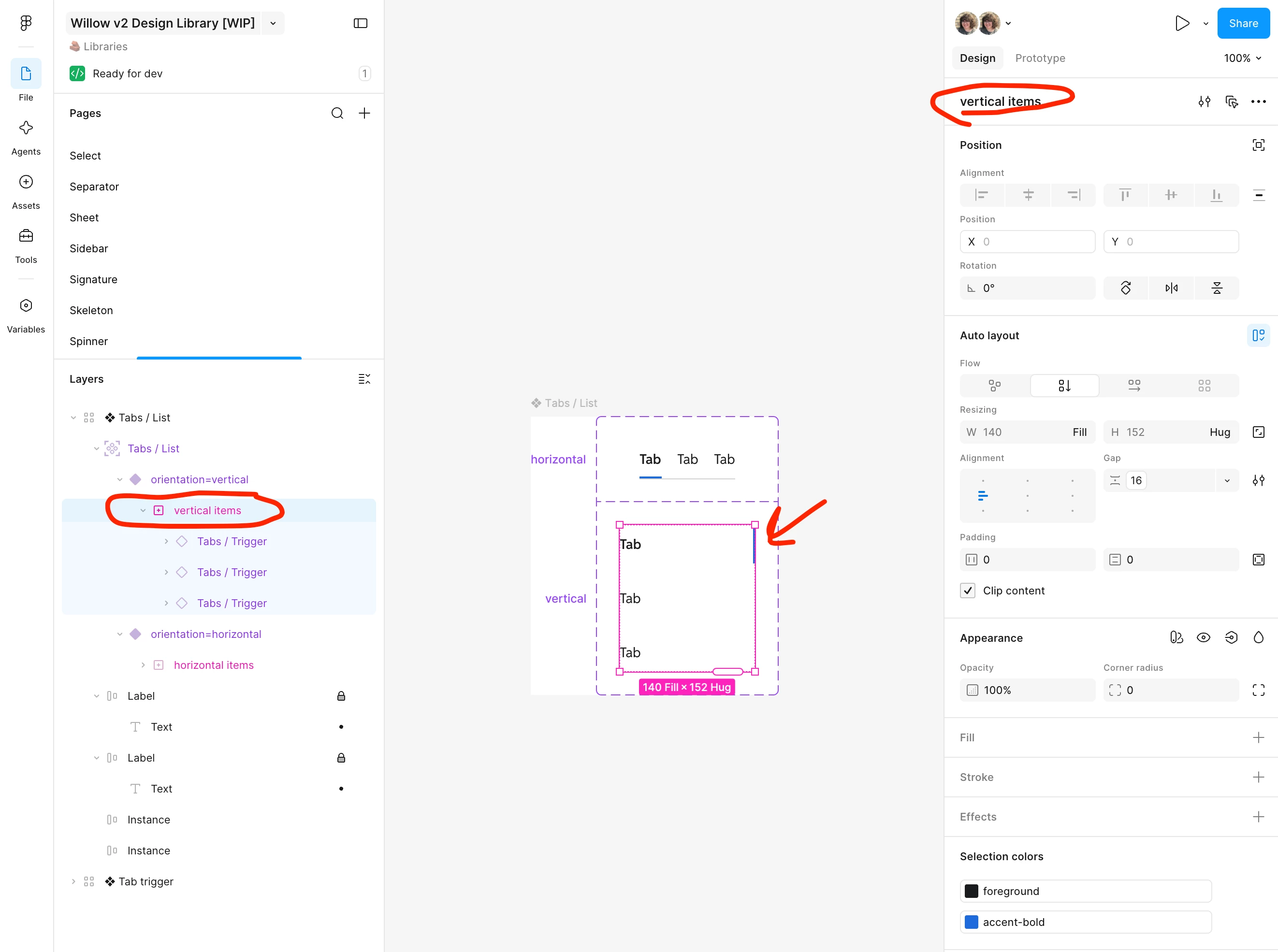
The slot “vertical items” is selected in the layers panel and clearly used within the component set
The component set is selected and the right sidebar shows that the “vertical items” slot is not used in the component


3 replies

djv
Figmate
  • Community Support
  • July 21, 2026

Hi ​@chloe.atchuemamlet, thanks for reaching out!


I understand how this must be slowing down your workflow. This looks related to a known issue where a slot's auto layout state can get out of sync internally, even when everything looks correct on the canvas. This would also explain both the "not used" flag and the blocked "fill by default" checkbox. To confirm that's what's happening, I have a few questions:

  • Would you be able to share (or duplicate + share) the file URL with Can view access, so we can take a closer look?
  • Does republishing the component library, or refreshing/reloading the file, change either behavior?
  • Do the other variants in that component set behave the same way, or is it only the one with "vertical items"?

In the meantime, if you haven't already, try toggling auto layout off and back on for that slot specifically (not just confirming it's on). This has worked for others with a similar sync issue.


chloe.atchuemamlet

Hello, thanks for responding! Here’s a link to a duplicate of the file.

Answers to your questions:

Does republishing the component library, or refreshing/reloading the file, change either behavior?

No, this has no effect.

Do the other variants in that component set behave the same way, or is it only the one with "vertical items"?

That variant is the only one with the issues. It seems to be isolated to that specific slot, which is only used in one variant.

try toggling auto layout off and back on for that slot specifically (not just confirming it's on)

I tried this a couple times and the issue is still there.


djv
Figmate
  • Community Support
  • July 23, 2026

Thanks for the additional context, ​@chloe.atchuemamlet!

Just a quick note on what this confirms for us:

  • Republishing/reloading doesn't fix it → rules out a simple cache/sync issue between library and file.
  • Isolated to just this one slot, on one variant → rules out a broader file corruption issue; points to something specific to how this slot got set up.
  • Toggling autolayout off/on doesn't reset it → rules out the more common "state just needs a nudge" bug we've seen before.

That combination doesn't match the usual quick-fix cases. It's closer to a deeper de-sync between the slot and its underlying auto layout data that a toggle or republish can't touch. I've got your file, so I don't need anything else to see the bug. One thing that would help the team narrow down the root cause though:

  • Do you remember the order of operations when you built this slot? Specifically, did you add auto layout to the frame first and then apply the slot property, or was the slot already there and you added auto layout after? (There are a couple of known edge cases tied to that ordering, and knowing which one you hit narrows the investigation a lot.)

With these last details, we’ll flag this to Slots team with your file, so they can reproduce it and investigate further.