

Slot configuration does not adapt when switching variants on an instance
Problem
When I create a component set with variants and add slots inside each variant with different configurations, the slot does not update when switching variants on an instance. Background color and font color of the slot stay frozen from the originally placed variant.
Steps to Reproduce
1. Create a component set with multiple variants (e.g., State=Default, State=Destructive)
2. Configure slots differently per variant — different background color, font color, default content
3. Place an instance, then switch to a different variant
Expected
Slot adapts to the target variant's configuration — colors, content, and layout update accordingly.
Actual
Slot retains the original variant's background color, font color, and configuration. It does not adapt to the new variant.
Example
As seen in the attached screenshot: the right side shows instances where switching variants results in mismatched colors — a "Visual Design" heading sitting on a blue background in one instance and a yellow background in another, instead of consistently matching the variant's defined style.
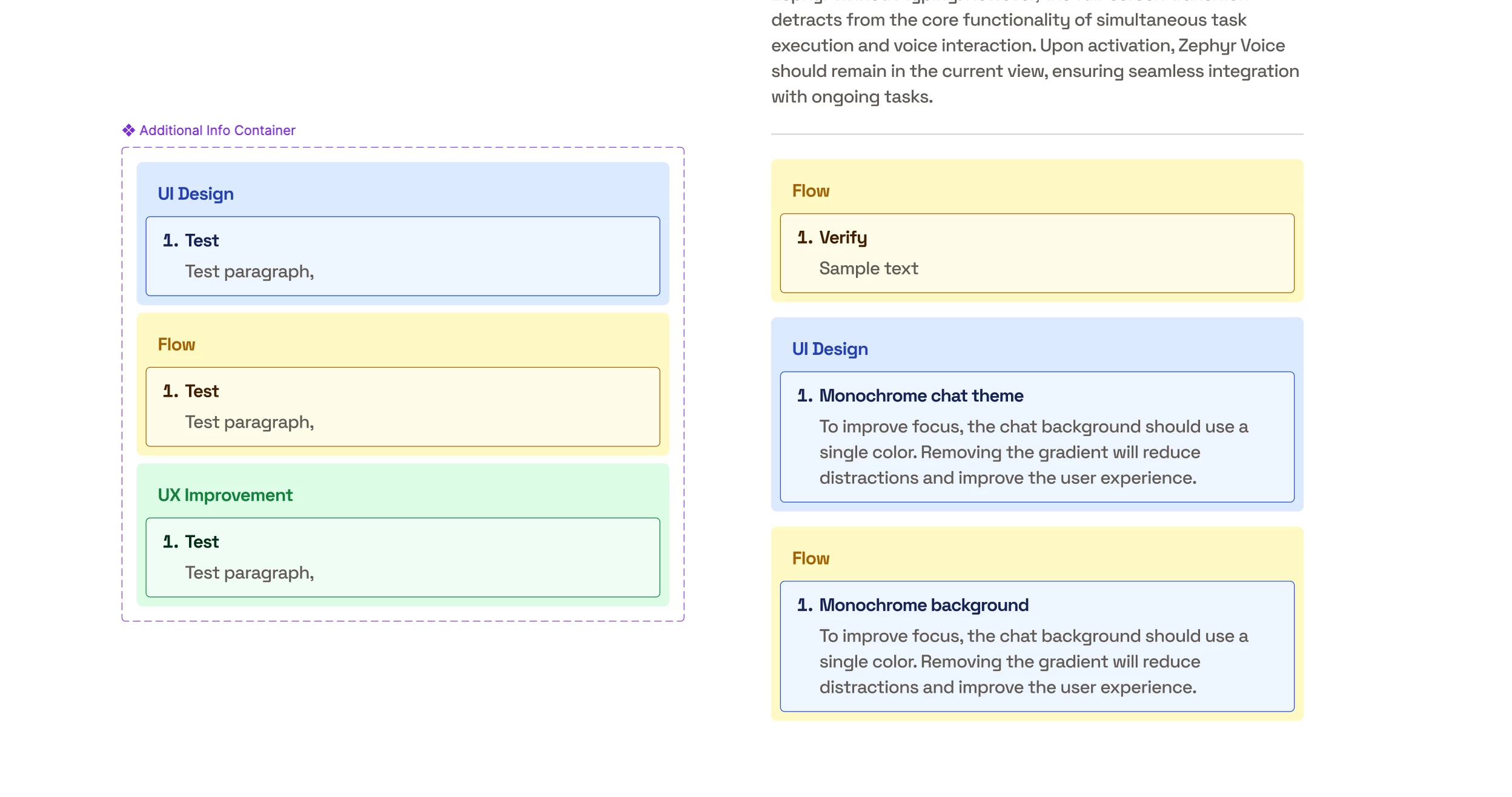
Currently the only way to get the correct default colors is to reset the entire instance after switching variants, which defeats the purpose of variant switching and loses any customizations made to the slot content.