Question

Slot component in slot comtainer keeps resetting

  • August 3, 2026
  • 3 replies
  • 34 views

Marloes

Hi all! I’m working with slots for a guide view of upcoming programs for a radio station. My current set up is like this:


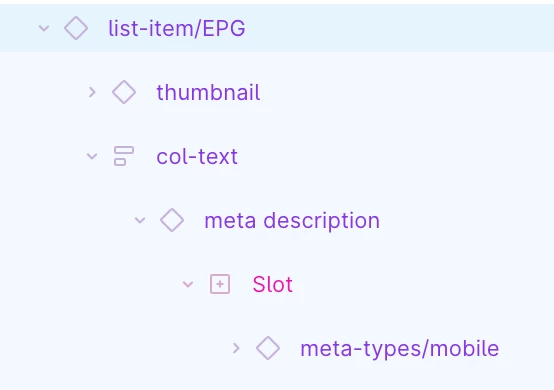
  • A radio program component, containing of a thumbnail, a title, an icon and a meta slot. In this meta slot we can change radio DJ, time stamp, add dividers or broadcasters.
  • This component is added as an instance in a slot container.  We’ve made the container a slot, because for some radio stations it’s nice to have up to 6 upcoming shows, but some have less or more.


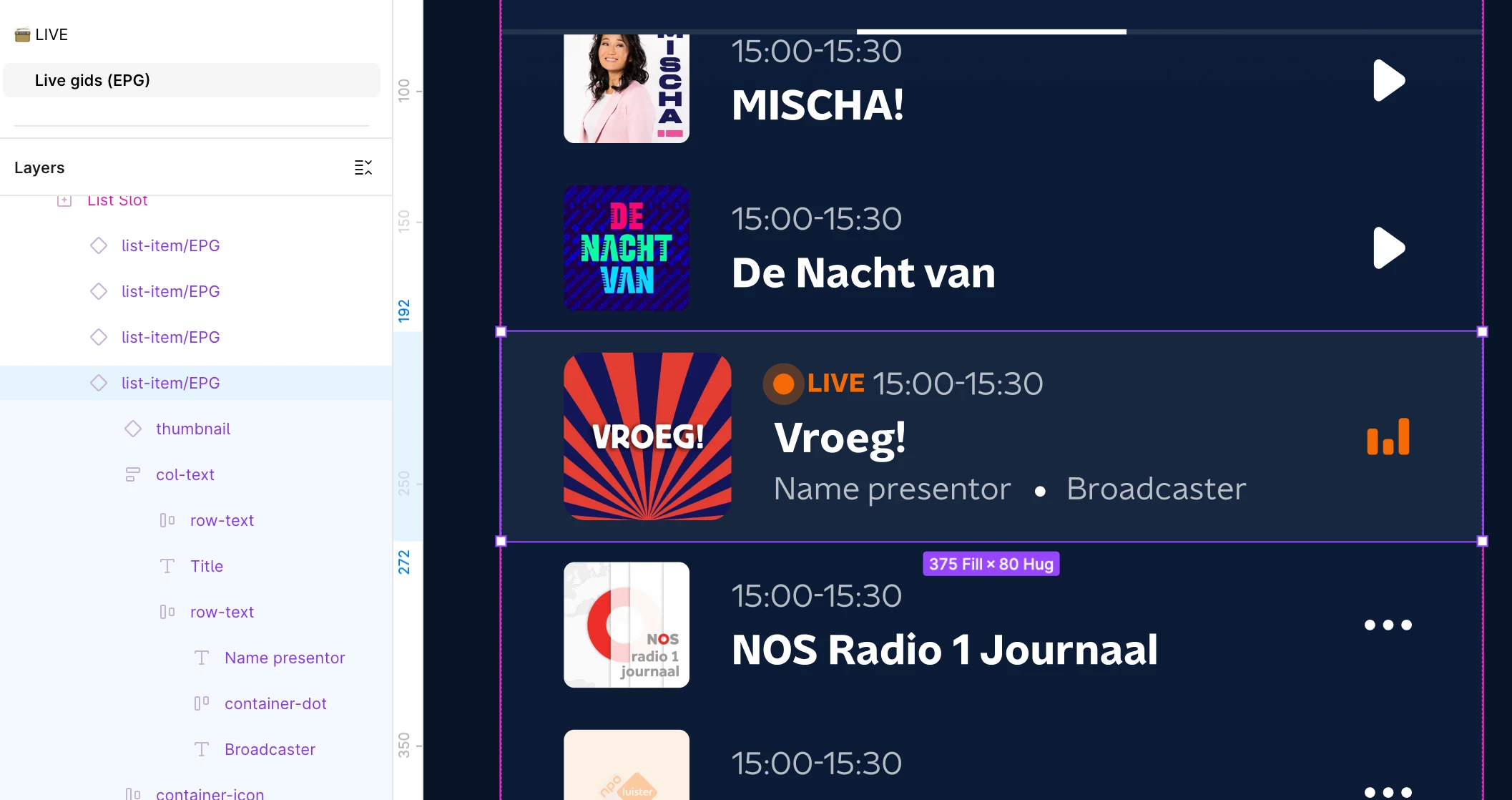
The problem is: whenever I add the slot tot the container, it resets my program instance to the old component without the meta slot, which isn’t in use anymore and has been deleted. It keeps saying it’s connected to my component library, when I click ‘view main’ it does contain the meta slot. But the instance is always without it. When I remove the slot container, the meta slot returns.


I find this behavior pretty strange and I don’t get why I can’t have both? 
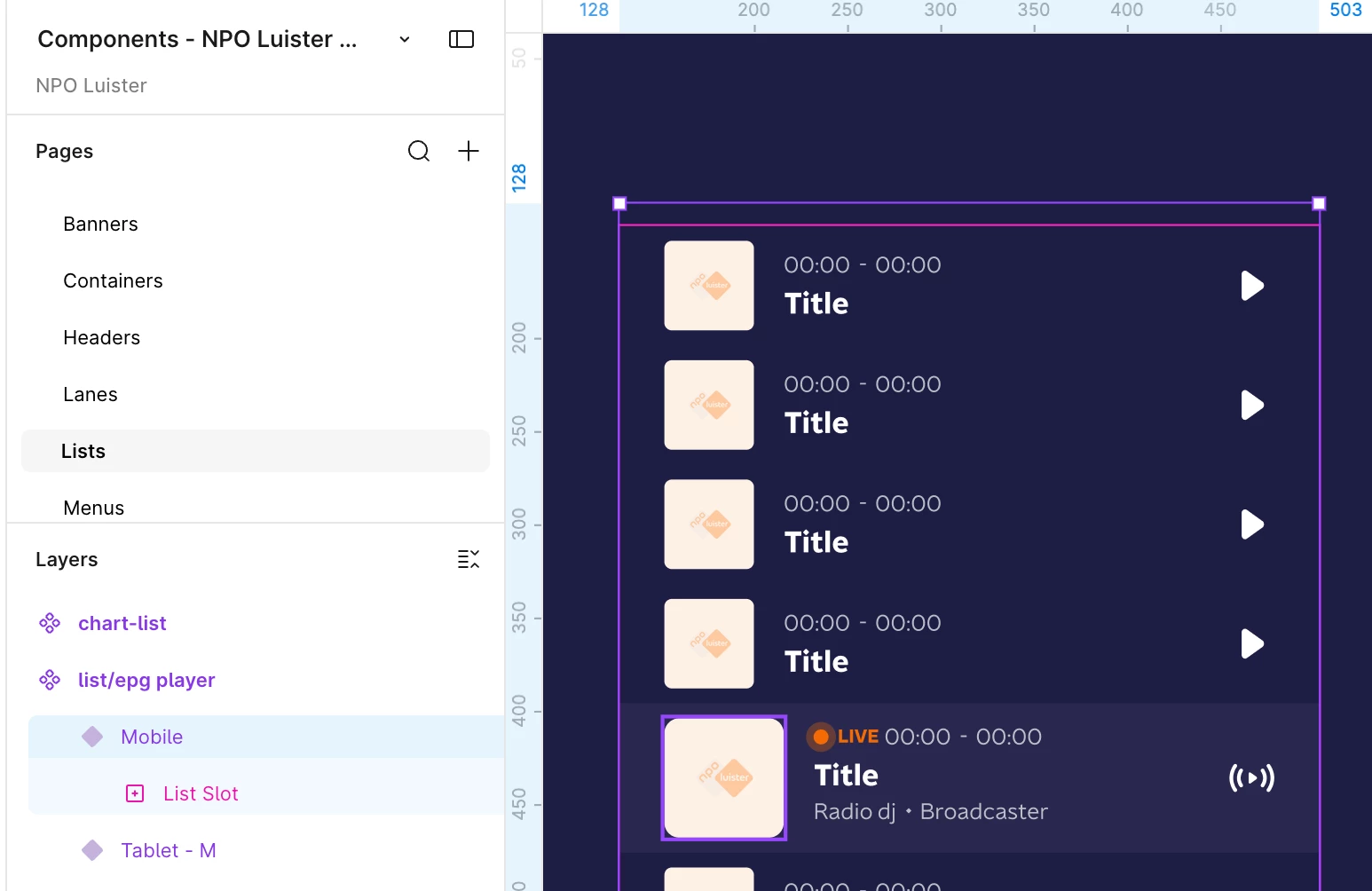
 

^ main component using a ‘list slot’ in which the program instances are placed


^ instances containing a meta description slot
My work file, with the component in the list slot, but without the meta slots.


I keep updating, changing manually, but whenever i’m working on something else and I update my library… boom: my component is reset and my slot is deleted from my program component. It does not state ‘missing variant’ or conflicting or something like that. And again, when clicking on ‘view main component’ the meta slot is in fact there…. 

3 replies

djv
Figmate
  • Community Support
  • August 3, 2026

Hi ​@Marloes, thanks for reaching out! 

I understand how this must be disrupting your workflow. What you're describing (the instance snapping back to an old, deleted version of the component, even though "View main component" shows the current one) isn't expected behavior, and it looks similar to a couple of nested-slot/library-update issues our team has been tracking.

A couple of questions, so we can investigate properly:

  1. Does the reset happen the moment you nest the program instance inside the slot container, or only after you update/republish the library afterward?
  2. Are you working in the desktop app or browser, and is the component library a team library (published) or local to the file?

In the meantime, two things worth checking that have resolved similar cases before:

  • Confirm the main component's default state isn't set back to the old/unpopulated variant in the library file itself.
  • Check if there's an interaction on the instance or its parent that might be resetting it to the main component's default state.

Let us know, so we can pinpoint whether this is a slots bug versus something in how the component is set up. 


Marloes
  • Author
  • New Member
  • August 4, 2026

Hi ​@djv thank you for your reply.

  1. It happens after updating the library. I’ve been adjusting the slot container by just copying the program instance in here as a work around, but whenever I update the library (because I’m making changes somewhere in my file) it resets.
  2. I’m working on the desktop app, the component library is indeed a team library that is published.


I’ve checked the two topics in the meantime and can conform that the main component default state isn’t set back to the old variant. What makes it even weirder, is when I follow the component from another file back to this mainfile, it will always shows the right version in my component. Just not as an instance anywhere else. There are no interactions on the main component.


Jaycee Lewis
Figmate

Hi ​@Marloes 👋 Jaycee here, picking up for Denise. I opened a support ticket for you. The ID is 2051391 and the subject line is Nested slot instance reverts to outdated component version after team library update (desktop). Please check you email inbox (and you spam folder if you’re not seeing it) for the support ticket email. I added a few additional requests there to help our team take a better look at this for you. Thanks again 🤩 — Jaycee