Question

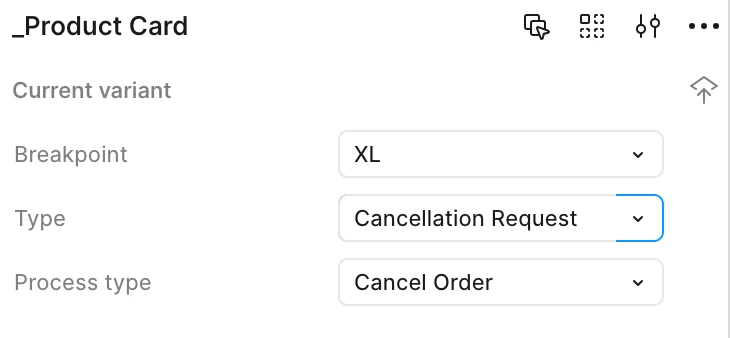
Since the last update the input field for the variant behaves weird

  • August 5, 2025
  • 2 replies
  • 40 views

Helge_Wadewitz

Hi i face an issue with the input field behavior of the variants and it is really annoying.

The expect behavior to me is:
Tap in the field
Move with the arrow Key to the right to avoid clearing the whole input when typing
The input indicator moves to the end of the text
Type

New behavior:
Tap in the field
When i move with the arrow key to the right it behaves like TAB and moves to the dropdown, but i don’t want to the focus on the dropdown.
I need to delete the input and just type, but thats super annoying because i just want to enter a suffix to a variant.
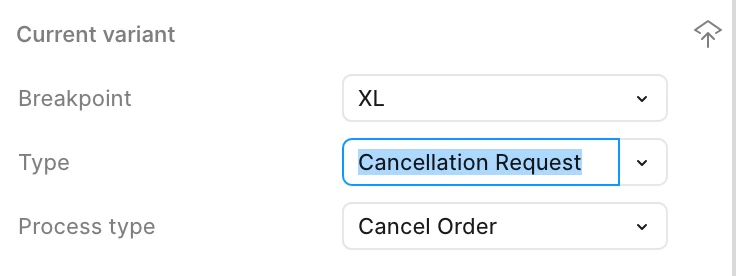
 

When i tap on the input field
When i use the ARROW Key to move to the end of the input - NO figma focuses on the dropdown


2 replies

  • Figmate
  • August 6, 2025

Hi ​@Helge_Wadewitz,


I understand you're running into an issue when editing component variant names — specifically, that using the right arrow key moves focus to the dropdown instead of moving the cursor within the input field.

I just tested this on my end in both the browser and the desktop app, and I’m seeing the same behavior.

I’ll share this with our team and keep you posted if there are any updates.


Thanks for your patience!


  • Figmate
  • September 4, 2025

Hi there,

Our engineering team has rolled out a fix for this issue.
When you get a chance, please refresh Figma and see if it's working as expected.

Really appreciate you flagging this — thanks again!