Sidebar Navigation & Zoom Usability Issues
I am having difficulty using Figma due to a few usability issues.
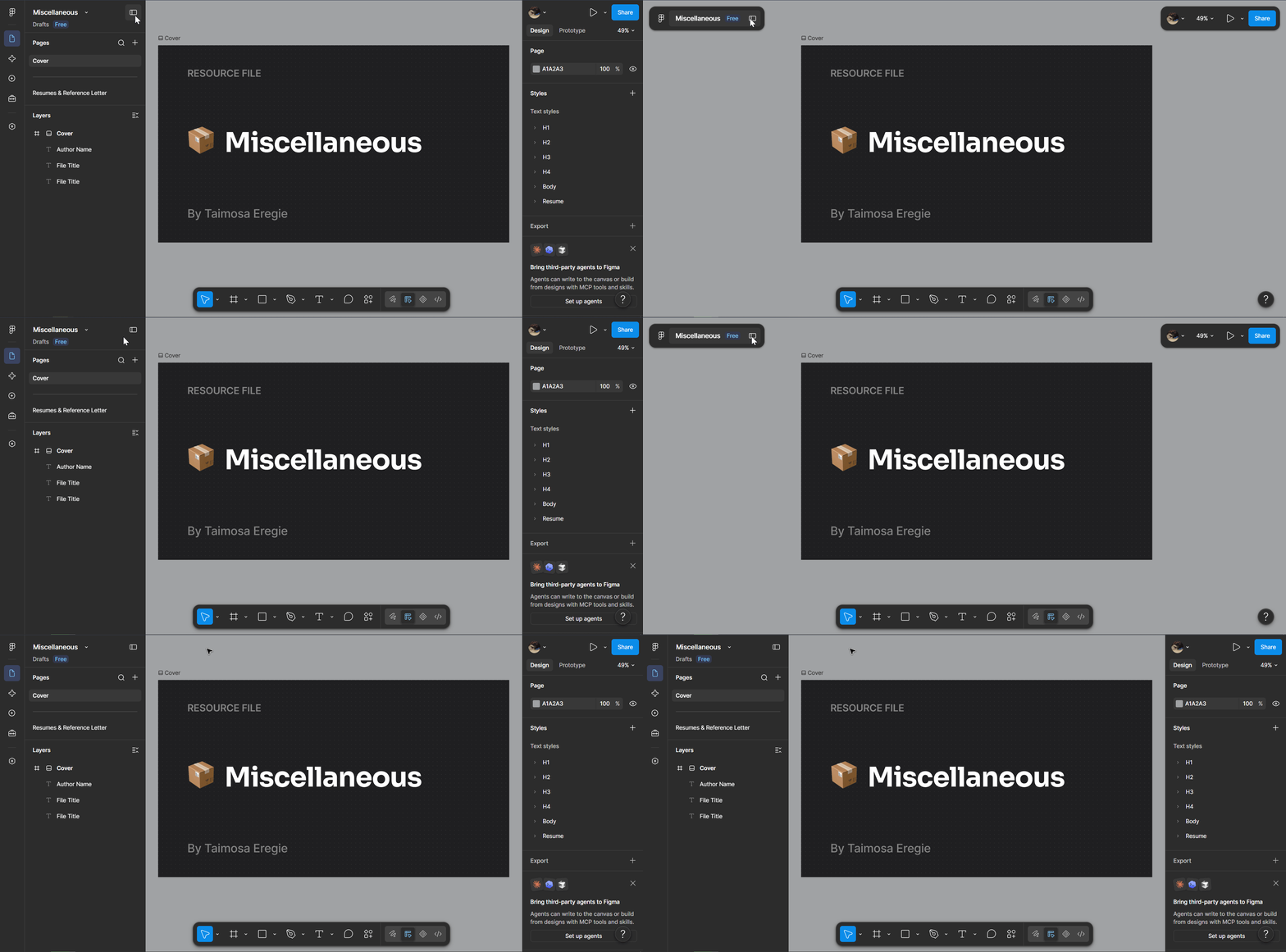
First, hiding the layer panel should only hide the layers themselves, not the entire left navigation bar. That way, I can still access features like variables and agents without expanding the layers panel. The 'Minimize UI' button could also be placed on the left navigation bar. Alternatively, the navigation bar buttons could act as toggles to show or hide their respective panels—for example, clicking the 'Files' button would show or hide the layers panel. This feels much more intuitive. Additionally, switching from a fixed component view to a floating component view feels quite jarring.
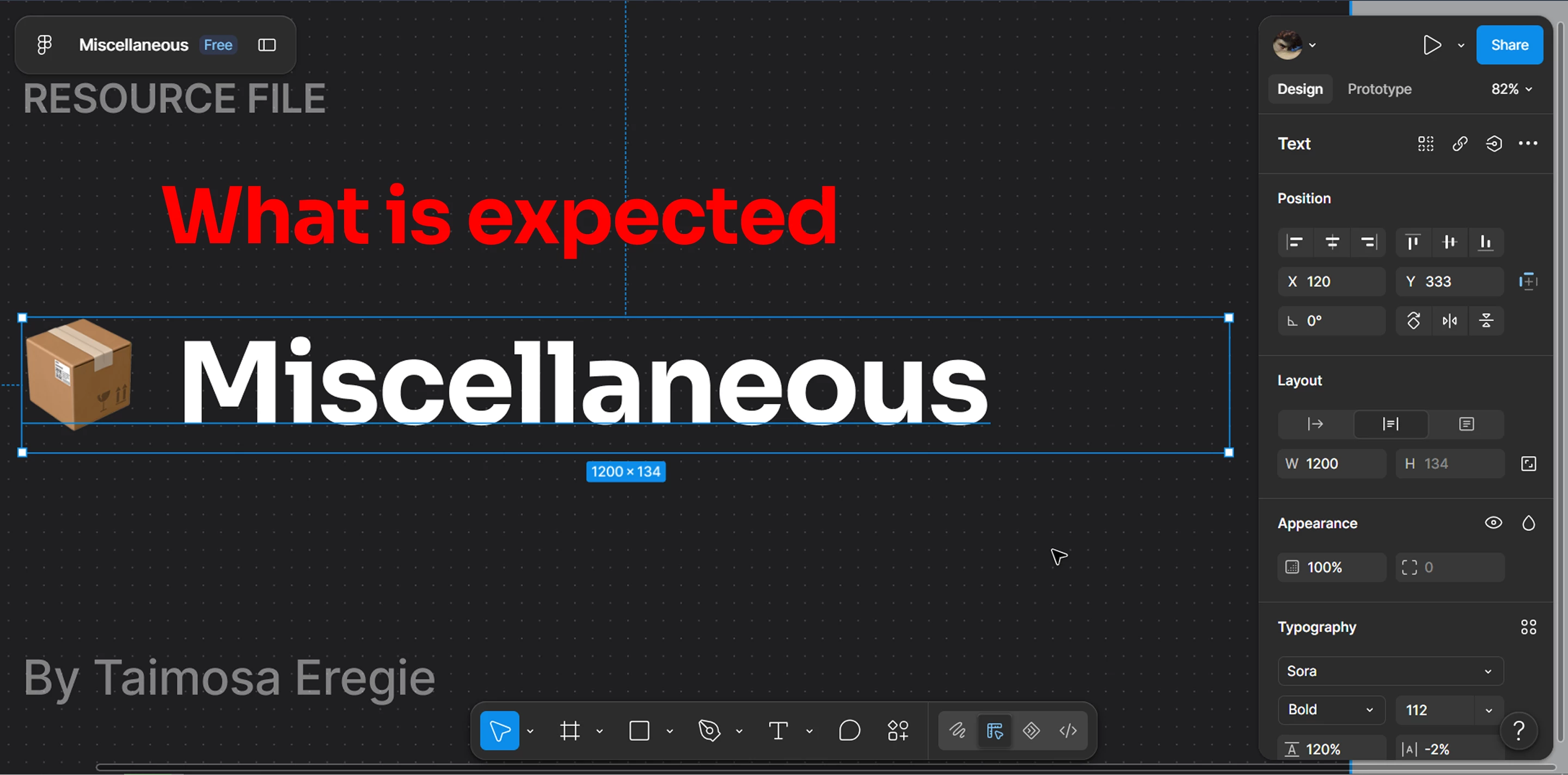
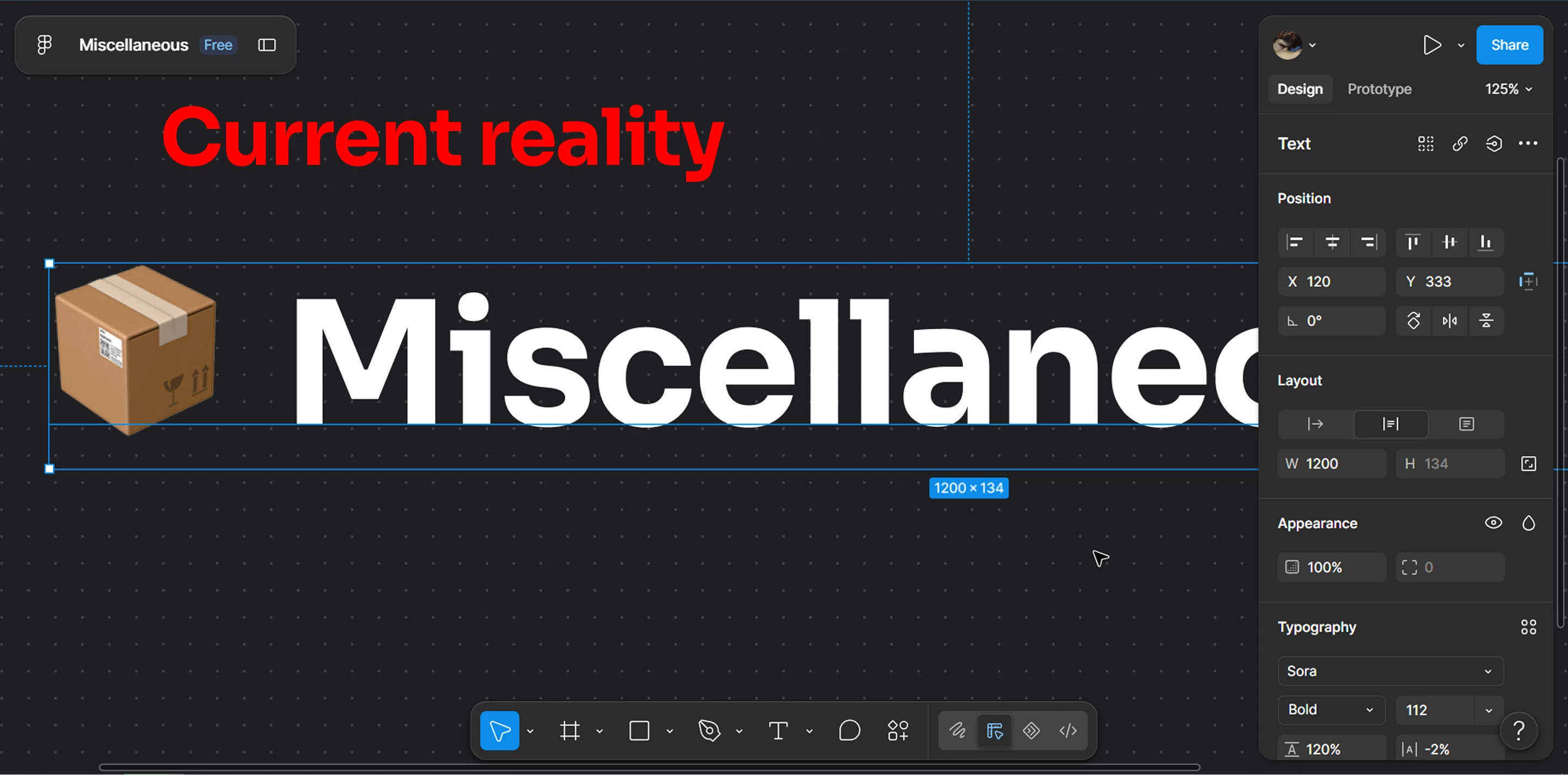
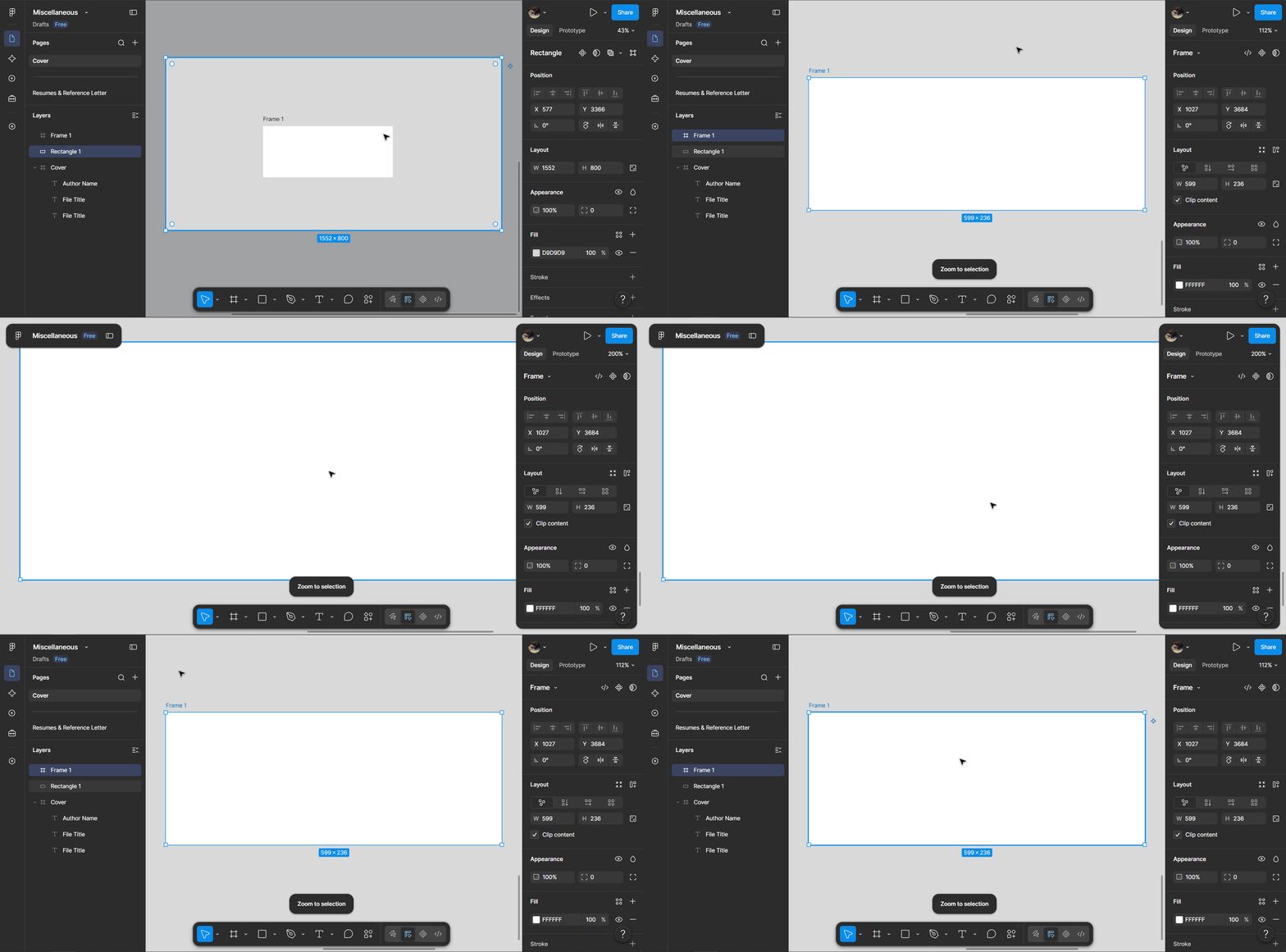
Second, when the layers panel is minimized, zooming in on a selected object doesn't bring its full dimensions into view because parts of it get obscured by the properties panel. I'm not sure if this is a bug, a limitation of 13-inch displays, or just standard behavior, but it's an unexpected and incredibly frustrating experience that I'm sure many other users share.
I honestly don’t think I can continue using Figma unless these issues are addressed or I get a widescreen external display, as I am currently working on a 13-inch laptop.
I have a GIF and two images below to buttress my points.