

Rai Talha Ejaz
New Member
September 8, 2026
Solved

SheerID verification fails with "We couldn't continue your verification" — legitimate student

  • September 8, 2026
  • 1 reply
  • 337 views

Hi Figma team,

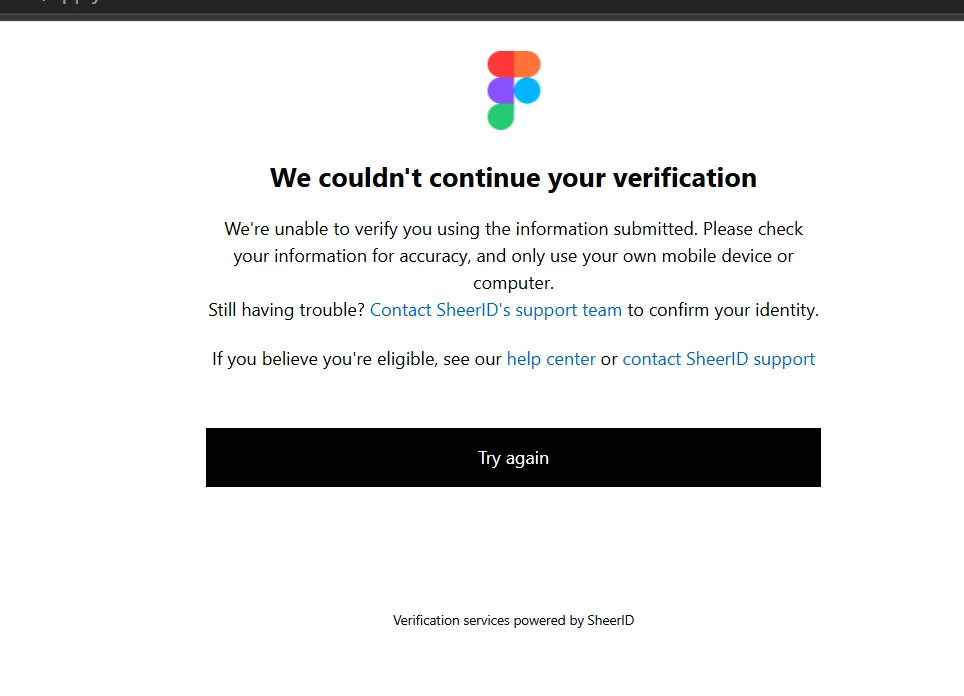
I'm trying to verify for the Education plan and SheerID keeps returning "We couldn't continue your verification — We're unable to verify you using the information submitted." I've attached a screenshot. 


What I've already tried:
- Verified while logged into the correct Figma account
- Used my own personal computer, no VPN
- Cleared cache and cookies, then retried
- [Add anything else you tried]

I'm a currently enrolled student and can provide student ID or enrolment documentation if that helps. Could someone advise on the right next step, or escalate this if my school's records need updating on SheerID's side? im trying it after each 2 day but still facing same.

Thanks in advance.
 

Best answer by Celine_

Hey there! Céline from the Figma Community Support team here.

I'm sorry you've been running into the same verification error repeatedly. Higher Education verification is handled by SheerID, so Figma Support isn't able to manually verify your student status or review enrollment documents directly.

Since your information couldn't be verified, the best next step is to reach out directly to our Figma-specific SheerID support team: figmasupport@sheerid.com. They own the entire verification process and tools, and can look into why the verification keeps failing despite trying with your correct account and information.

When submitting documentation, make sure it clearly shows:

  • Your full name
  • Your institution's name
  • Proof of current enrollment
  • Current term dates or confirmation that you're active for the current term

Please don't share your student ID or other personal documents publicly here (send them only through SheerID's secure verification or appeal process, along with the screenshot you shared.)
If you don't hear back from SheerID within a few days, feel free to also loop in education@figma.com so our team can help escalate or look into it from our end, thank you!

1 reply

Celine_
Figmate
Celine_Answer
Community Support
September 9, 2026

Hey there! Céline from the Figma Community Support team here.

I'm sorry you've been running into the same verification error repeatedly. Higher Education verification is handled by SheerID, so Figma Support isn't able to manually verify your student status or review enrollment documents directly.

Since your information couldn't be verified, the best next step is to reach out directly to our Figma-specific SheerID support team: figmasupport@sheerid.com. They own the entire verification process and tools, and can look into why the verification keeps failing despite trying with your correct account and information.

When submitting documentation, make sure it clearly shows:

  • Your full name
  • Your institution's name
  • Proof of current enrollment
  • Current term dates or confirmation that you're active for the current term

Please don't share your student ID or other personal documents publicly here (send them only through SheerID's secure verification or appeal process, along with the screenshot you shared.)
If you don't hear back from SheerID within a few days, feel free to also loop in education@figma.com so our team can help escalate or look into it from our end, thank you!
