Question

Selecting component + element results in overflowing UI

  • July 9, 2026
  • 3 replies
  • 15 views

Bookie0

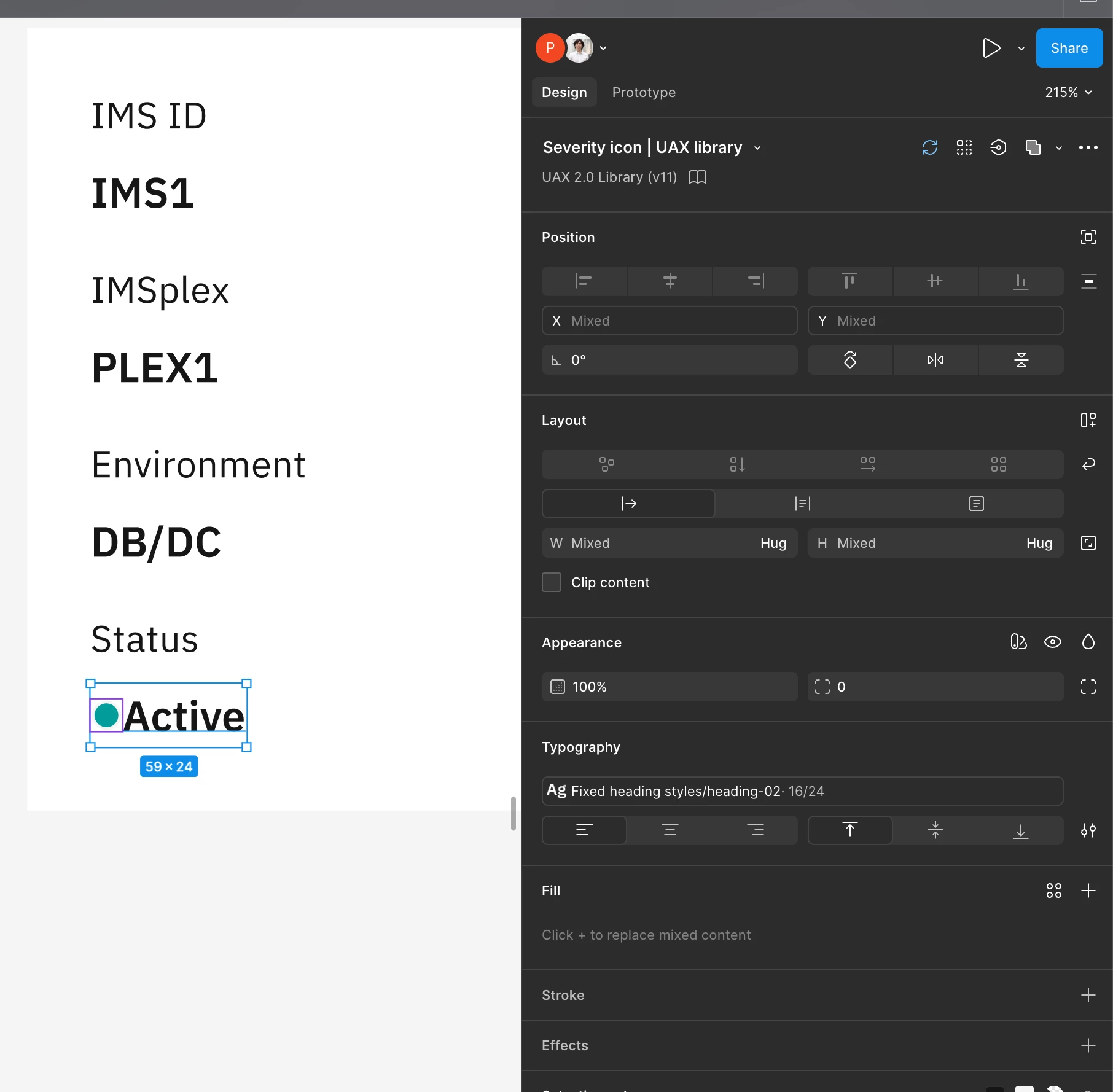
When you select a component with a long name and a text element, there is a overflowing and conflicting UI on the right side panel (see top right)


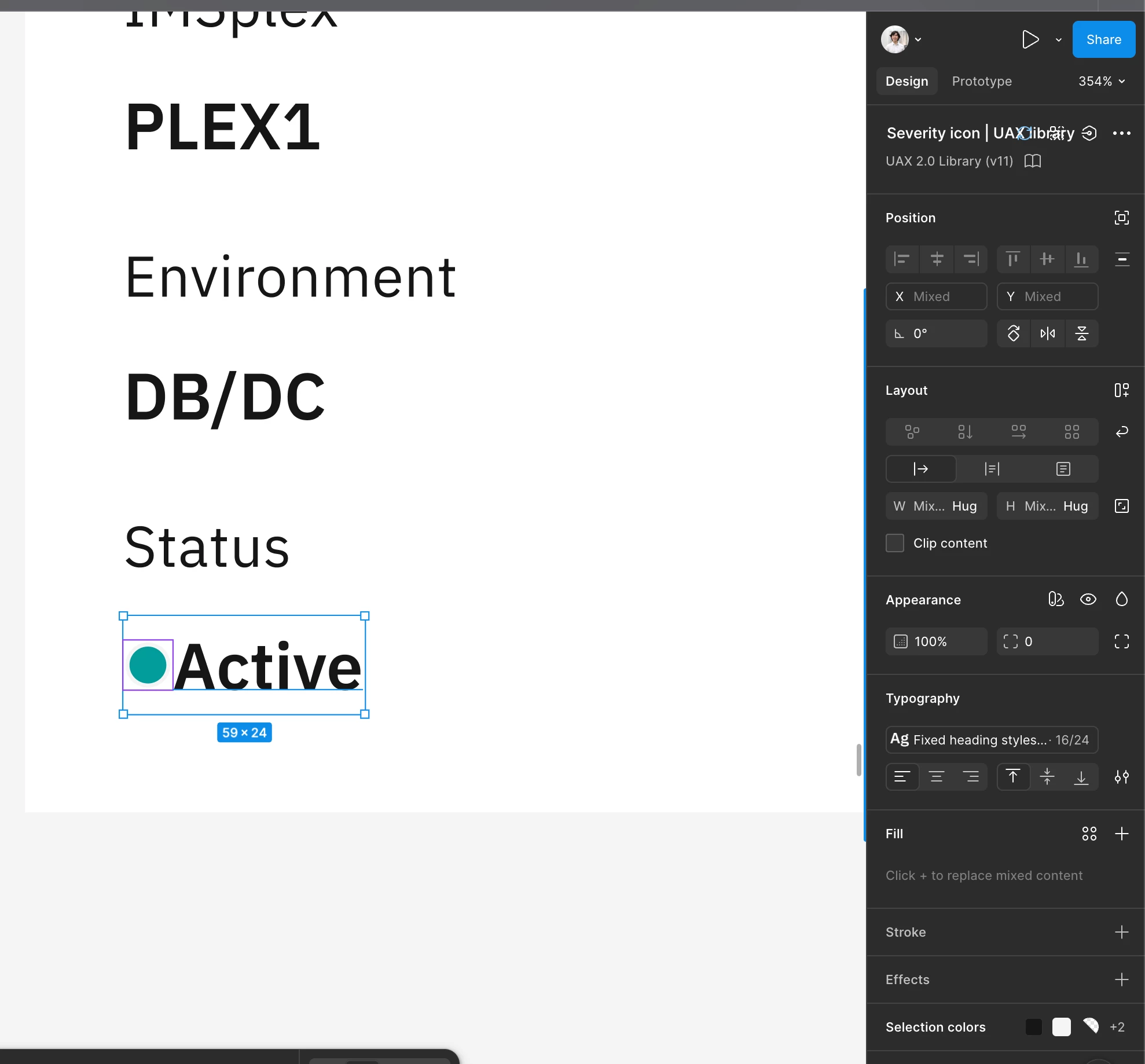
in the 2nd image you can see how it’s meant to look like;


3 replies

adamsmasher
Figmate

Thanks for the screenshots, ​@Bookie0 - definitely makes it pretty clear that it’s hard to read the layer name when the properties panel is narrow.


Are you using the Desktop app or a web browser? I tried to recreate what you are seeing, but in both I see the name truncated with an ellipsis. Can you make sure you’re using the most updated version of the Desktop app, and that your browser is also updated to the newest version (you may also want to clear your browser cache, too). Let me know if you still see it after doing those two actions, and we’ll go from there. Cheers!


Clément Rozé

hi ​@adamsmasher , thank you for your reply and sorry for the delay – yes I’m using the latest desktop app and still see the bug. 


I also see the same bug on web too (Browser: Dia). I’ve also cleared my browser cache just to try/


In a diffferent file, I tried the same thing (selecting a component instance and another element), and the UI renders correctly.


Perhaps it’s something to do with the component coming from an external library?


I tried doing that too, and i dont see the bug. The overlap only seems to appear on that initial screenshot (in my IBM work account).


adamsmasher
Figmate
  • Figmate
  • July 12, 2026

Interesting! Thanks for doing so much testing - I appreciate it. What library is that you are using the component from - is it one you or a coworker control? I’m wondering what would happen if you added the component fresh in a new file and whether it would still do it. I’m also wondering if updating the component in the library, publishing the change, then updating it in your file would resolve the display.