

Question

Screen black out/computer crash from figma

  • May 19, 2026
  • 1 reply
  • 31 views

Aurora9

my computer keeps crashing when I try to go on preview in figma design, my screen would go fully black twice then kick me out of my app that I'm trying to make.

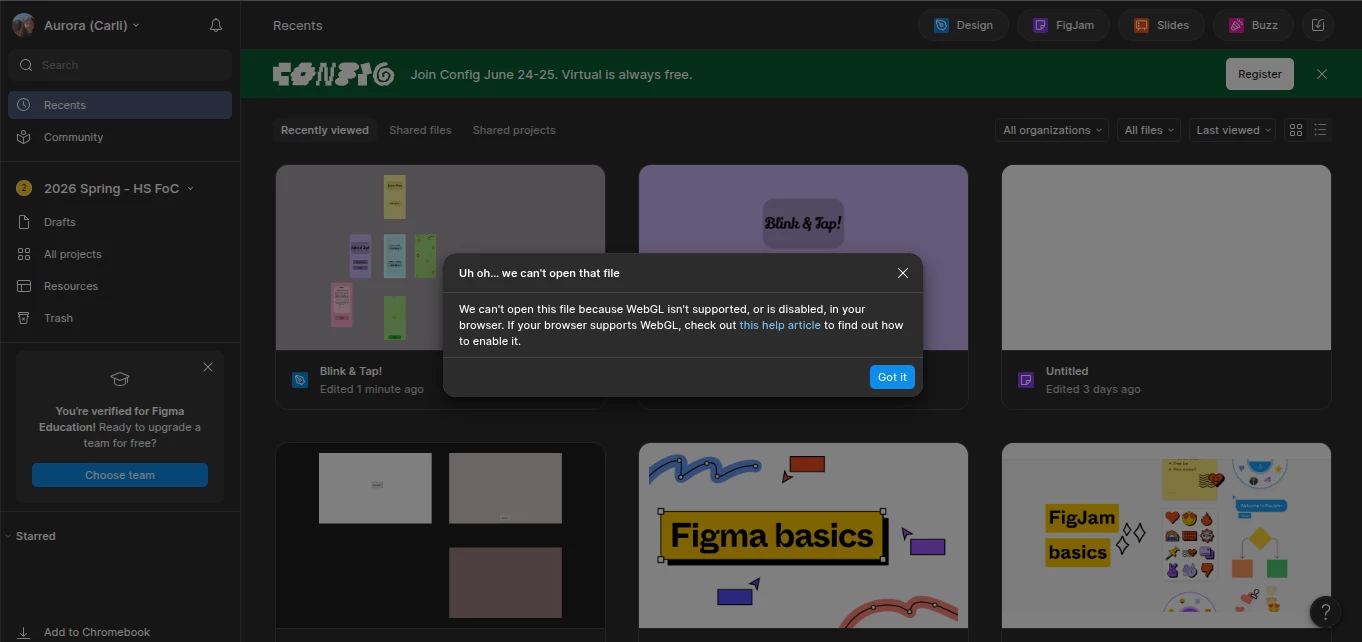
Then says this in the pic after it kicks me out and when I try to get back in. the only way I can get back in, is to go to the page of my app and hit “open in editor”.

why is it doing that???

I've tried clearing my cache and shutting down and restarting my computer but it doesn't work. ​​​​

1 reply

Celyn_L
Figmate
  • Figmate
  • May 19, 2026

Hi ​@Aurora9, Celyn from Figma Community Support here.

Thanks for reaching out and for sharing the screenshot, that’s really helpful. 

I understand that your computer crashes whenever you try to open Preview in Figma Design, and you’re seeing a WebGL-related error afterward when trying to get back into the project.

The error shown in your screenshot is usually displayed when Figma detects that WebGL isn’t running as expected in the browser. This can commonly happen if hardware acceleration is disabled or if your device’s GPU drivers are outdated.

Could you check whether hardware acceleration is enabled in Chrome?

Go to: Chrome Settings → Advanced → System → Use hardware acceleration when available


After enabling it, please fully restart Chrome and try again.

Could you also help confirm a couple of things for us to help narrow things down?

  • Do you see the same issue in the Figma desktop app as well?
  • Does this happen only in Chrome, or also in another browser such as Firefox, Safari, or Edge?
  • Are you using the latest version of your browser / Figma desktop app?

In the meantime, I’ve gone ahead and created a support ticket for you so the team can take a closer look and assist you directly from there - your case number is #1909619.

It would be really helpful if you could reply directly to the ticket with the additional information above, as that’ll help the team investigate this further.

Someone from the team will be reaching out on your ticket soon, appreciate your patience while we look into this further.