Solved

SAML SSO Login Issue

  • July 6, 2026
  • 1 reply
  • 76 views

Chanyuan Wen

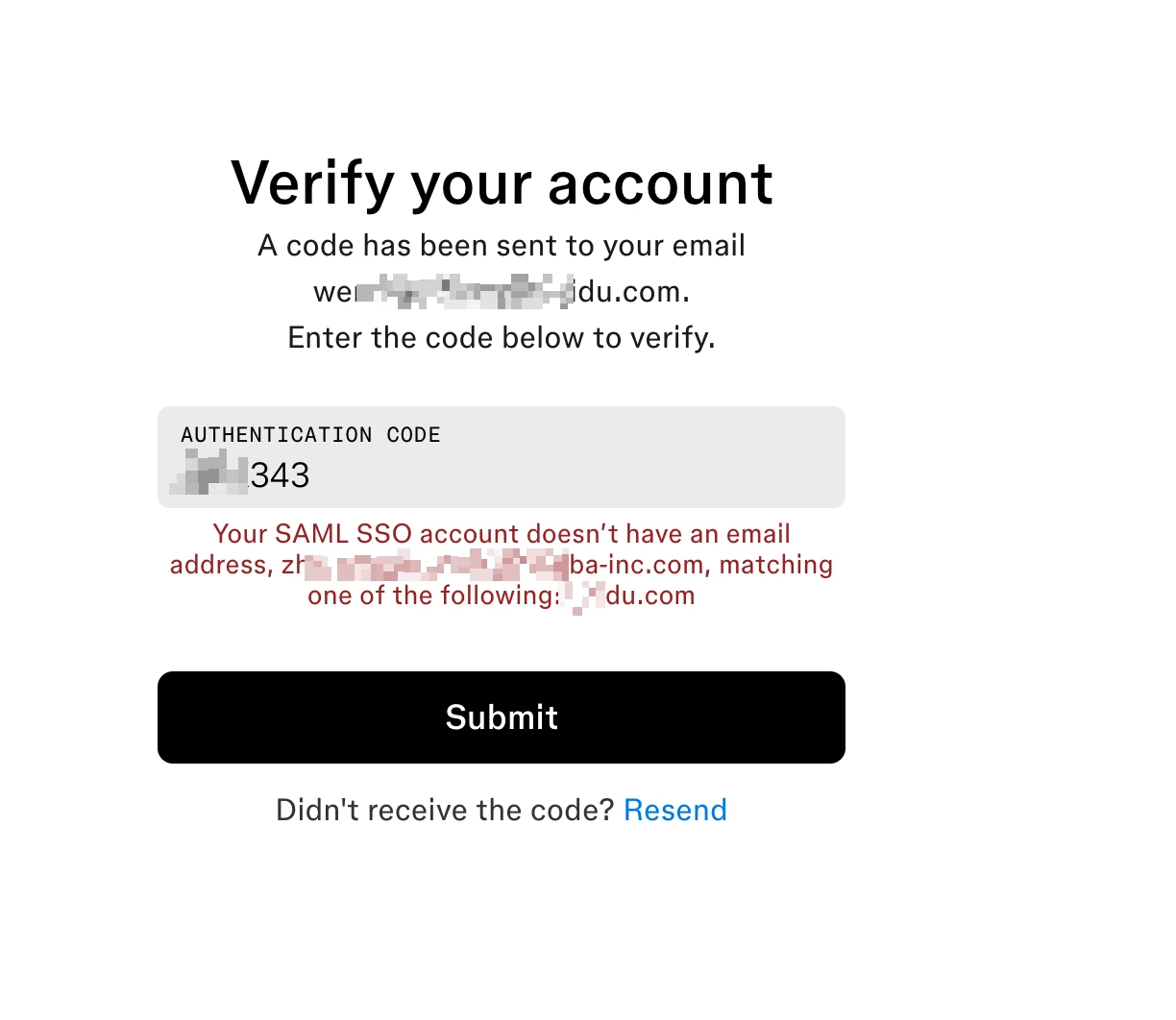
I can't login use my SAML SSO account(the email address was myname@mycompany.com), system ask a code to verify my account, but after I give authentication code, hint: "Your SAML SSO account doesn't hava an email address, someone_name@anothercompany.com, matching one of the following: mycompany.com
 

But I don't know why someone_name@anothercompany.com, appeared at all, I m not employee of anothercompany.


Best answer by Celine_

Hey ​@Chanyuan Wen , Celine from the Community Support team at Figma here! Thanks for reaching out to the Figma Forum!

As it’s an account issue, we cannot investigate directly in the Forum due to security and privacy reasons,. I've gone ahead and created a support ticket on your behalf so our team can investigate this further. For reference, your case number is #1999200 sent to your email address: rxxxxxn@gxxxl.xxm,

Please keep an eye on your inbox, and when you receive the support email, reply with the requested details so the team has everything they need to continue the investigation. Thanks for your patience!


Update: The support agent is waiting for your reply to understand your setup and investigate it further. Please check your inbox when you can, thank you! I’ll go ahead and close the topic here.

For others who may encounter similar issue, here are the steps that could be helpful:

  • Please ask your IT team or Figma organization admin to check the SAML SSO configuration for your account, specifically the email/identity value being sent during login. For SAML SSO accounts, updates to login details are handled in the identity provider.
  • If your admin needs to review the SAML SSO setup, they can use the Guide to SAML SSO →

This topic has been closed for replies.

1 reply

Celine_
Figmate
  • Community Support
  • Answer
  • July 6, 2026

Hey ​@Chanyuan Wen , Celine from the Community Support team at Figma here! Thanks for reaching out to the Figma Forum!

As it’s an account issue, we cannot investigate directly in the Forum due to security and privacy reasons,. I've gone ahead and created a support ticket on your behalf so our team can investigate this further. For reference, your case number is #1999200 sent to your email address: rxxxxxn@gxxxl.xxm,

Please keep an eye on your inbox, and when you receive the support email, reply with the requested details so the team has everything they need to continue the investigation. Thanks for your patience!


Update: The support agent is waiting for your reply to understand your setup and investigate it further. Please check your inbox when you can, thank you! I’ll go ahead and close the topic here.

For others who may encounter similar issue, here are the steps that could be helpful:

  • Please ask your IT team or Figma organization admin to check the SAML SSO configuration for your account, specifically the email/identity value being sent during login. For SAML SSO accounts, updates to login details are handled in the identity provider.
  • If your admin needs to review the SAML SSO setup, they can use the Guide to SAML SSO →