

"Review updates" window not resizing and other bugs
  • April 14, 2026
  • 4 replies
  • 32 views

Ana Faustino

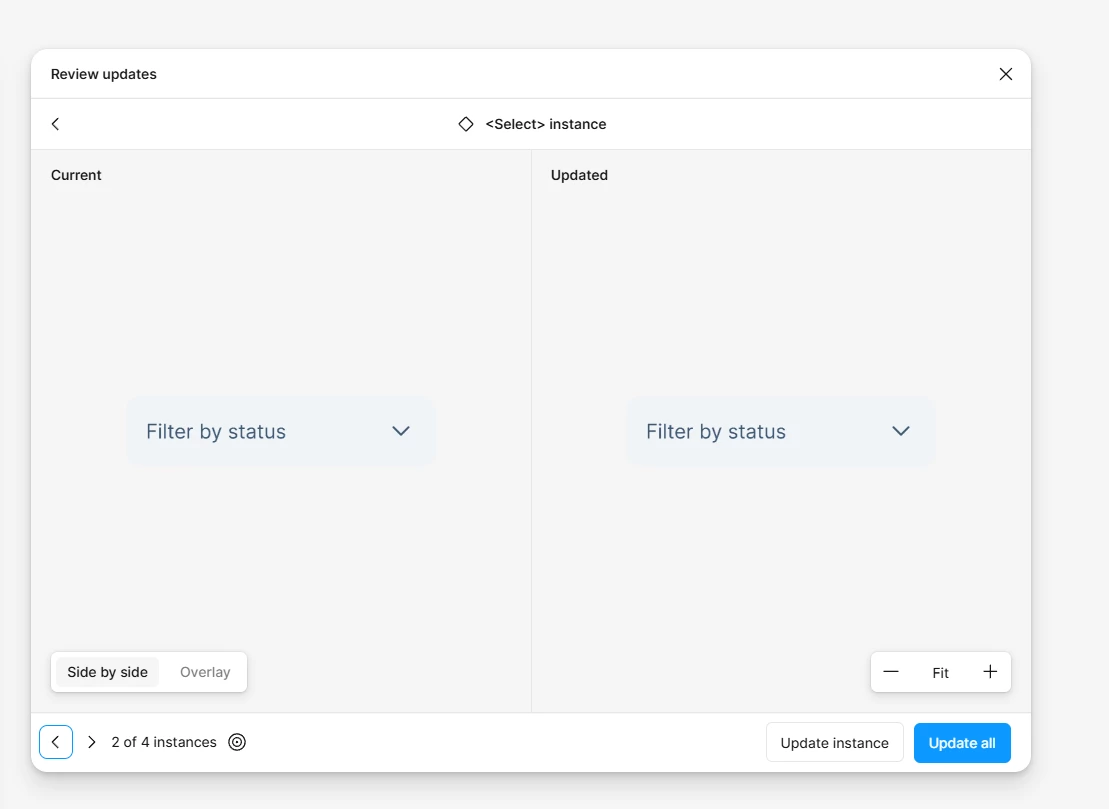
I can’t resize the window, either by dragging the sides, the corners, or double-clicking on the top bar. Additionally, clicking to move inside the window now moves the window, instead of the component. To move around the frame, I need to use the middle-button on the mouse.

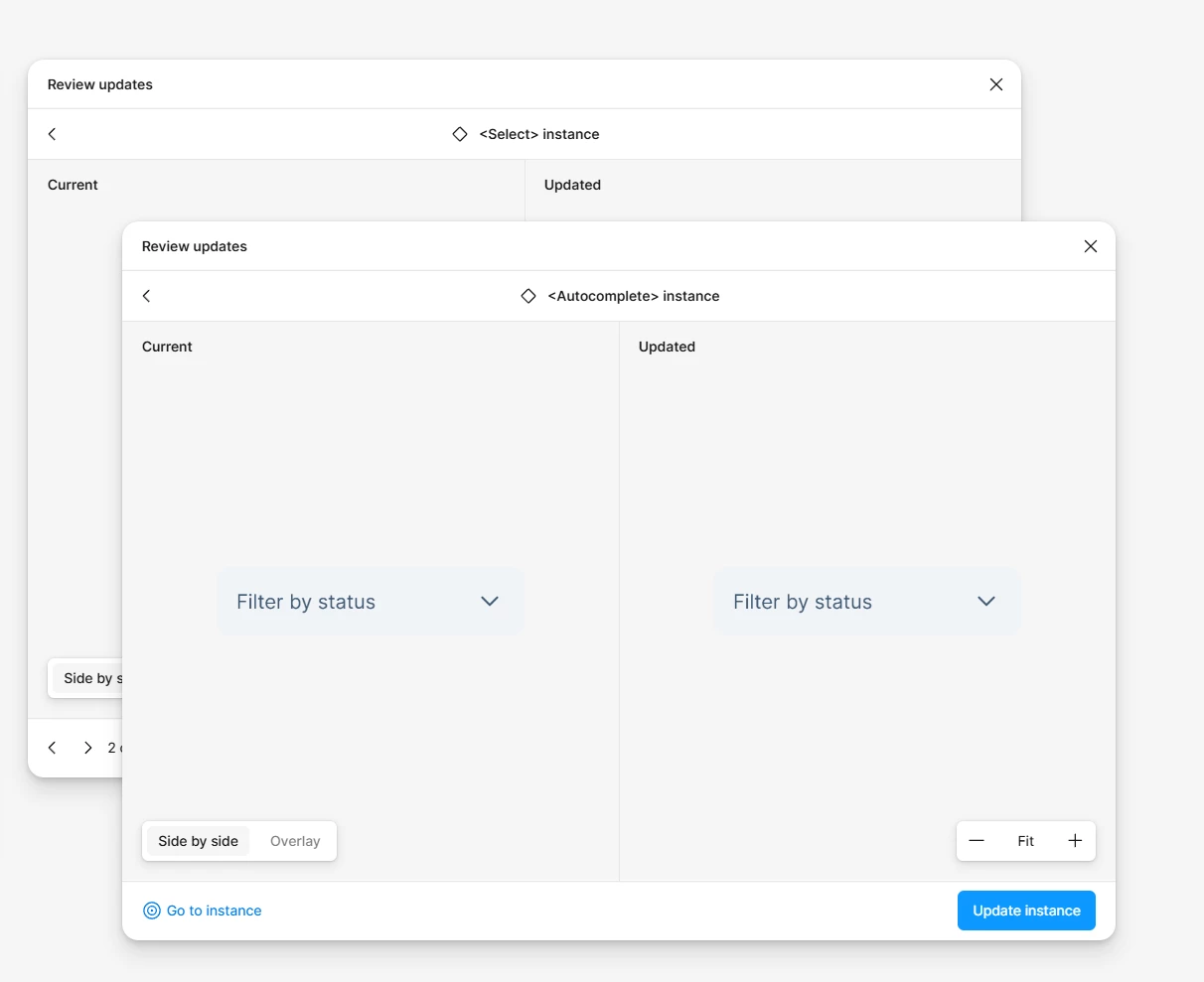
There is also a bug where clicking another component on the “Updates” list opens another window. Clicking the “close” button on one window closes all the windows, including the “Manage libraries” window.
 

4 replies

AskDave
Figmate
  • Figmate
  • April 14, 2026

Hi Ana,


Dave here from Figma’s community support team 😊 


Thanks for flagging this, that does sound pretty frustrating, especially with multiple things breaking at once. What you’re describing (window not resizing, dragging behaviour changing, multiple windows opening, and closing one closing everything) definitely isn’t expected behaviour.


A couple of quick things you can try first:

  • Refresh the file or your browser/app
  • Duplicate the file and check if the issue still happens there

If it continues after that, it’s best to report this as a bug so the team can look into your specific setup. When you do, it really helps to include:

  • A link to the affected file
  • A short screen recording showing the behaviour
  • Steps to reproduce (if you can consistently trigger it)

 Bug report directly to Figma Support: Figma Learn - Help Center

You can also check out some general troubleshooting steps here:
https://help.figma.com/hc/en-us/articles/31304610458647-Troubleshoot-in-Figma-Make

Really appreciate you calling this out, issues like this are important for the team to investigate properly.


Ana Faustino
  • Author
  • New Member
  • April 14, 2026

I’m using the app, and this issue has been happening for a while; I assumed it needed an update, but I updated Figma today and it wasn’t fixed. Restarting the app and refreshing the file did not help - this issue happens in all files, and while using the browser too.

I’ll open a bug report. Thanks.


Ana Faustino
  • Author
  • New Member
  • April 14, 2026

Hi ​@AskDave, what’s the fallback for the bug report system not working? This is getting a bit ridiculous.


Celine_
Figmate
  • Community Support
  • April 14, 2026

Hey ​@Ana Faustino , Celine from the Community Support team, I am working closely with ​@AskDave , happy to help!

Sorry for the trouble with the Support Hub, and thanks for trying those steps. I've checked internally and can confirm that your request has been successfully received by our support team. Your case number is #1848721 for reference, and I've added a follow-up note to increase visibility.

Someone will be in touch with you soon, thanks for your patience! 🙏

Update: I can see in the backend that your case  has been forwarded to our Technical Quality team for further investigation. Please feel free to add any additional information directly in your case, thank you!