

Erasmus
New Member
July 27, 2026
Solved

[Resolved] Copy file and export issue

  • July 27, 2026
  • 55 replies
  • 357 views

Hi everyone

Figma file I’ve been editing for days and months as file owner.
Now I can’t seem to be able to copy elements on it, share the file, rename it etc. And this started immediately after an update.

I can design on the file but i can’t use AI features

Please can someone help me urgently? thank you!
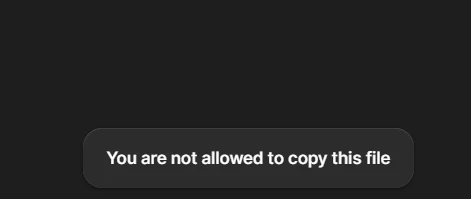
[Moderator note: This post’s title was changed from Figma no working properly, after an update to [Bug] Copy file and export issue on 27-Jul-2026.]

Best answer by Tom Reem

Hi ​@Jeyson Lopez — thanks for reporting this, and I've got some good news.

I checked in with our Engineering team, and they've pushed a fix. Copying and exporting should be working as expected now.

Give your tab a refresh and let me know how it goes.

I'm continuing to monitor reports and will follow up if anything changes.

55 replies

djv
Figmate
Community Support
July 27, 2026

Hi ​@Brian_Olson, thanks for reaching out! 

I understand the frustration and how this must have slowed down your workflow. I merged your topic with this similar, related one in the Community. This was a bug that our team has now pushed a fix for. Please refresh your tabs and let us know if you run into any further issues. 

Johnsmith99
New Member
July 30, 2026

Thanks for the update, Tom. I was experiencing the same issue where I couldn't copy or export files even though I still had editing access, so it's good to hear the engineering team identified and fixed it.

After refreshing the tab, everything seems to be working normally again. Really appreciate the quick response and the follow-up on this. It saved a lot of confusion.

Walter Clayton
New Member
July 30, 2026

It’s fixed on my side thank you!

Joann Zhang
New Member
August 25, 2026

facing the same issue

Celyn_L
Figmate
Figmate
August 25, 2026

Hey ​@Joann Zhang, thanks for reaching out! I understand you’re currently experiencing the same issue.

Since the original issue was resolved, could you confirm which actions aren’t working for you and share a screenshot of any error message you see?

It would also be helpful to know whether this affects all files and whether you’re using the browser or desktop app.

Thanks!