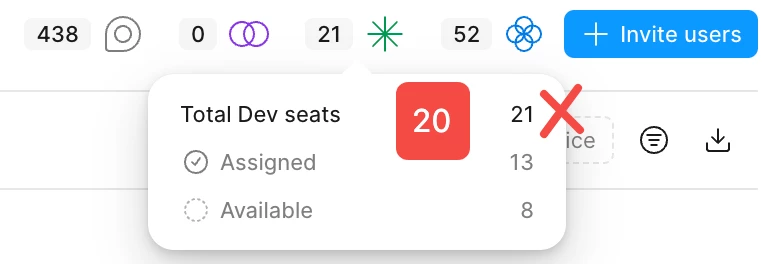
Hey @LuYuzhe Dexter, welcome to Figma Forum and thanks for the screenshot.
I'm not able to make seat adjustments from this public space, but I can point you to the right resources. One important thing to note: Seats can't be removed mid-billing term. What you can do is make the extra Dev seat available (by moving the assigned user to a View seat or removing them from the team), and then remove the unassigned seat at your next plan renewal.
If you run into any blockers or need help beyond what's covered there, let me know and I'll connect you with our Product Support team for a closer look at your seat configuration. 🙏🏻
I have removed the DEV seats. Currently, there are only 14 seats available, and the total is limited to 20. But now it has increased to 21. I am unable to change the upper limit of DEV to 20. Could you please explain how to proceed?
Thanks for confirming, @LuYuzhe Dexter — I’ve gone ahead and opened a request on your behalf with our Product Support team. Your ticket number is: 1998368, and they’ll follow up with you directly via the email associated with your Figma account after taking a closer look at your settings.
Appreciate your patience while this is reviewed. Please keep an eye on your inbox for next steps.