

Answer

Remote Figma MCP doesnt work with Amazon Q

  • October 24, 2025
  • 5 replies
  • 311 views

Alexander Wilson

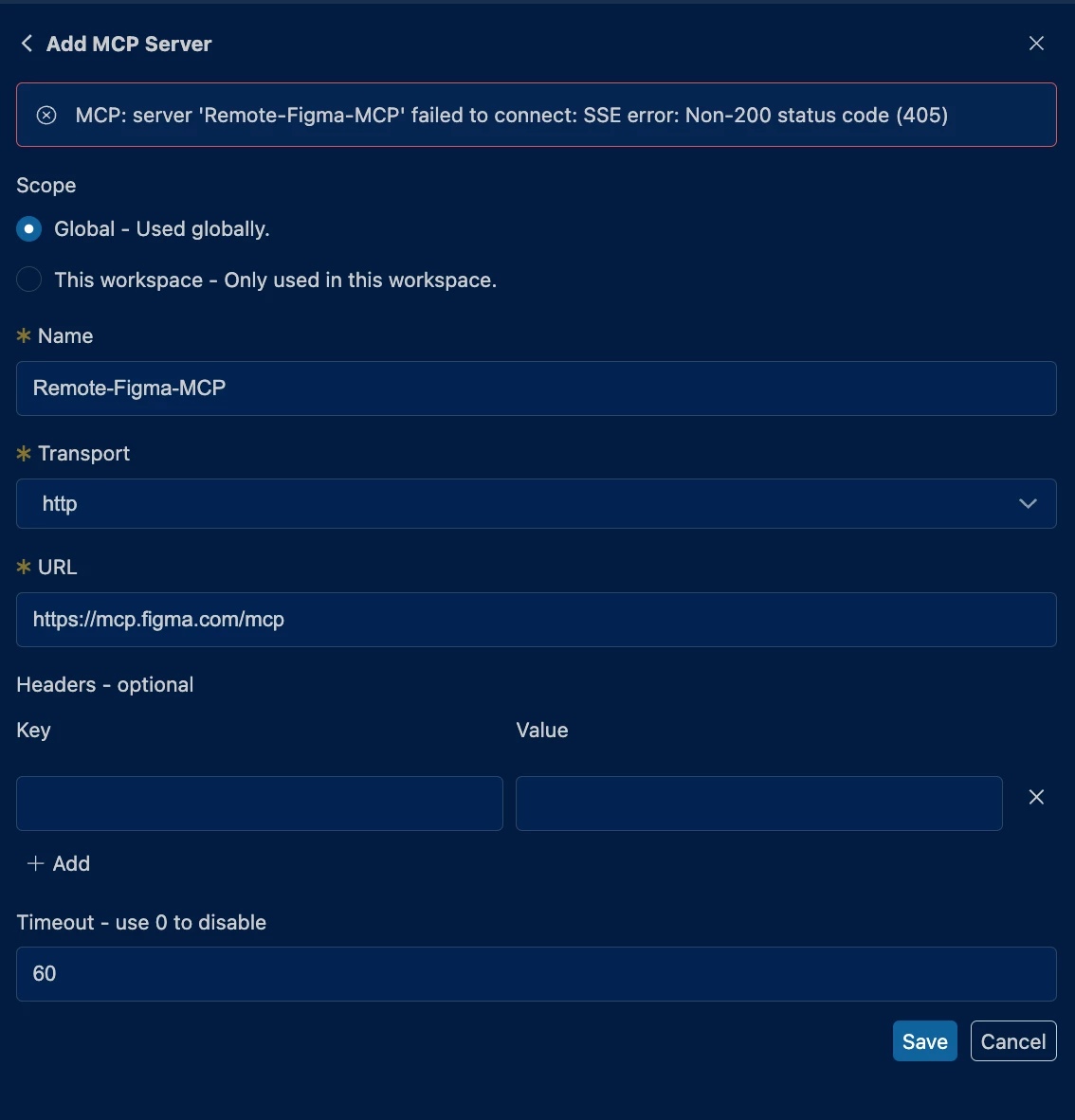
When attempting to add the configuration with Amazon Q, the startup process fails due to a non-200 status code. This might be related to Figma’s login requirement, though I’m not certain. I’ve followed the setup instructions outlined in the Figma MCP Server documentation: https://developers.figma.com/docs/figma-mcp-server/remote-server-installation/. However, the documentation does not reference Amazon Q specifically, which suggests that this client may not have been tested yet. For context, I’ve been able to successfully connect to the local version of the MCP Server using Amazon Q.


Has anyone gotten this working?

Can the Figma team please test with Amazon Q and provide directions about how to proceed? Amazon Q is the offering that our company has chosen to use and many developers are running on Linux machines. This means that their only way to access the MCP server is via the remote option which is currently unavailable to them.

 

Best answer by ksn

Hey both - we are continuing to explore our offerings, but at this time, Amazon Q is a 3rd party MCP server. With this is mind, my best recommendation is to reach out to your contacts at Amazon Q, and encourage that they begin an interactive process with us on becoming supported.

I did inquire about this internally and made note that you’d like to see this supported in the future. Thank you for your understanding.

5 replies

Alexander Wilson

For more detail about the Amazon Q client we use with VSCode, here is a link: https://marketplace.visualstudio.com/items?itemName=AmazonWebServices.amazon-q-vscode


Mike at Code and Theory

I am getting the same error using Amazon Q.


ksn
Figmate
  • Community Support
  • Answer
  • October 27, 2025

Hey both - we are continuing to explore our offerings, but at this time, Amazon Q is a 3rd party MCP server. With this is mind, my best recommendation is to reach out to your contacts at Amazon Q, and encourage that they begin an interactive process with us on becoming supported.

I did inquire about this internally and made note that you’d like to see this supported in the future. Thank you for your understanding.


Alexander Wilson

Hey both - we are continuing to explore our offerings, but at this time, Amazon Q is a 3rd party MCP server. With this is mind, my best recommendation is to reach out to your contacts at Amazon Q, and encourage that they begin an interactive process with us on becoming supported.

I did inquire about this internally and made note that you’d like to see this supported in the future. Thank you for your understanding.

Hey KSN, Thanks for your response. I'd like to clarify the technical setup to ensure we're aligned on the issue.

Amazon Q functions as an MCP client that connects to various MCP servers, rather than being an MCP server itself. The challenge we're encountering is that Figma's MCP server doesn't appear to be compatible with Amazon Q as a client, despite Amazon Q working successfully with other MCP servers.

Given that this seems to be a compatibility issue between Figma's server implementation and Amazon Q's client interface, I believe the most effective path forward would be for Figma's team to investigate and address this directly. As end users, we're limited in our ability to facilitate technical discussions between organizations.

I'm certainly willing to assist with testing and feedback throughout this process.


kevo1ution
  • New Member
  • November 12, 2025

there’s a very similar issue with the Figma MCP remote server and Firebender 

the client seems to need access to the right OAuth scopes