

Mike Russell
New Member
August 13, 2026
Solved

Receiving the following error code when using the AI Agent

  • August 13, 2026
  • 5 replies
  • 80 views

I have a Professional account and have been using the Beta feature of the AI agent while constructing different scenarios, use cases and building out wireframes for a new project. I’ve just run into a snag where I continue to receive the following error code: srid_MK5ABGZFBVSEQVHP1FT6SBMHR.

Here is a screenshot in use.
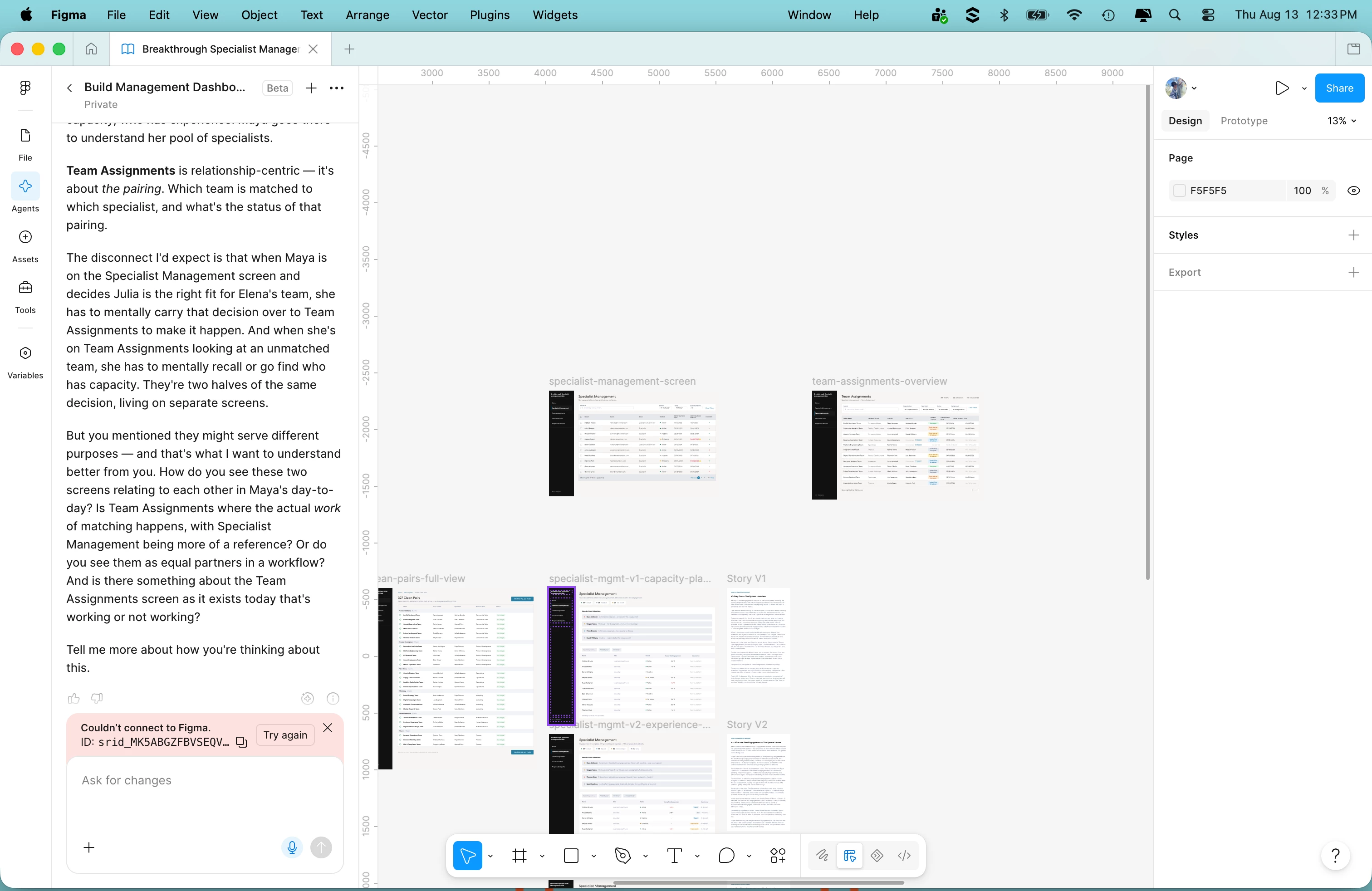
I have clicked the ‘Try again’ button with no success. My internet connection is fine. I’ve tried using the web browser version rather than the desktop application. I’ve tried the browser version in incognito mode. All to no avail. I would like to understand what is happening as I am in the midst of this project and am at a bit of a standstill.

Best answer by adamsmasher

Hi ​@Mike Russell! Thanks for your post. That’s unusual that you’ve been using the agent with no problem for a while and only just encountered this particular error. You’ve also done some good basic troubleshooting already.


Are you using a work laptop that is managed by an IT department? I’m wondering if something was updated in your network settings that might be blocking one of the domains we use. Can you review our adjusting your network settings article, and make sure that the domains listed there are whitelisted? You may also need to check your network settings or any other related apps if this isn’t something managed by an IT department.

5 replies

adamsmasher
Figmate
Figmate
August 13, 2026

Hi ​@Mike Russell! Thanks for your post. That’s unusual that you’ve been using the agent with no problem for a while and only just encountered this particular error. You’ve also done some good basic troubleshooting already.


Are you using a work laptop that is managed by an IT department? I’m wondering if something was updated in your network settings that might be blocking one of the domains we use. Can you review our adjusting your network settings article, and make sure that the domains listed there are whitelisted? You may also need to check your network settings or any other related apps if this isn’t something managed by an IT department.

Mike Russell
New Member
August 13, 2026

Thanks for the quick response. Currently, it is back up and working for me. It may have been a temporary network issue but I asked our IT group and they were not aware of anything at the moment. I am keeping my fingers crossed that it continues to work as I am on a tight timeline. :-)

Thanks

adamsmasher
Figmate
Figmate
August 13, 2026

Ahh, ok. Glad to hear it’s working again! That definitely sounds like a temporary network issue of some kind. Let me know if you have trouble again and we’ll go from there, otherwise good luck with the tight timeline!

Mike Russell
New Member
August 19, 2026

Hey, I’m back again. Thanks again for your prompt response. I have another question. I didn’t realize that Figma was putting a limit on usage for the Beta AI agent functionality. All of a sudden I received a message that I’ve reached my monthly limit for this feature. I’m midstream into this project and need to quickly get it done. The agent has really helped me rapidly build out the wires and journeys for a new product we are creating. Is there any way to get this Beta extended for my account?

Thanks!

adamsmasher
Figmate
Figmate
August 19, 2026

Glad to hear that the AI agent has been really helpful! Do you see a banner indicating you could request more credits? If you do, use that to request more credits for yourself. I can’t speak to how much or how quickly that might happen, though. Are you working with anyone else with the file who still hasn’t hit their own limit? You might be able to have someone else run the prompts for you in the meantime so you don’t remain blocked.