
Question

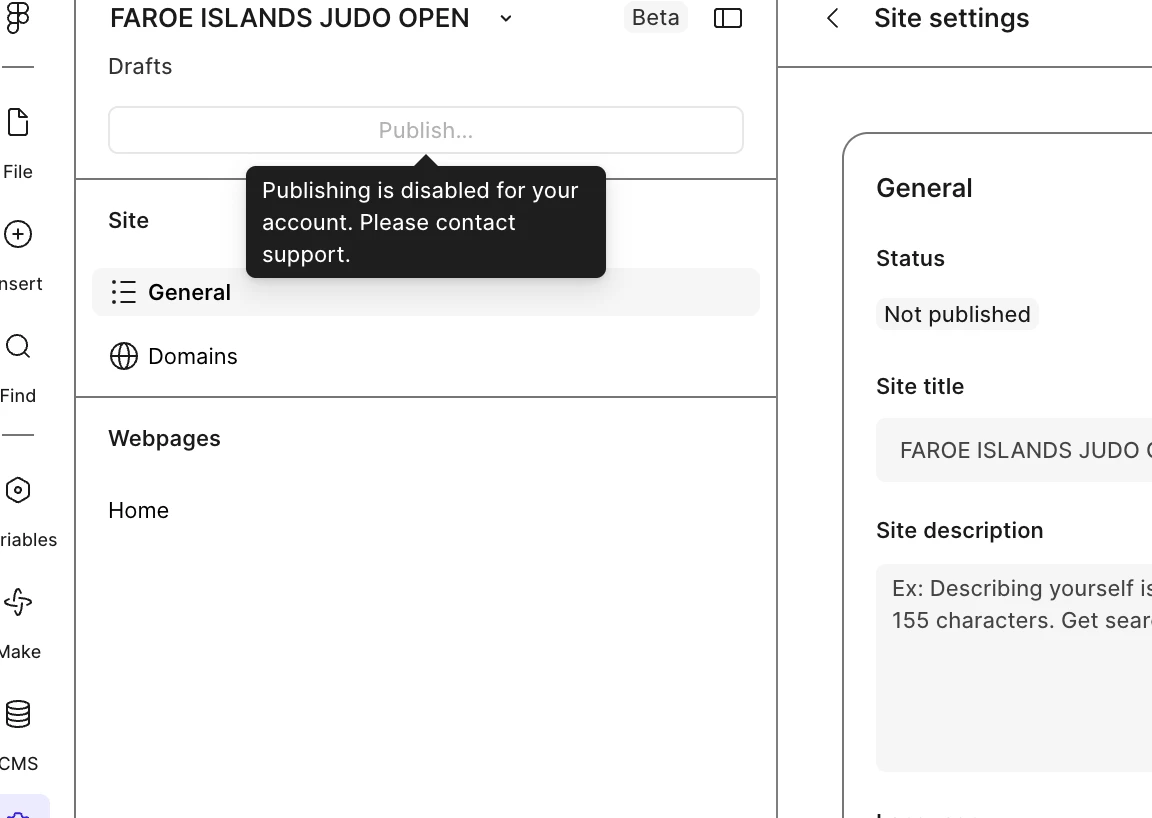
"Publishing is disabled for your account please contact support"

  • August 4, 2026
  • 5 replies
  • 23 views

Anggi Yanuar

I am paying for full-seat professional account but I am unable to press publish button for figma site, can you help me? is there any setting up I can fix? 
 

5 replies

Anggi Yanuar
  • Author
  • New Member
  • August 4, 2026

when I can get this fixed? 

[Moderator note: This post was merged from "Account Restricted - Unable to Share Files - Urgent Assistance Needed / Figma has restricted you from sharing this file. Please email support+restricted@figma.com for help." into "Publishing is disabled for your account please contact support" on 5-Aug-2026.]


Jaycee Lewis
Figmate

Hi, ​@Anggi Yanuar 👋 Please add this and any additional details to your open support ticket (ID 2050747). Account-based issues cannot be resolved via the forums and your support ticket is the best place for all communications. Thank you. — Jaycee 


Anggi Yanuar
  • Author
  • New Member
  • August 4, 2026

How can I follow up this issue? I have sent the email to support figma, the ai just replied something unreliable. It asked me to follow the step File → Publish → ??? there is no publish button can be clicked. See here in the screenshot.


Anggi Yanuar
  • Author
  • New Member
  • August 4, 2026

Following up my case :(ID 2050747). I have been asking from live chat, that My account is excluded of being published in figma site, and I need to wait, why? and what happens? Why my account is excluded??
(screenshot redacted by the moderator due to PII)


Celyn_L
Figmate
  • Figmate
  • August 5, 2026

Hi ​@Anggi Yanuar, Celyn here stepping in for ​@Jaycee Lewis.

Just a heads up that I've redacted the screenshot you shared to help protect your privacy.

I took a look at your support ticket #2050747 and saw that it has been merged into your existing ticket #2050884.

I understand you're looking for more clarity on why your account is currently unable to publish - I can also see that the guidance from our automated assistant didn't resolve your question.

I can confirm that your ticket has now been routed to our Support team so they can investigate what's happening with your account. Someone from the team will reach out to you directly with more information as soon as they've reviewed your case.

In the meantime, I've also added an internal note to your ticket to help increase its visibility.

Thanks for your patience, and please keep an eye on your inbox for the team's follow-up.
