

Question

Prototype launch issue

  • February 27, 2026
  • 9 replies
  • 61 views

Ilse Frans

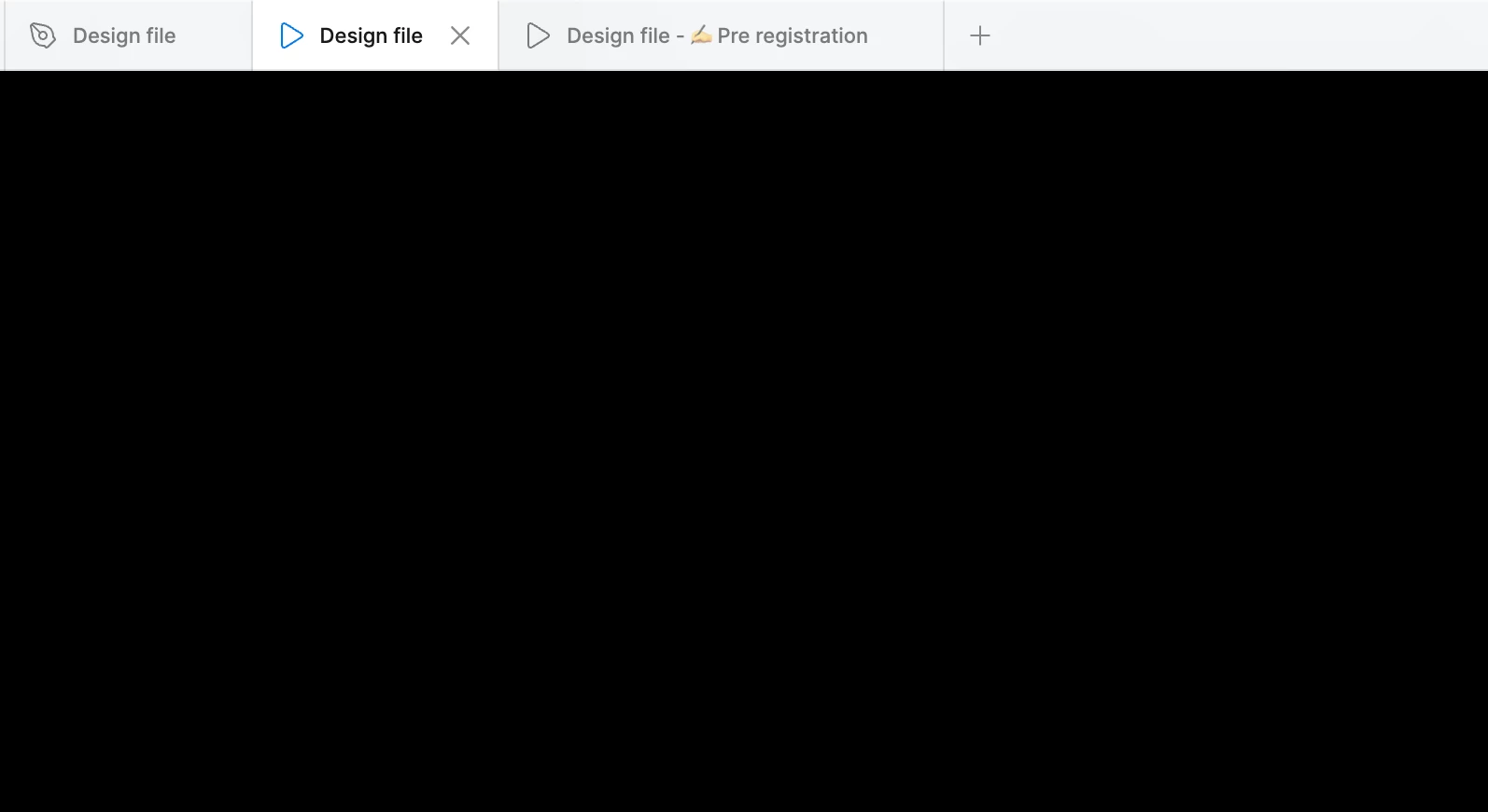
When I click on the prototype button, two windows open. The first window remains blank, and the second window always starts at the beginning of the flow. Previously, it was possible to start from a specific screen within the flow. The loading time also seems slower.
 

9 replies

djv
Figmate
  • Community Support
  • March 9, 2026

Hi ​@Ilse Frans, thanks for reaching out and apologies for the delayed reply!

Are you still having issues launching your Prototype? If so, this definitely doesn’t sound like the expected behavior. 

Did you create multiple prototype flows in your file previously? From your screenshot, it looks like the two Prototype tabs that open are different flows, but it’s hard to be sure. Are you able to share a URL link to your file, and/or a screenshot of your Prototype tab in the Design file with your Flow starting points, so we here in the Community can take a closer look at how you’ve set up the Prototype before trying to Present? 

With this information, we can try to continue to troubleshoot together. 


Andrea Zheng
  • New Member
  • March 21, 2026

Content

I'm experiencing a strange issue with Figma Presentation on macOS (Desktop app), and it happens across all files.

Problem

When I click “Present”:

  • It opens two windows
    • One is a black screen
    • The other shows Page 1 / Frame 1, not the frame I selected
  • Even if I’m working on another page (e.g. Page 22), it still jumps to Page 1
  • The presentation basically becomes unusable

Important detail

Right after launching Figma, everything works normally for a few seconds.

But after a short time:

  • The issue comes back
  • Presentation breaks again (wrong page + black window)

What I already tried

Figma-related

  • Set correct Flow starting point
  • Used Shift + Enter / Option + Cmd + Enter
  • Right-click → Present
  • Checked Prototype panel (no conflicting flows)
  • Happens on all files, including new ones

macOS-related

  • Disabled Stage Manager
  • Disabled “Displays have separate Spaces”
  • Restarted Mac
  • No external monitor connected

Environment check

  • ✅ Works perfectly in browser version
  • ❌ Only broken in Figma Desktop app

My guess

This seems like a conflict between:

  • Figma Desktop (presentation window)
  • macOS window / Spaces management

It looks like macOS is reassigning the presentation window after a few seconds.

Question

Has anyone experienced this?

  • Is this a known bug with recent macOS versions?
  • Any reliable fix besides switching to browser?

Tiffany8
  • New Member
  • April 8, 2026

Also experiencing this, affects one of my laptops but not the other. 

Affected laptop is running Tahoe 26.3. Unaffected is running 26.2. Not sure if that’s what is causing it but if there are anything details that are needed let me know. 


  • Figmate
  • April 9, 2026

Hi ​@Andrea Zheng,

Thanks for the detailed report.

I understand the issue you're facing after updating macOS: when you try to present in the Figma Desktop App, it opens a black screen along with another window that incorrectly defaults to Page 1, instead of the frame you selected.

I’ve just tested this on my end (Figma Desktop App v126.2.10 on macOS 26.3.1) but wasn't able to reproduce the behavior. I also checked our internal reports and couldn't find any similar cases so far.


To investigate this further, I’ve gone ahead and created a support ticket(#1839222) on your behalf with all the information you've provided. You'll receive a confirmation email shortly.

Once you do, could you please reply to that email with a screen recording/screenshots of the issue? Seeing exactly what you're seeing will be a huge help for our team.


Hi ​@Tiffany8

Thank you for confirming you're seeing this as well. To help us investigate, I'm going to send you a Private Message shortly.


In the meantime, for both of you, please double-check that you are on the latest version of the Figma Desktop App.

Thanks for your help!


Todd Parker
  • New Member
  • April 9, 2026

Any updates on this bug? Just cropped up for me last night in my Mac app and it really breaks my workflow. It opens the 2 tabs, the first blank, the second with the wrong prototype in my file. Same bug across multiple files. Restarted Figma and my Mac, doesn’t fix it. I’m running the latest version of Figma desktop (126.2.10) and Mac Tahoe 26.0.1 (25A362)


UPDATE: I figured out that second tab is actually the first prototype in the first page of your file. In my case, it was showing the cover because it was my first page. I moved my prototype page to the top of the page list and then it showed up in the second tab that is launched. It’s an ugly workaround, especially if you have lots of prototypes in a page or multiple pages with a prototype but it’s something.

It would be helpful if we could have a public ticketing system like Github so we can view and comment on open issues. I don’t think that’s how it works for Figma so they are black holes for issues like this. If I missed a link to the tickets, I’d appreciate a link.

Related threads:


  • Figmate
  • April 10, 2026

Hi ​@Todd Parker,


Thanks for the additional input.

I can confirm our Technical Quality team is currently investigating this in several tickets. (Thank you ​@Andrea Zheng for your ongoing help - it's especially valuable since we cannot reproduce this issue internally.)

Unfortunately, we don't have an open ticket system at the moment, but thank you for showing willingness to help with this issue. Please consider submitting a bug report so our technical quality team can take a closer look at your case.

What to share in a bug report to Figma Support


Thanks,


Sanda
  • New Member
  • April 13, 2026

Hi, i’m having the same issue. there are no multiple flows, no matter how i start the prototype mode (play button, from flow starting point, keyboard shortcut) it does this. it also happens in other files. restarting the app did nothing either :(


djv
Figmate
  • Community Support
  • April 13, 2026

Hi ​@Sanda, thanks for chiming in here! 

I’ve combined a couple of forum topics together into this thread, so we can keep the community updated as soon as we hear more from the team. 

Our technical quality team is now proactively investigating this issue. If you’d like further one on one support, please consider also submitting a bug report, so our technical quality team can take a closer look at your specific file.

In any case, we’ll provide an update, if we have one from the team as soon as we can. 


Sanda
  • New Member
  • April 14, 2026

I resolved my issue! I had logged into another Figma account of mine while having tabs of files that that account doesn’t have access to.

So on the home screen I was user 2 with opened tabs made by user 1 (in a different org as well). I could edit them and even leave comments as user 1, but prototype mode didn’t work. When I changed to user 1 on the home screen, prototype mode started working normally. Switching back to user 2 led to the problem returning.