
Question

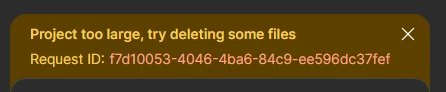
Project too large delete some files
  • March 12, 2026
  • 1 reply
  • 16 views

Ravidu Dilusha

i have a tight deadline.so can you fix that as soon as possible

1 reply

  • Figmate
  • March 12, 2026

Hi ​@Ravidu Dilusha


I understand you’re seeing this error message in your Figma Make file.


This error occurs because one or more files in your project exceed the 1MB size limit, which prevents the AI chat from functioning correctly.

To resolve the issue, please try the following:

  1. Identify the large files: Look for the warning symbol next to filenames in your project.

  2. Shorten or delete them: Reducing the content or removing these specific files should resolve the error.

  3. Prompt for fixes: Once the files are under the limit, you can ask Figma Make to help adjust any parts affected by the shortening.

For more details, you can refer to Troubleshoot in Figma Make.


If the issue persists after these steps, please check the DM I’ll be sending you shortly.


Thanks,