

Question

Problème de publication de librarie avec les variables dans Figma

  • April 10, 2026
  • 1 reply
  • 20 views

Fun Animals Land

Bonjour,

Je vous contacte car je rencontre un problème avec les variables dans Figma.

J’ai créé plusieurs variables dans mon fichier, mais lors de la publication, elles ne sont pas toutes publiées. Une partie seulement apparaît comme publiée, et je ne comprends pas pourquoi certaines sont ignorées ou ne sont pas prises en compte.

Jusqu’à récemment, tout fonctionnait correctement et je pouvais publier l’ensemble de mes variables sans problème. Depuis peu, ce comportement a changé sans que je modifie mon processus, ce qui rend la situation assez confuse.

Photos: 

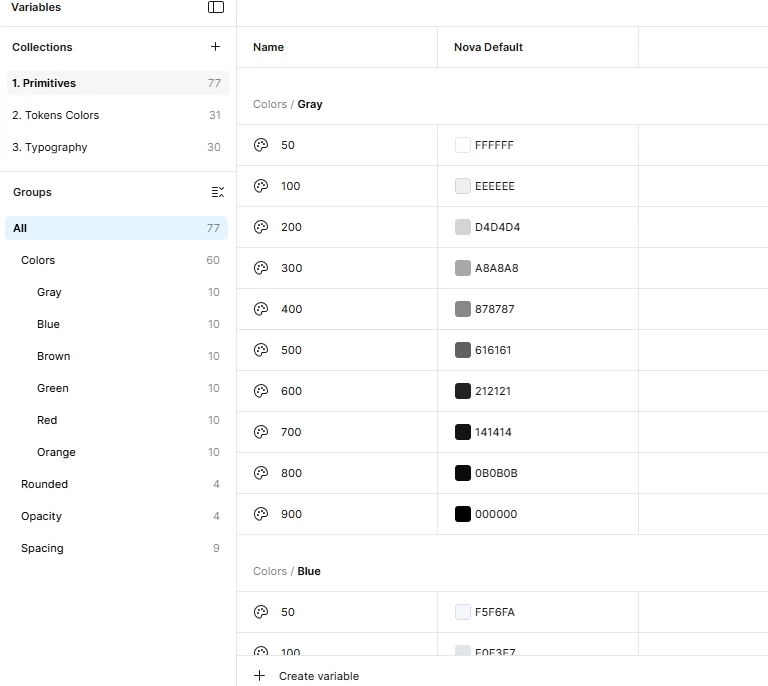
ici toutes mes variables
On peut voir qu’il manque des variables
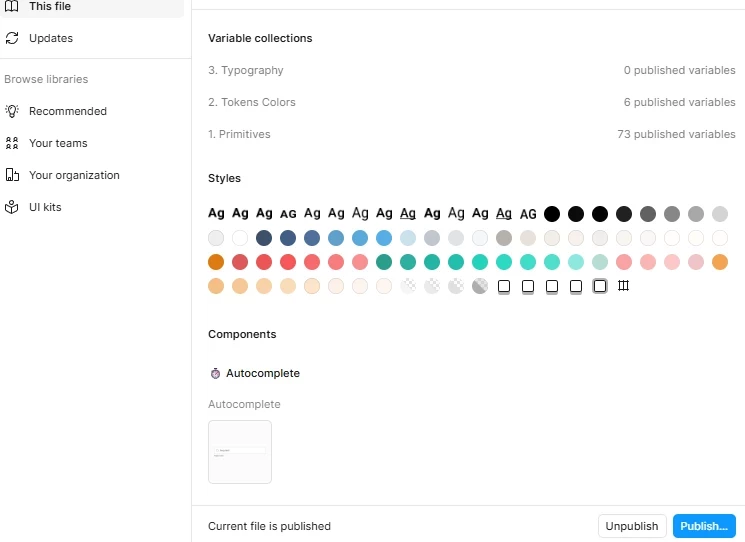
 

Pouvez-vous m’indiquer d’où cela peut venir et comment résoudre ce problème ?

Merci d’avance pour votre aide.

Cordialement,

1 reply

djv
Figmate
  • Community Support
  • April 13, 2026

Hi ​@Fun Animals Land, thank for reaching out!

I do not speak French, so I hope it is okay that I am replying in English. I can see how this would be confusing, especially since your process hasn’t changed. There are a few common reasons why variables may not all publish, even if they appear correctly in your file:

  • Hidden from publishing: Some variables (or entire collections) may have “Hide from publishing” enabled. You can check this in the Variables panel by editing the variable or collection and making sure that option is turned off.
  • Not currently used in the file: In some cases, Figma prioritizes variables that are actively used. If certain variables aren’t applied anywhere, they may not be included in the publish. A quick workaround is to apply the missing variables to a temporary frame or component to force them to be recognized.
  • Scoping restrictions: If a variable has limited scope (for example, not allowed for certain properties like fill), it may not show up as expected in the library. Double-check the scope settings for the affected variables.
  • Sync / UI inconsistency: Occasionally this can be a temporary issue. Renaming the variable collection or restarting the Figma app (or clearing cache, if you're using desktop) can help refresh the publish state.


If you’re still seeing variables missing after trying the steps above, feel free to share more details (or the file URL if possible with can view access to support-share@figma.com), and we can take a closer look.