Nicolas Rego Fidelis
New Member
September 25, 2026
Solved

Problema com a verificação

  • September 25, 2026
  • 1 reply
  • 19 views

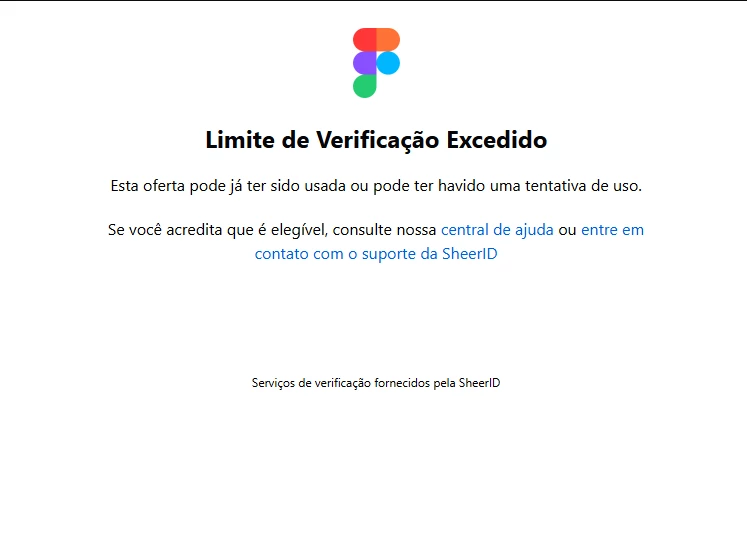
Eu to tentando fazer a verificação mas ele esta falando que eu já fiz varias verificação e não esta me liberando para fazer as minha coisas.


Best answer by Gayani_S

Hey ​@Nicolas Rego Fidelis, thanks for reaching out! I'll continue to replying in English, please let me know if anything's unclear and I'm happy to clarify.

I can see you're running into the 'Verification Limit Exceeded' message. That's a safeguard from SheerID, our education verification partner. It kicks in after too many attempts, and only they can reset it. We can't do that from our end.

Here's what I'd try:

  1. Email the SheerID support team directly at figmasupport@sheerid.com and mention the "Verification Limit Exceeded" error.
  2. When you retry, make sure you're logged into Figma with your school-issued email, not a personal one.
  3. Avoid verifying while connected to a VPN, that can trigger this same error.
  4. If you're uploading documents, make sure they clearly show your enrollment and school name.
     

For more on how education verification works, this article's worth a look: Figma for Education.


Hope this helps! 

1 reply

Gayani_S
Figmate
Gayani_SAnswer
Community Support
September 25, 2026

Hey ​@Nicolas Rego Fidelis, thanks for reaching out! I'll continue to replying in English, please let me know if anything's unclear and I'm happy to clarify.

I can see you're running into the 'Verification Limit Exceeded' message. That's a safeguard from SheerID, our education verification partner. It kicks in after too many attempts, and only they can reset it. We can't do that from our end.

Here's what I'd try:

  1. Email the SheerID support team directly at figmasupport@sheerid.com and mention the "Verification Limit Exceeded" error.
  2. When you retry, make sure you're logged into Figma with your school-issued email, not a personal one.
  3. Avoid verifying while connected to a VPN, that can trigger this same error.
  4. If you're uploading documents, make sure they clearly show your enrollment and school name.
     

For more on how education verification works, this article's worth a look: Figma for Education.


Hope this helps!