anandpadia25
New Member
May 3, 2026
Solved

Plugin and widget section not working

  • May 3, 2026
  • 13 replies
  • 478 views

Hi everyone,

I’m not sure if there’s been a recent change or issue with Figma, but the Plugins and Widgets section was working fine for me until yesterday.

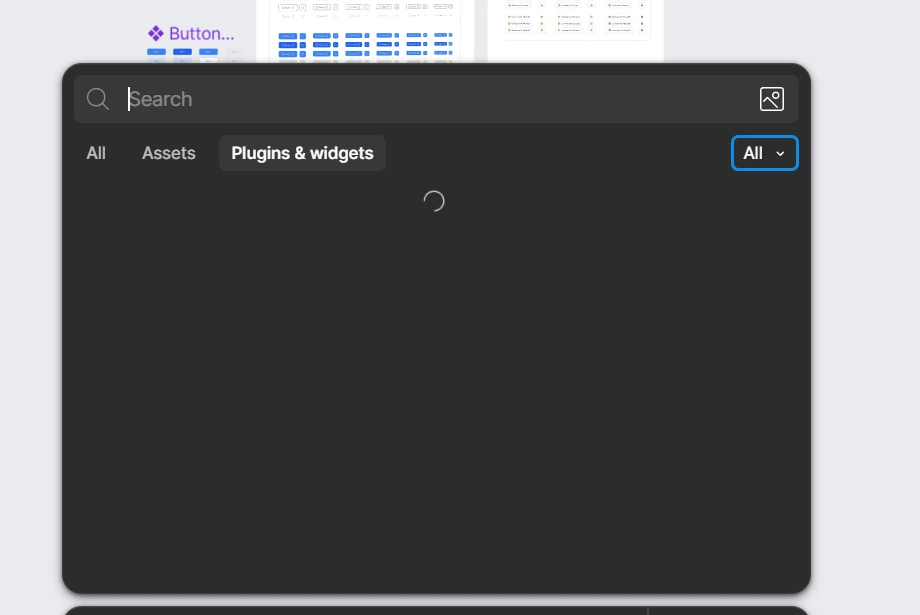
Starting today, the Plugins and Widgets panel isn’t loading at all.

I’ve already tried a few things:

  • Checked my internet connection
  • Restarted the app
  • Logged out and logged back in

Unfortunately, nothing has worked so far.

Is anyone else experiencing the same issue?

Kind regards,
Anand


Best answer by OxiJack

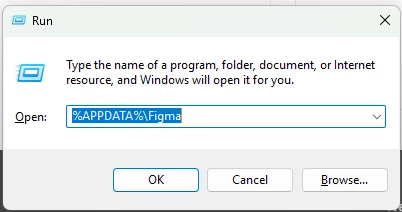
On windows start + r and enter %APPDATA%\Figma Delete all the contents in the folder. Uninstall figma. Download and install the figma desktop app again, this should fix the issue.


13 replies

honey.tan
New Member
May 5, 2026

Also had this problem yesterday (macOS). I downloaded and reinstalled the desktop version and it worked for me. 🙂

matthew.smith
New Member
May 5, 2026

Has anyone else fixed this on Mac? I have tried reinstalling and running the command above and nothing has worked.

adamsmasher
Figmate
Figmate
May 7, 2026

Hey everyone!  Thank you all for your patience as I’m sure this was frustrating being unable to search.


Our team released some fixes which should have resolved this for you. Is anyone still having issues searching for plugins? If so, please let me know and we’ll go from there.


Have a great day!